Customer Replaceable Units Rear Panel
Page 161
© Copyright 2020 Stratasys. All rights reserved.
Rear Panel
Required Tools
• 3 mm hex wrench
Removing the Rear Panel
1. Power OFF the printer, see “Powering Off” (page 159).
2. If present, disconnect the network cable from the Ethernet port.
3
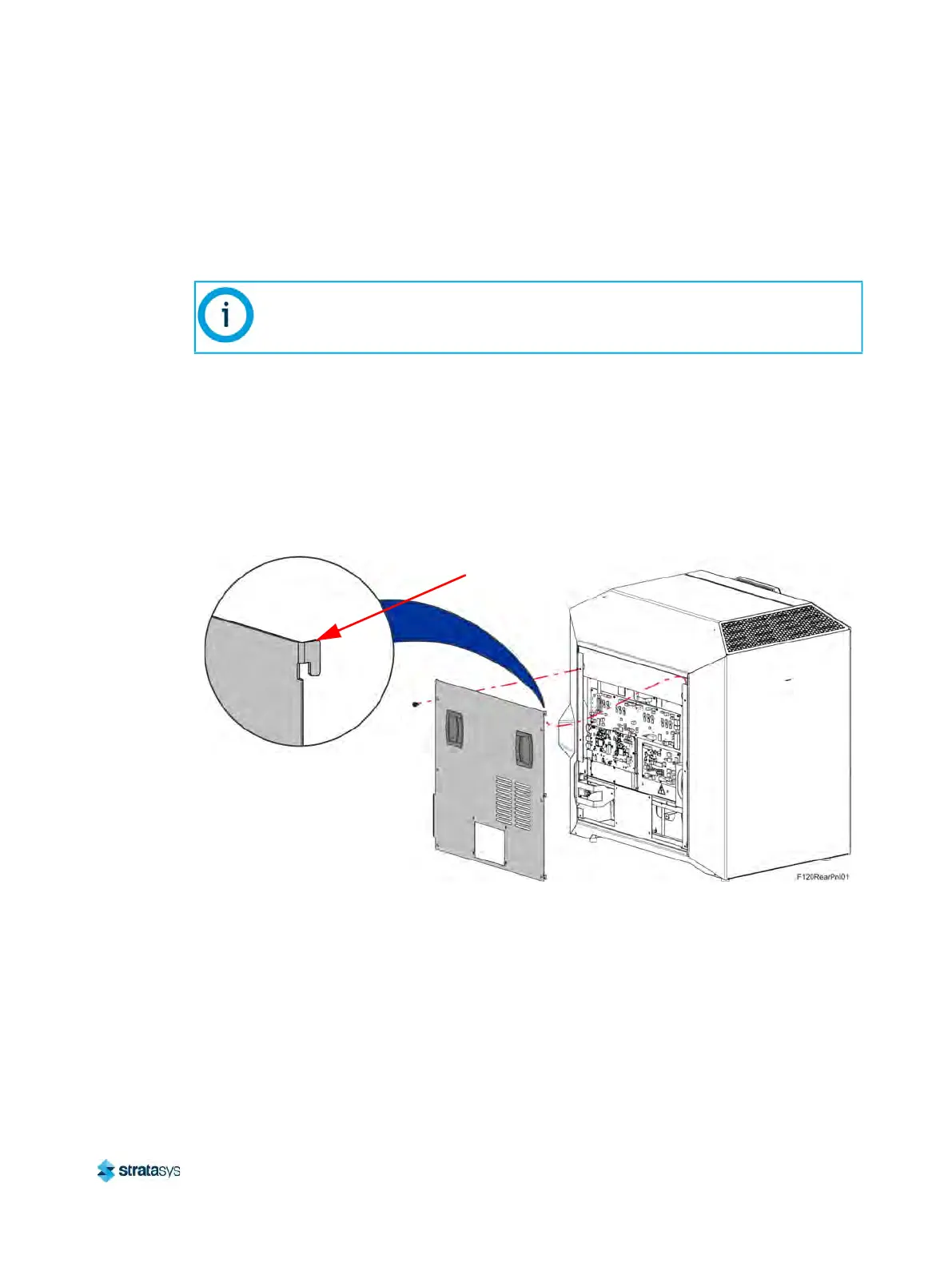
. Using a 3 mm hex wrench, remove the rear panel mounting screws (10). See
F
igure 16 (page 161).
4. The rear panel has formed tabs that allow it to hang on the printer frame. Remove the rear
p
anel by lifting upward and pulling away from the printer.
Figure 16: Rear Panel Mounting Screws
Installing the Rear Panel
1. Insert the rear panel formed tabs into the slots in the side and cover panels. See
Figure 16 (page 161).
2. Align the rear panel with the mounting holes in the frame. See F
igure 16 (page 161).
3. Using a 3 mm hex wrench, loosely install the rear panel mounting screws (10). See
F
igure 16 (page 161).
Note:
Removal of the rear panel requires the removal of the AC power cord. Do not install
the AC power cord with the back panel removed.
Formed Tab (4)













 To Next Page