Customer Replaceable Units Top Cover Interlock Sensor and Actuator
Page 190
© Copyright 2020 Stratasys. All rights reserved.
Top Cover Interlock Sensor and Actuator
Required Tools
• 2 mm hex wrench
• 2.5 mm hex wrench
Removing Top Cover Interlock Sensor
1. Power OFF the printer. See “Powering Off” (page 159).
2. Open the front top cover.
3
. Disconnect the top cover sensor cable at the quick disconnect.
4
. Remove the three cable ties that secure the cable to the sensor mounting bracket.
5
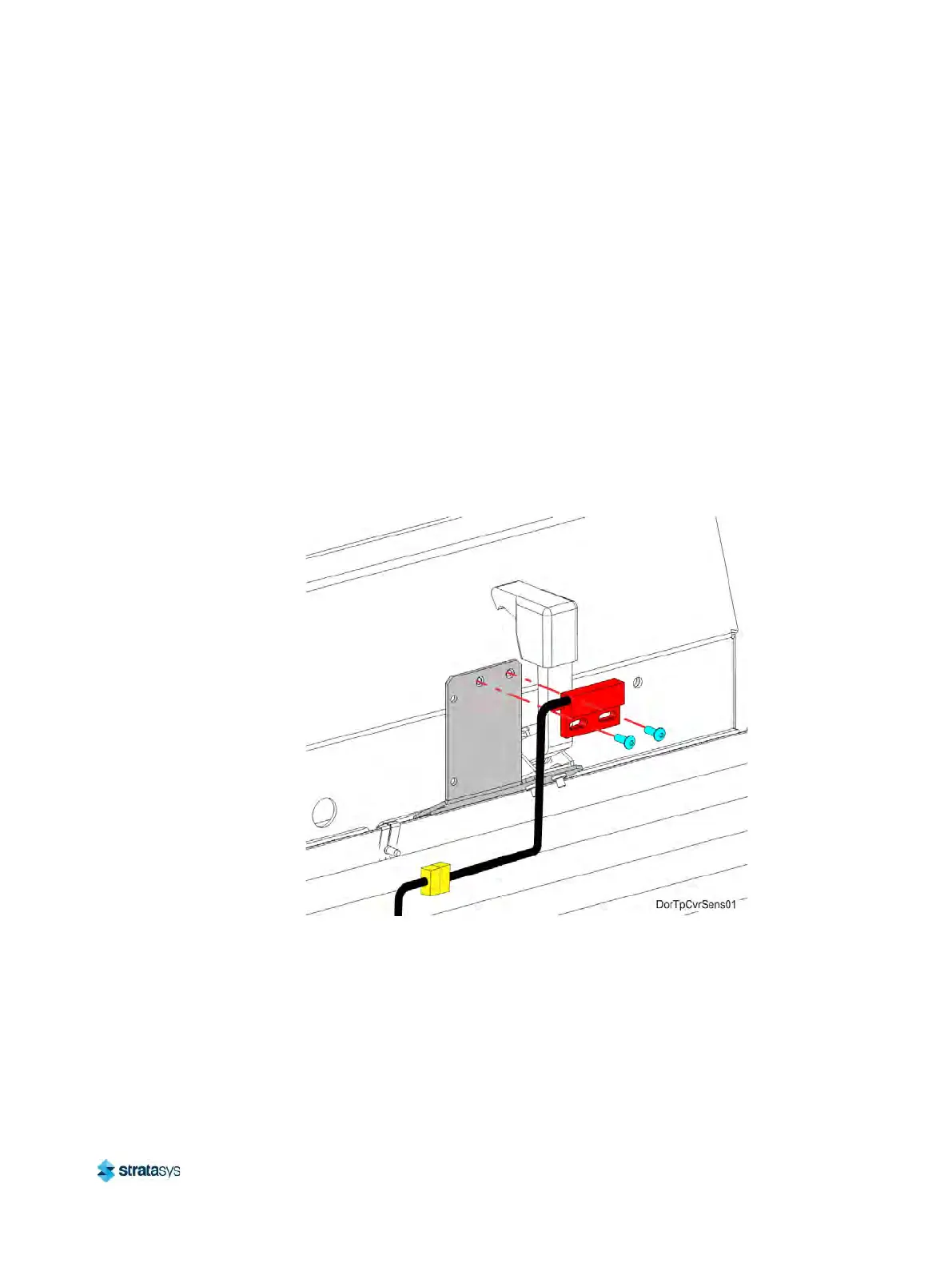
. Use a 2 mm hex wrench to remove the sensor mounting screws (2). See F
igure 44.
6. Remove the top cover sensor from the mounting bracket.
F
igure 44: Top Cover Sensor Mounting Screw Locations
7. Use a 2.5 mm hex wrench to remove the top cover actuator mounting screws (2). See
Figure 45 (page 191).













 To Next Page