Working with the Build Page Loading a File
Page 39
© Copyright 2020 Stratasys. All rights reserved.
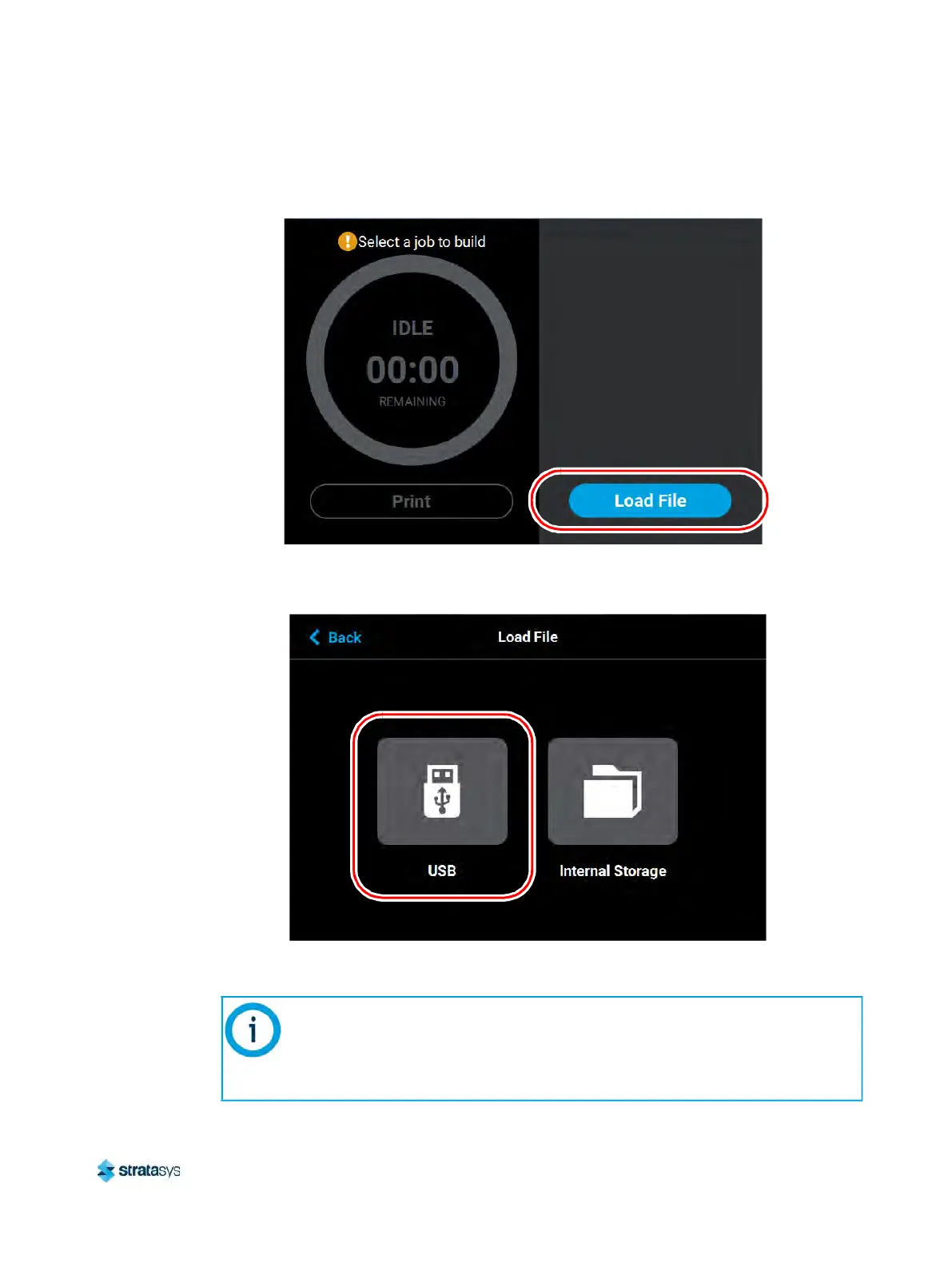
2. Press the Load File button within the Build page.
Figure 5: Load File Button
3. The L
oad File page will be displayed; press the USB button within this page.
Figure 6: Load File Page - USB Option
4. The L
oad File page will display the contents of the USB flash drive. Locate the desired job
and select it by touching its row on the screen; doing so will open its Job Details page.
If both USB ports contain a flash drive individual folder graphics will be displayed
on the screen representing each flash drive and its contents. Touching the folder
graphic on the screen will drill down into the folder and display its contents. If a
single flash drive is installed the job files located on the flash drive will be
displayed in individual rows.













 To Next Page