Objet1000 Plus User Guide 6 Operating and Maintaining the Objet1000 Plus 3DPrinter
DOC-06810 Rev.B 6-16
10.Replacematerialcontainersasnecessary,accordingtotheinstructionsin
thewizardscreen.
Makesuretosecurelyattachthecaptopartiallyusedmaterialcontainers
whennotloadedintheprinter.Ifnotproperlycapped,exposuretoUVlight
couldcausepolymerization(curing)ofthematerial,makingitunsuitablefor
printing.
11.ClickStart.
12.Readthewarningmessage,andclickOK.
Ifyoucontinue,youmustcompletethematerialreplacementprocessbefore
youcanproducemodels.Toreplacematerialcontainersatanothertime,click
Cancel.Ifyoucontinue(byclickingOK)andyoudonotcompletetheprocess,
youwillneedtorunthewizardagainbeforeproducingmodels.
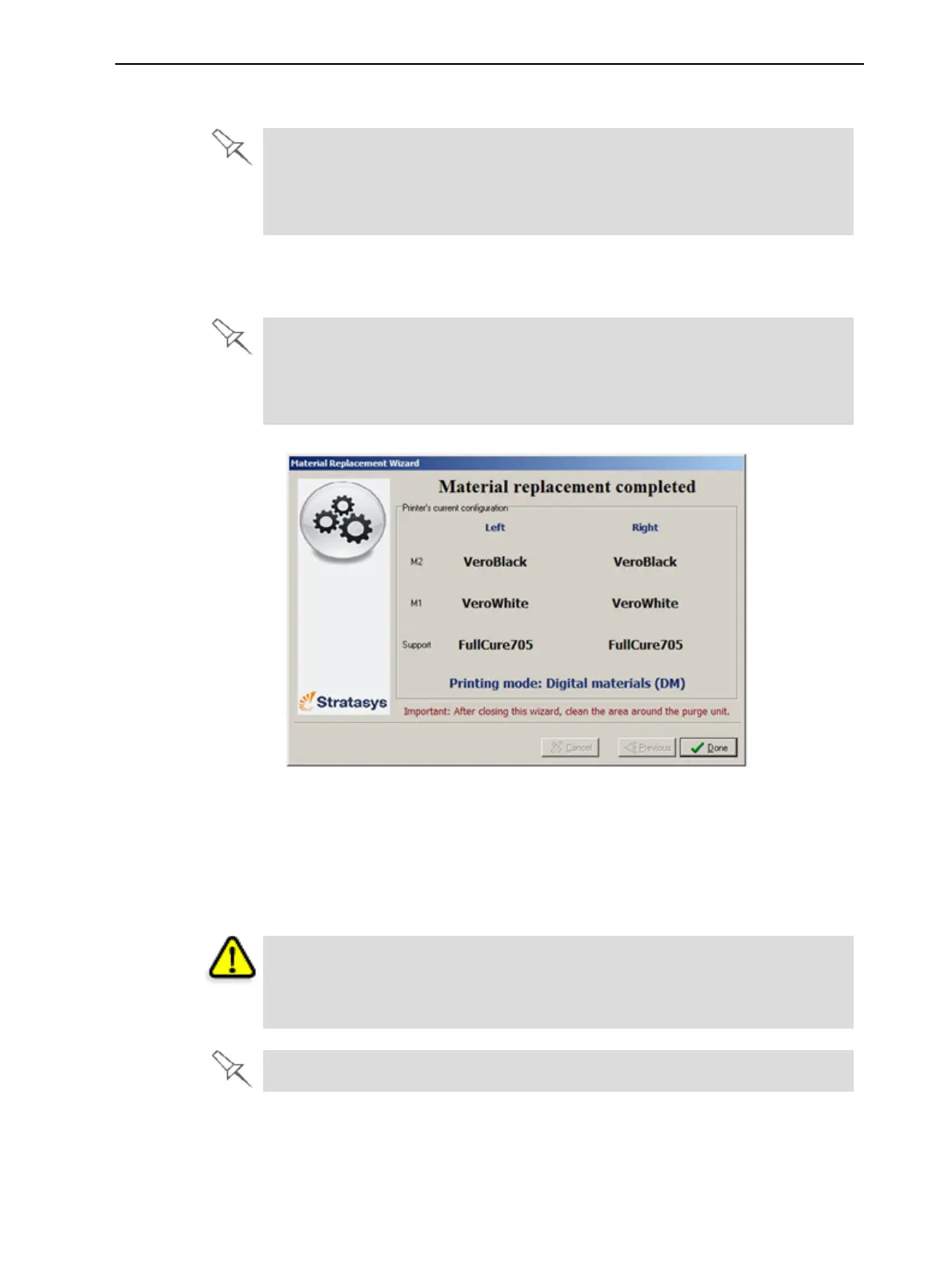
Figure6-13Finalwizardscreen
13.Inthefinalwizardscreen,clickDone.
Theprinter-controlapplicationisautomaticallyupdated,andtheinterface
displaysthenewmaterial(s).Theinterfaceinthejobpreparation
applicationisalsoupdated,anditdisplaysthenewmaterial(s).
14.Inspecttheareaaroundthepurgeunitandcleanit,ifnecessary.
Caution
Disposeofallmaterialcontainersinaccordancewithallapplicablelawsand
regulations.
Emptymaterialcontainerscanbeusedasprinter-wastecontainers.













 To Next Page