Objet1000 Plus User Guide 6 Operating and Maintaining the Objet1000 Plus 3DPrinter
DOC-06810 Rev.B 6-15
7. ForSupportmaterial,selectBothifyouneedtoloadtworeplacement
containers.
8. IntheFlushing cycle sectionofthewizardscreen,choosehowthoroughly
youwanttoflushoutmaterialcurrentlyinthesystem:
❒ Economy.Thiscyclecanbeusedwhenreplacingalight-coloredModel
materialwithadarkermaterial(suchasTangoBlack™orVeroBlack™)
oriftheexactcoloroftheprintedmodelsisunimportant.Usethis
cyclewhenreplacingcleaningfluidwithanyModelmaterial.
Thewizardflushesthesystemwiththeminimumamountofmaterial
neededtoensurethatmodelshavethemechanicalpropertiesofthe
newmaterial.
❒ Full.Usethiscyclewhentheprintedmodelsmusthavetheexact color
ofthenewmaterial.
Thewizardthoroughlyflushesthefeedtubesandprintheadsneeded
forprinting,basedonyourselectionsinthepreviousscreens.
Thereareadditionalsettingsthatyoucanselectforspecialpurposes(see
"AdvancedSettings").Ifnecessary,clickAdvanced Settingsbeforeclicking
Next.
9. ClickNexttobeginthematerialreplacementprocessintheprinter.
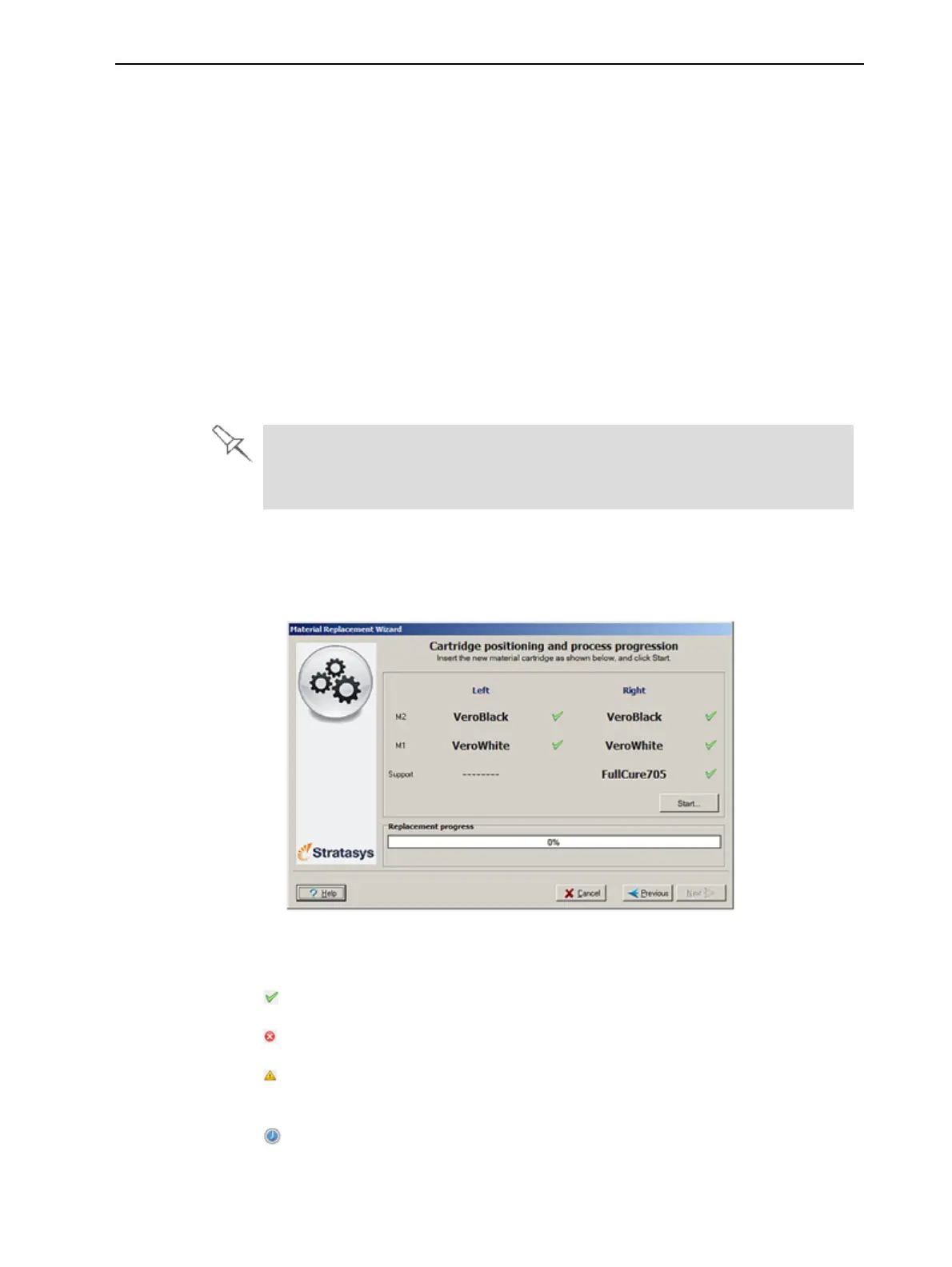
Thepositioningscreenappears,showingyouthenewlocationofthe
containersinthematerialscompartments.
Figure6-12Containerplacement
Symbols:
Thecorrectcontainerisinthisposition.
Nocontainer(ortheincorrectcontainer)isinthisposition.
Thecontainerinthispositionhasinsufficientweighttocompletethe
materialreplacementprocess.
Theexpirationdateofthecontainerinthispositionhaspassed.













 To Next Page