Objet1000 Plus User Guide 6 Operating and Maintaining the Objet1000 Plus 3DPrinter
DOC-06810 Rev.B 6-59
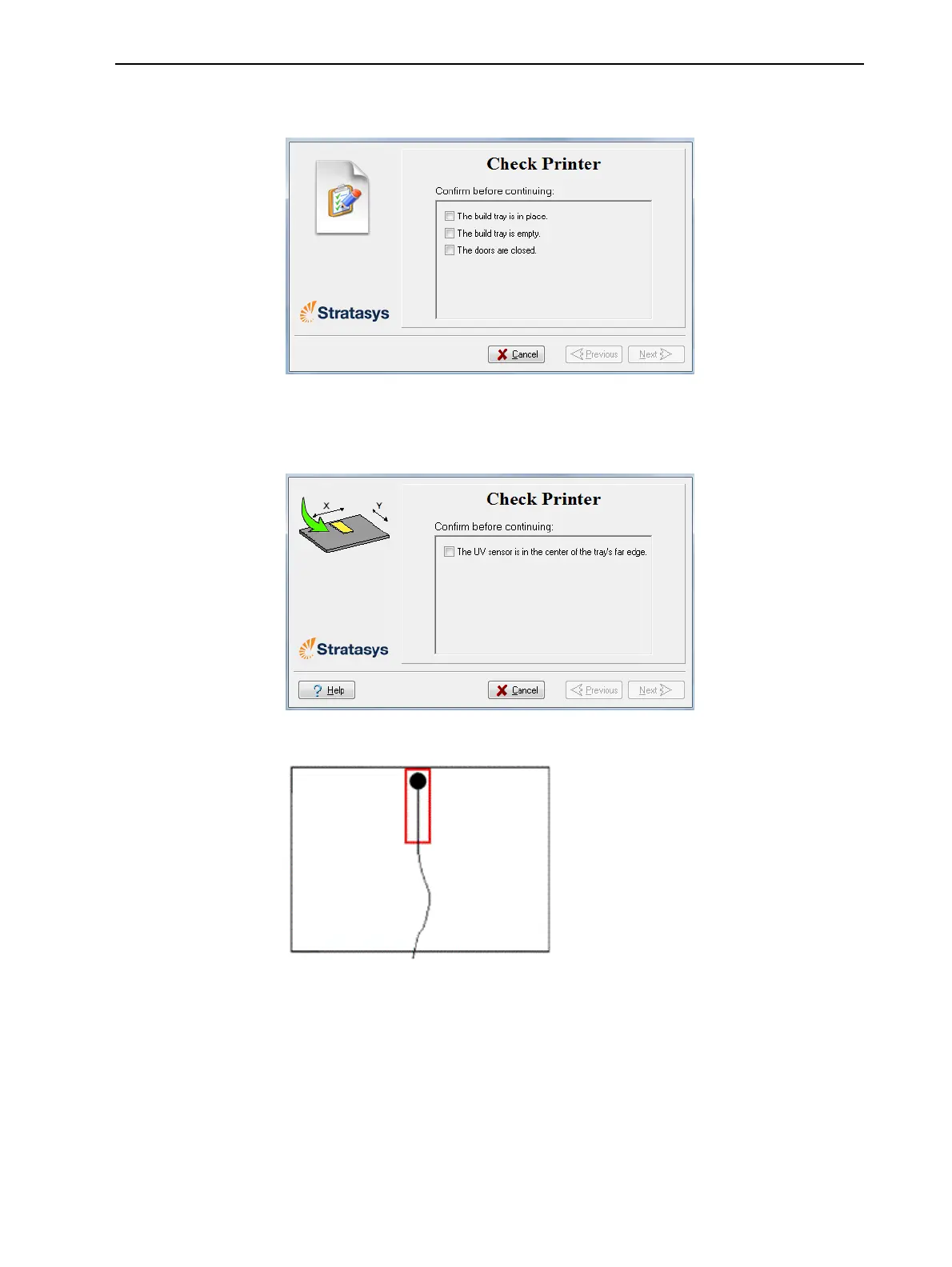
3. Makesurethatthebuildtrayisclear(empty),andclosetheprinterdoors.
ConfirmthisinthewizardscreenandclickNext.
Figure6-87Printerpreparation
4. Whenthefollowingscreenappears,opentheprinterandplacetheUV
sensorattherearedgeofthetray,inthecenter.
Figure6-88Sensorplacementscreen
Figure6-89CorrectUV-sensorplacement
5. Makesurethatthesensorcableissecurelyconnectedtothesensor.
6. Leadthecableoutoftheprintersothatyoucanclosetheprinter,and
makesurethatthecablewillnotinterferewiththemovingprintblock.
7. Closetheprinter,whilecheckingthatthesensordoesnotmoveoutof
position.
8. SettheUVmetertomeasuremJ/cm2.
9. Settherangeonthemeterto2,000.













 To Next Page