Objet1000 Plus User Guide 6 Operating and Maintaining the Objet1000 Plus 3DPrinter
DOC-06810 Rev.B 6-60
10.ConnectthecablefromthesensortotheUVmeter.
11.TurnontheUVmeter,andwaituntil“000.0”appearsonthedisplay.
12.Inthewizardscreen,confirmthatthesensorispositionedcorrectly,and
clickNext.
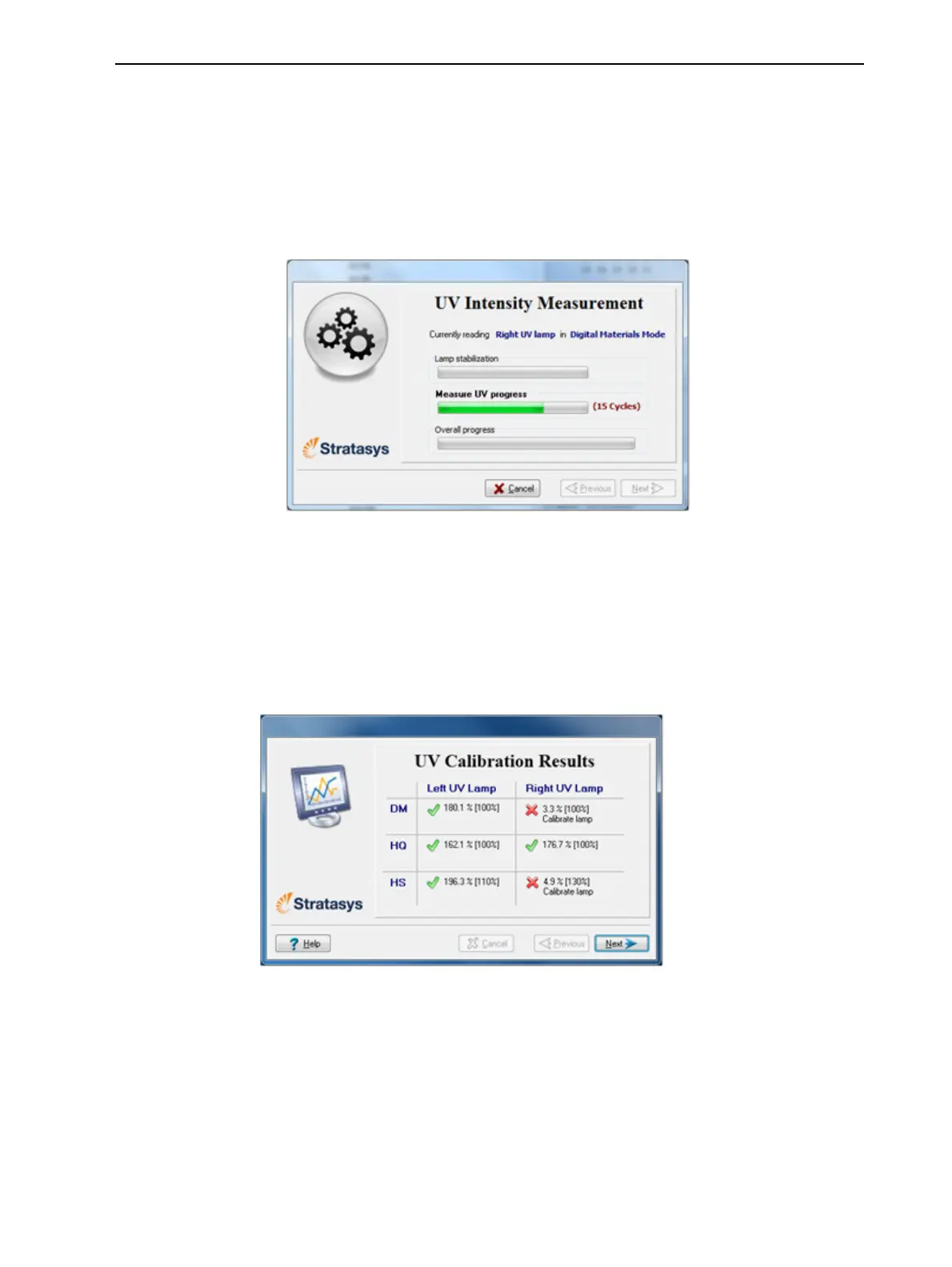
WhenyouclickNext,theUVlampspowerupandstabilize.(Thistakes
severalminutes.)Then,theprintblockpassesoverthesensorandthe
wizardcomparesthemeasuredradiationtotherecommendedlevel.
Figure6-90UVmeasurementprogress
13.Whenpromptedbythewizard,zero(reset)theUVmeterandenterthe
reading(measurement).
IftheUVlevelmeasuredisnotacceptable,thewizardcalibratestheUVlamp
byadjustingthecurrentsuppliedtoit,andthentestsitagain.
WhenallUVtestshavefinished,theresultsaredisplayed,showingthe
conditionofthelampsaftercalibration.
Figure6-91ResultsandconditionofUVlampsaftercalibration













 To Next Page