B.
REPLACEMENT
OF
EL BACK LIGHT
EL
back light is soldered
on
two terminals at the right side of the PCB back from the face to the screen.
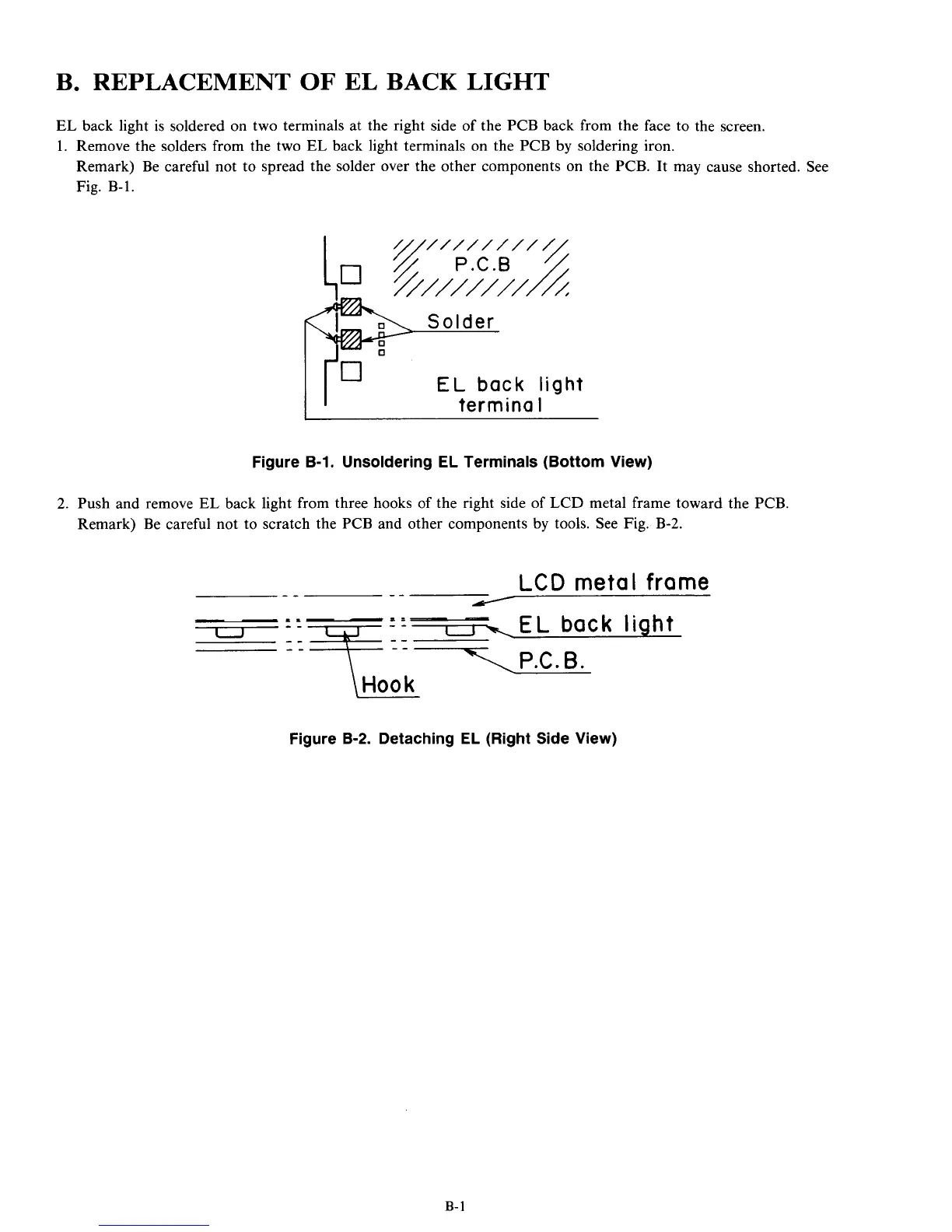
1. Remove the solders from the two
EL
back light terminals
on
the PCB by soldering iron.
Remark) Be careful not to spread the solder over the other components
on
the PCB. It may cause shorted. See
Fig. B-1.
EL
back
light
termina
I
Figure B-1. Unsoldering
EL
Terminals (Bottom View)
2.
Push and remove
EL
back light from three hooks of the right side of LCD metal frame toward the PCB.
Remark) Be careful not to scratch the PCB and other components by tools. See Fig.
B-2.
LCD
metal
frame
--
--
/
-EL
back
light
..
1P.C.
B.
Figure B-2. Detaching EL (Right Side View)
B-
1



 To Next Page