11-2.
Battery Cover and Rear Cover
(1)
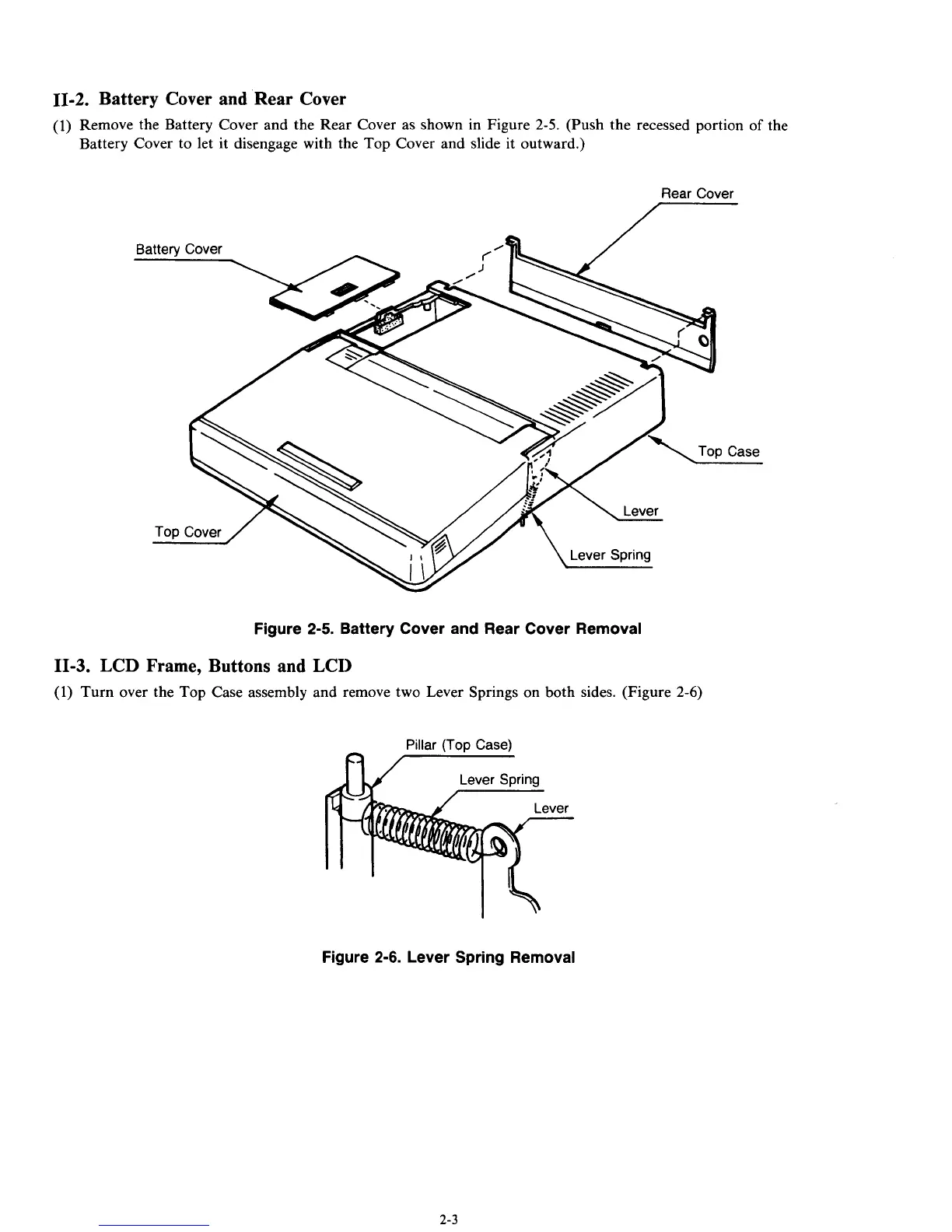
Remove the Battery Cover and the Rear Cover as shown in Figure
2-5.
(Push the recessed portion
of
the
Battery Cover to let it disengage with the Top Cover and slide it outward.)
Rear Cover
7
Figure
2-5.
Battery Cover and Rear Cover Removal
11-3.
LCD Frame, Buttons and LCI)
(1)
Turn over the Top Case assembly and remove two Lever Springs on both sides. (Figure
2-6)
Pillar
(Top
Case)
ny
Figure 2-6. Lever Spring Removal
2-3



 To Next Page