11-8.
Power Source PCB, Power Source PCB Cover
and
Power Source PCB Box
(1)
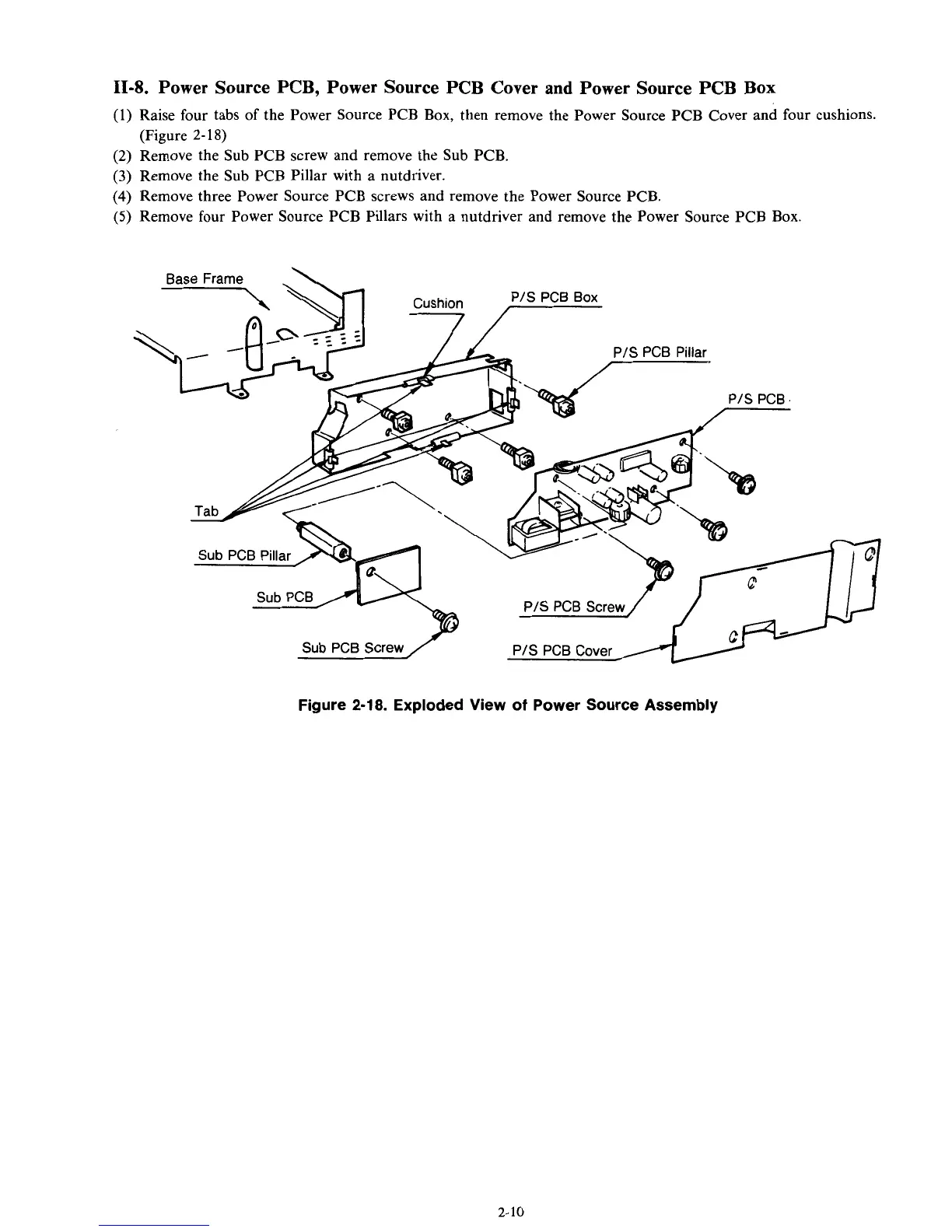
Raise four tabs
of
the Power Source PCB Box, then remove the Power Source PCB Cover and four cushions.
(2)
Remove the Sub PCB screw and remove the Sub PCB.
(3) Remove the Sub PCB Pillar with a nutdriver.
(4)
Remove three Power Source PCB screws and remove the Power Source PCB.
(5)
Remove four Power Source PCB Pillars with a nutdriver and remove the Power Source PCB Box.
(Figure
2-
18)
Base Frame
\
PIS PCB Box
PIS PCB Cover
PIS PCB Screw
Sub
PCB Screw
/
PIS PCB Cover
Figure
2-18.
Exploded View of Power Source Assembly
2-10



 To Next Page