(5)
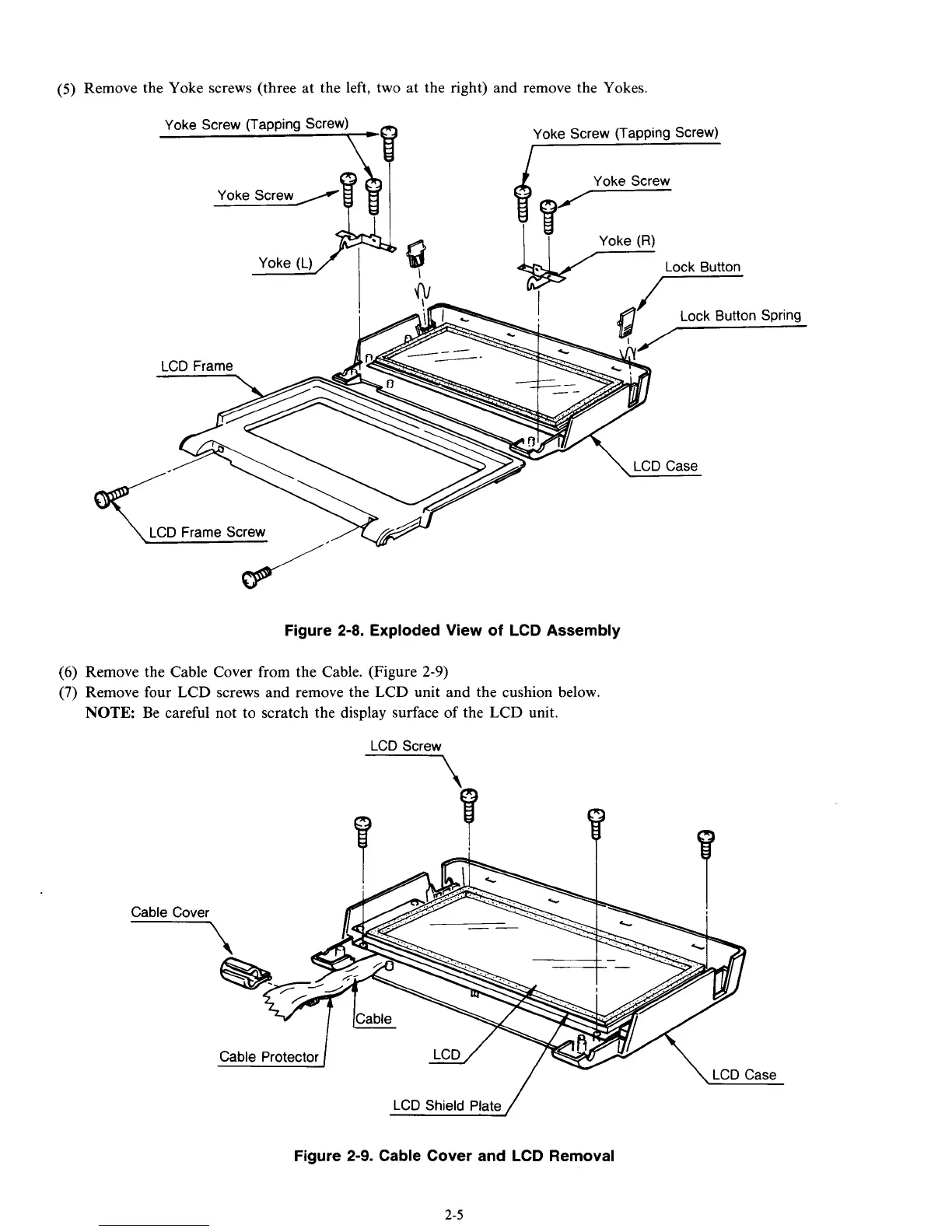
Remove the Yoke screws (three at the left, two at the right) and remove the Yokes.
Figure 2-8. Exploded View
of
LCD Assembly
Remove the Cable Cover from the Cable. (Figure
2-9)
Remove four LCD screws and remove the LCD unit and the cushion below.
NOTE:
Be careful not to scratch the display surface of the LCD unit.
1 1
--
\
LCD
Case
/
LCD
Shield
Plate
Figure
2-9.
Cable Cover and LCD Removal
2-5



 To Next Page