3-2-2 Installation
a) Install the Front Panel.
b)
Install the Eject Button.
c) Install the PCB (Refer to 3-1-2).
3-3 CARRIER REPLACEMENT
3-3-1 Removal
a) Remove the PCB. (Refer to 3-1-1).
b)
Remove the Front Panel. (Refer to 3-2-1)
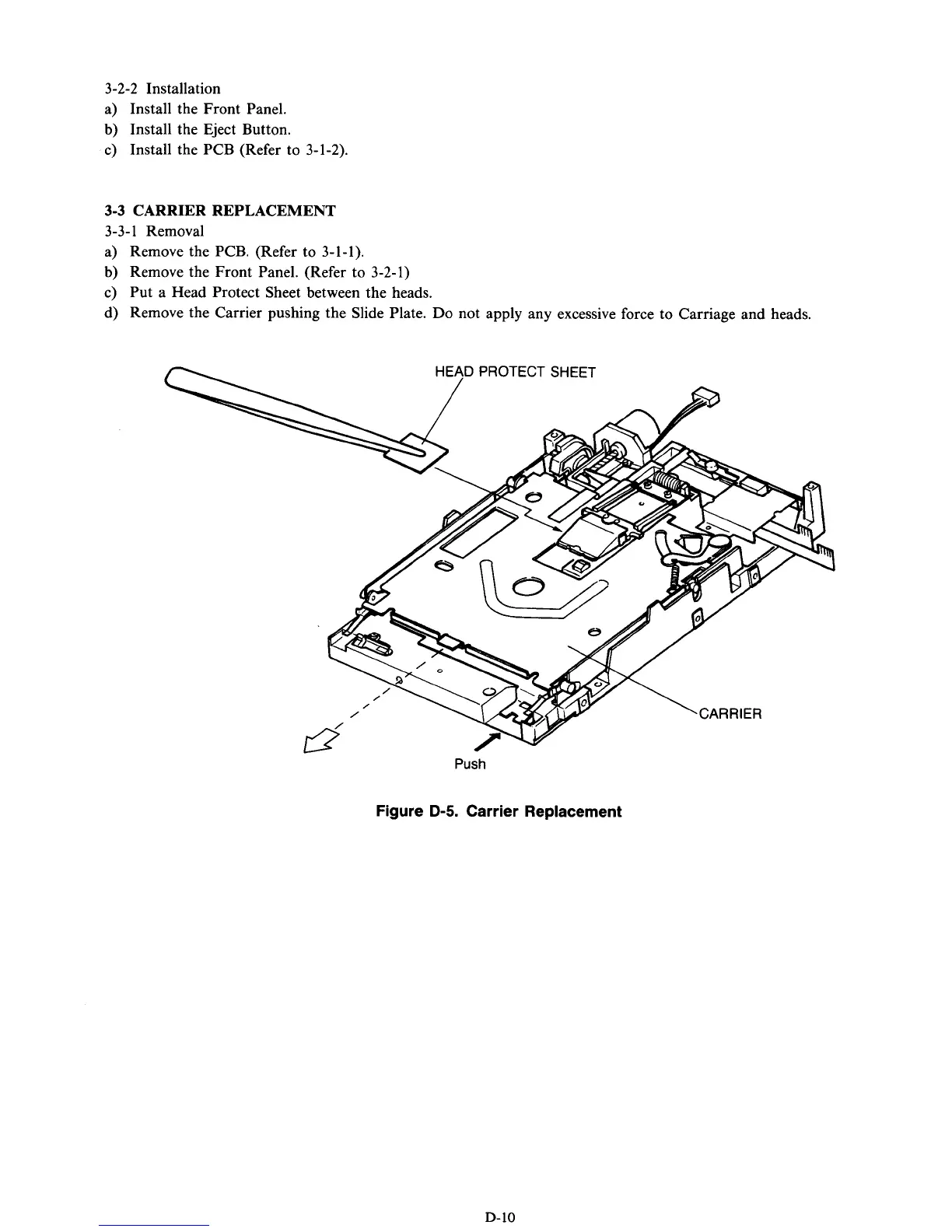
c) Put a Head Protect Sheet between the heads.
d) Remove the Carrier pushing the Slide Plate.
Do
not apply any excessive force to Carriage and heads.
Push
Figure
D-5.
Carrier Replacement
D-10



 To Next Page