262
D E B C D P
S
D
1
2
M
3
○○○○
FNC
118
X Y M S
D.b R.b
KnX KnY
KnM KnS
T C
D,R
V,Z
UnG
K,H
E
" $"
S
D
D E B N
I
P
S
D
1
2
M
3
○○○○
FNC
119
DEBCD D0 D10
X0
DEBIN D2 D12
X1
S
D
S
D
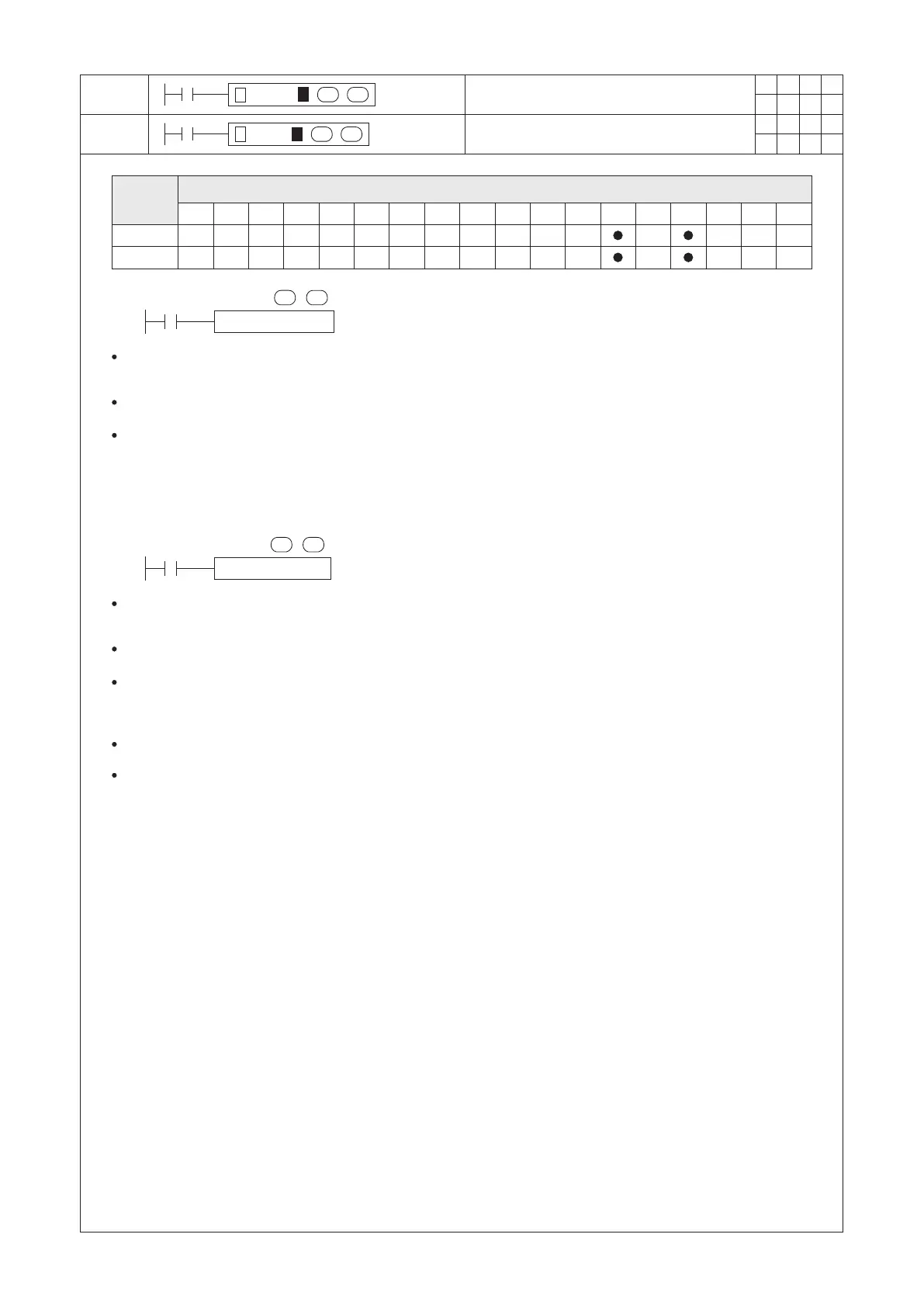
Convert BIN to DEC Floating Point Format
Convert DEC to BIN Floating Point Format
Operand
Devices
S : the source device to be converted
D : the destination device which the results to be stored
S : the source device to be converted
D : the destination device which the results to be stored
When X0 = “ON”, this instruction is activated. It will uses the BIN format oating number in (D1, D0) to convert the
number to a DEC format oating number then moves the value into (D11, D10).
This instruction is a 32-bit instruction. Therefore, be sure to input DEBCD or DEBCDP in the program.
2
For example, if the content value in (D1, D0) is 1.234×10 , then after the converted, (D10) = 1234 and (D11) = -1.
When X1 = “ON”, this instruction is activated. It will uses the DEC format oating number in (D3, D2) to convert the
number to a BIN format oating number then moves the value into (D13, D12).
This instruction is a 32-bit instruction. Therefore, be sure to input DEBIN or DEBINP in the program.
8
For example, if the content value in (D2) = 2345 and (D3) = 5, then after the converted, (D13, D12) is 2.345×10 .
The format for storing a oating point number will occupy two Registers in the PLC system.
Please refer to the section 2-13 “Numerical System” for the formats of BIN and DEC oating point numbers are
stored in the Registers.


 To Next Page