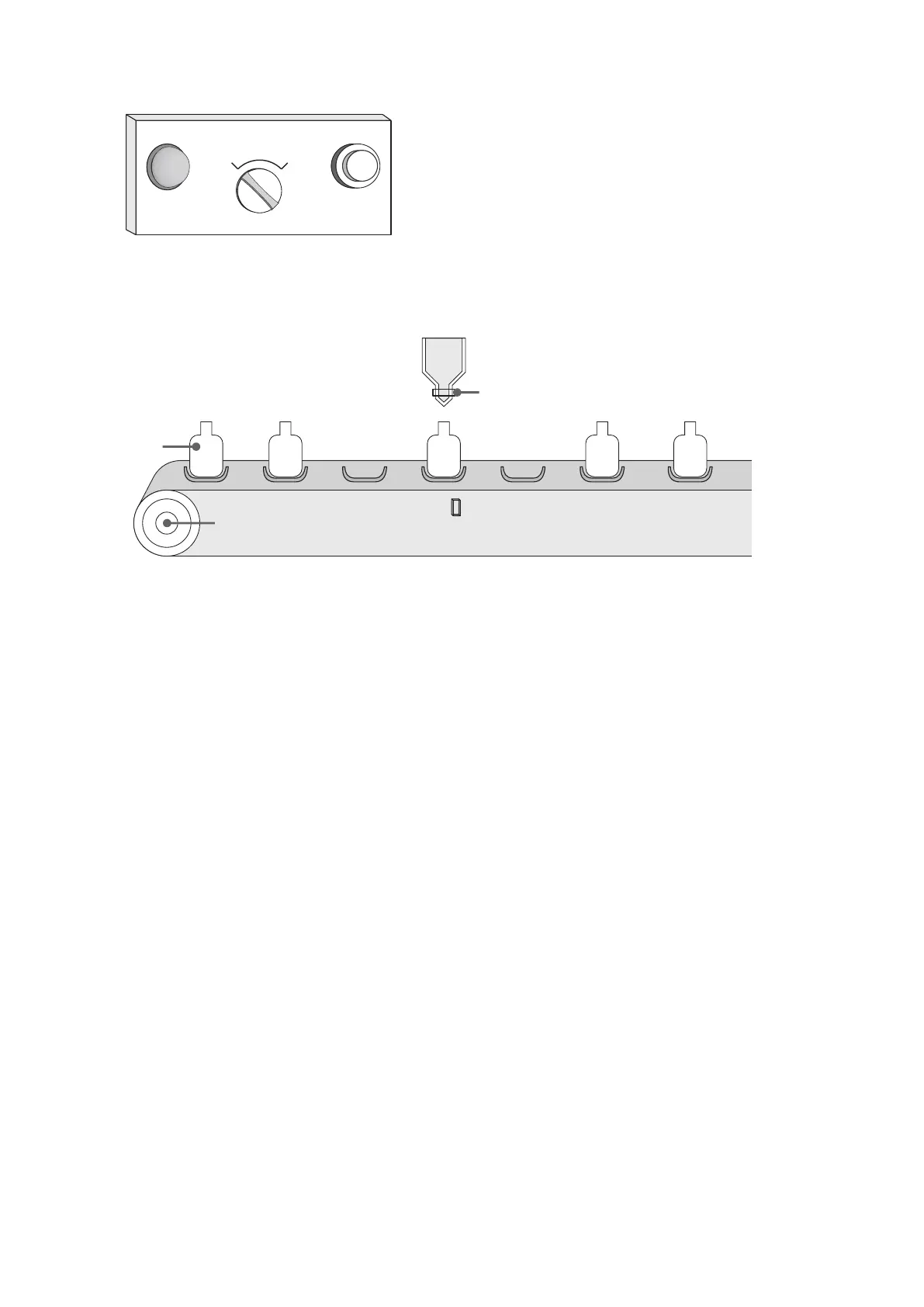
4-7-2 Filling Bottles
ON : Down
OFF: UP
Nozzle valve Y3
Juice
X0Y0 X2
107
Repeat
Single Run
READY
START
OFF
:
ON
:
Repeat
Single Run
Bottle
The lifter of nozzle
is driven by Y2:
ON : Open valve to ll up
OFF : Close valve
Bottle inspector X1
Conveyor motor Y1
Function Description of Bottle Filling:
There is a control panel next to the bottle lling machine. The READY indicator on the front of panel that indicates at the
standby status. Use the START button to activate the device and the mode selector switch to choose from a single run
or repeated operation.
(1) When the machine is ready to start operation, the READY indicator is ON.
(2) Press the START button and the conveyor motor starts to rotate. When the bottle inspector detects that the bottle
has reached the right position, the motor stops rotating.
(3) When the nozzle lifter is ON, the nozzle going down. It is determined that in 3 seconds the lling nozzle will reach the
position.
(4) The injection valve opens and starts lling. In 5 seconds, the lling will be completed and the valve will be closed.
(5) When the valve of the lling nozzle is OFF, the lling nozzle rises. It is determined that in 3 seconds the lling nozzle
will rise to reach the position.
(6) The lling process is completed. At this point, it returns to the state of standby if at the “Single Run” mode; it starts the
conveyor motor again and processes the next bottle ll up if at the “Repeat” mode.
The two drawings below display using the (a) SFC or (b) STL in writing the program, in order to comparison reference.


 To Next Page