890370_0•en•01.06.2009 We reserve the right to carry out improvements
121
Pressing the function wheel switches the cursor to “fine” (steps of 6 minutes)
and pressing it again deactivates the cursor again. You can use the [Week]
and [Month] function buttons to also view the associated long-term tempera-
ture progressions.
When using the [Back] function button to switch to the
[Current measured values] menu, you can view the histories of the other
measured values in the lines below in the same manner.
NOTE Curves and measurement data are not displayed for periods in which meas-
ured values were not recorded.
9.3 Current triggers
Press the [Measured values] function button in the start menu and, in the
[Measured values and histories] menu, select the [All triggers] menu
item by turning and pressing the function wheel. You are now located in the
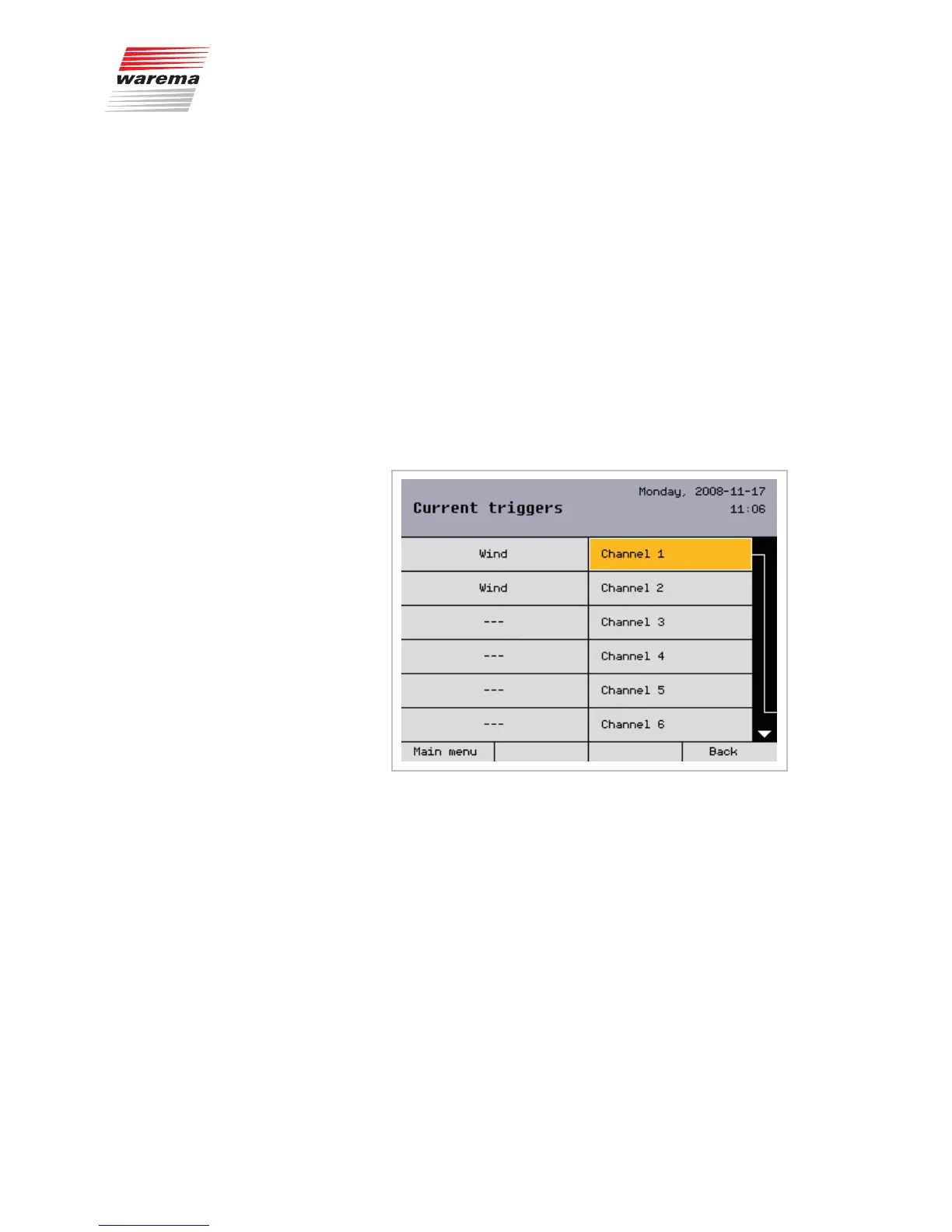
[Current triggers] menu:
A list of the 32 channels appears on the right; these channels may bear
freely selectable names. The last, i.e. the current, trigger is shown on the left.
This can be a manual move command or a comfort, safety or control func-
tion.
NOTE Move commands triggered via local control elements are not shown.
Start menu
Measured values
All triggers
Measured values...



 To Next Page