890370_0•en•01.06.2009 We reserve the right to carry out improvements
51
7.2.1 Creating a sensor
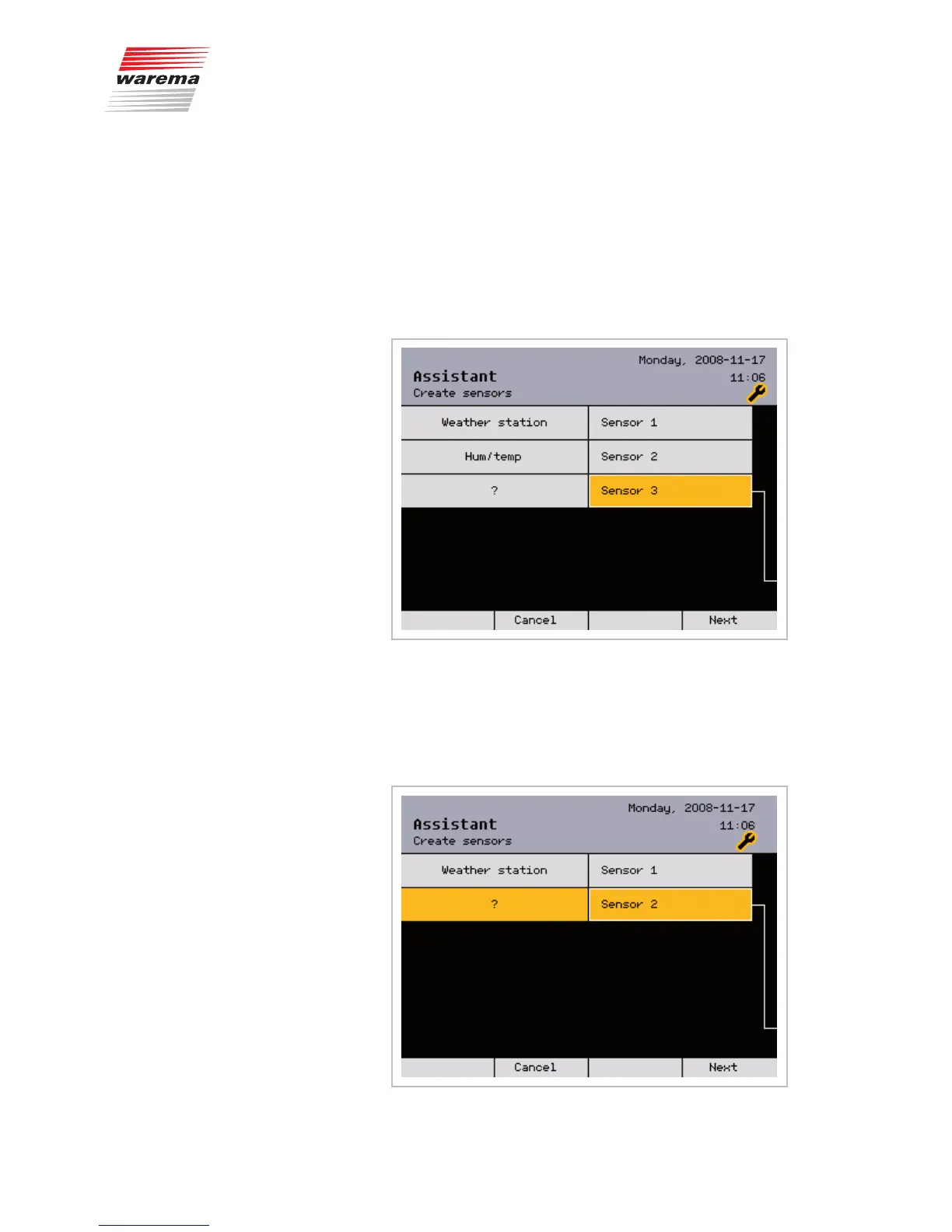
The following menus are used to create sensors. Because a weather station
is used in most cases, it is already displayed. However, this can be changed
manually. Two additional inside humidity and temperature sensors (humidity/
temp.) can be created here. They measure the room temperature and the
relative humidity, e.g. in a conservatory whose (sun shading) products are to
be controlled with the WAREMA climatronic.
NOTE The assistant does not support the creation of sensor interfaces. Create sen-
sor interfaces manually as described later in Chapter 8.5 on page 108.
This is how to create additional sensors:
Turn the function wheel until [Sensor 2] is shown highlighted in colour. The
question mark [?] still appears on the left side. Press the function wheel: both
[Sensor 2] and [?] cells are highlighted in colour.
Turn the function wheel until the sensor you are using is shown; in our exam-
ple, [Humidity/Temp.].
Create all remaining sensors in this manner.
Assistant



 To Next Page