890370_0•en•01.06.2009 We reserve the right to carry out improvements
77
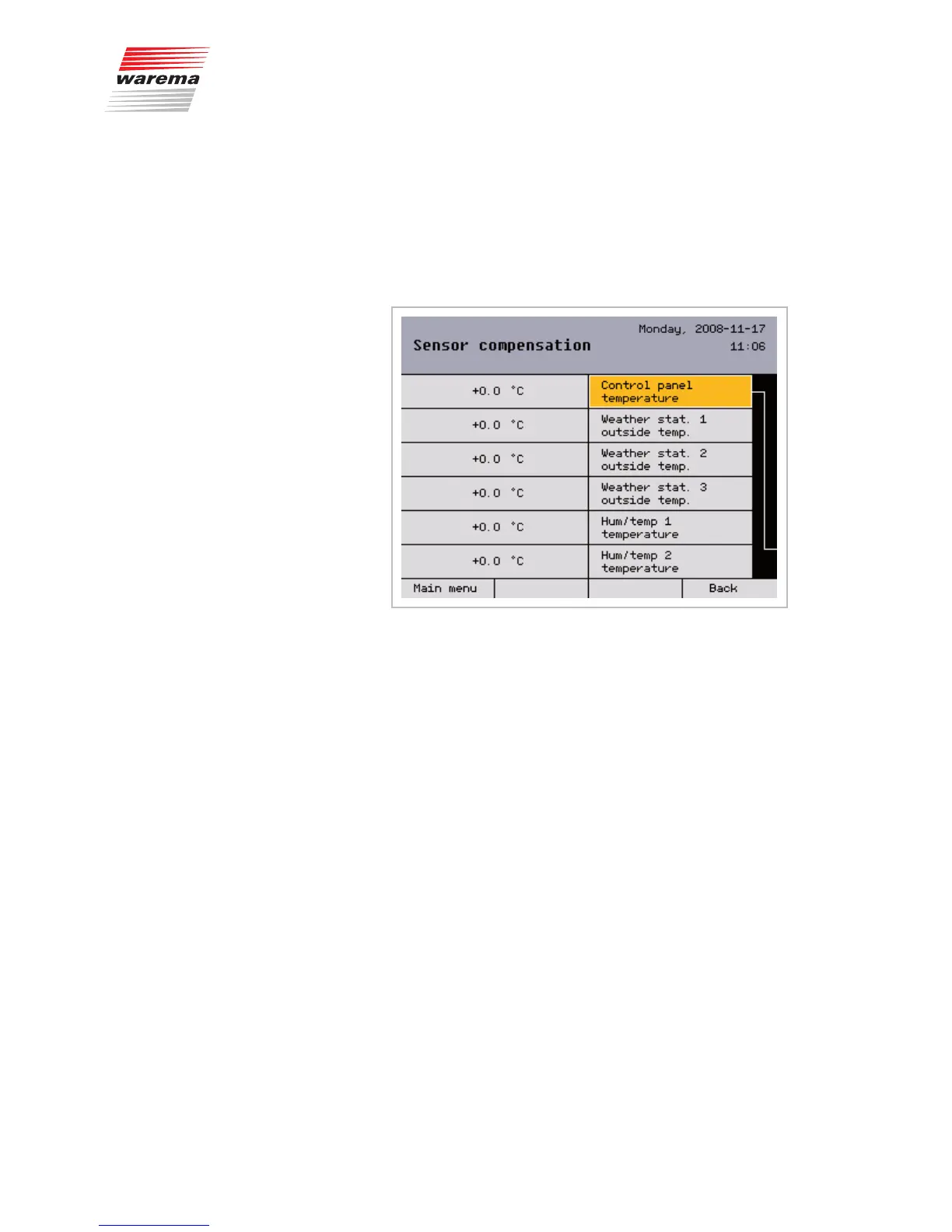
8.1.4 Sensor compensation
This menu serves to calibrate the internal and external sensors of your
WAREMA climatronic to the temperatures measured on site.
Open the following menu: [Project setup] > [System] >
[Sensor compensation].
The following menu appears, in which all available temperature sensors are
displayed:
8.1.4.1 Control panel temperature
The "Control panel temperature" value specifies by how many de-
grees Celsius (°C) the measured value of the internal sensor of the
WAREMA climatronic is corrected up or down. The setting range is –10...+10
°C. The value can be changed as follows:
Using the function wheel, select the [Control panel temperature] line and
then press the function wheel.
Change the value by turning the function wheel. The [Standard] function but-
ton sets the value to +0.0 °C (the factory setting).
Press the function wheel once more. Press the [Cancel] button if you want to
leave the menu without changes.
8.1.4.2 Weather station 1 (2,3)
outside temperature
The "Weather station 1 outside temperature" value specifies by how many
degrees Celsius (°C) the measured value of weather station 1 is corrected
up or down. The setting range is –30...+10 °C. The value can be changed as
follows:
Using the function wheel, select the
[Weather station 1 outside temperature] line and then press the func-
tion wheel.
Change the value by turning the function wheel. The [Standard] function but-
ton sets the value to +0.0 °C (the factory setting).
Press the function wheel once more. Press the [Cancel] button if you want to
leave the menu without changes.
NOTE The settings for weather stations 2 and 3 work in the same manner as de-
scribed for weather station 1.
Main menu
Settings
Authorised dealer
Project setup
System
Sensor compensation
System settings



 To Next Page