890370_0•en•01.06.2009 We reserve the right to carry out improvements
81
8.1.6 Absent
You can communicate to the WAREMA climatronic that you will be tempo-
rarily absent, e.g. when you are leaving the house. In the start menu, this
is confirmed by a checkmark that appears on the left in the box next to the
[Absent] line. During this time, those comfort functions are deactivated that
were set for deactivation during absence in the associated menus.
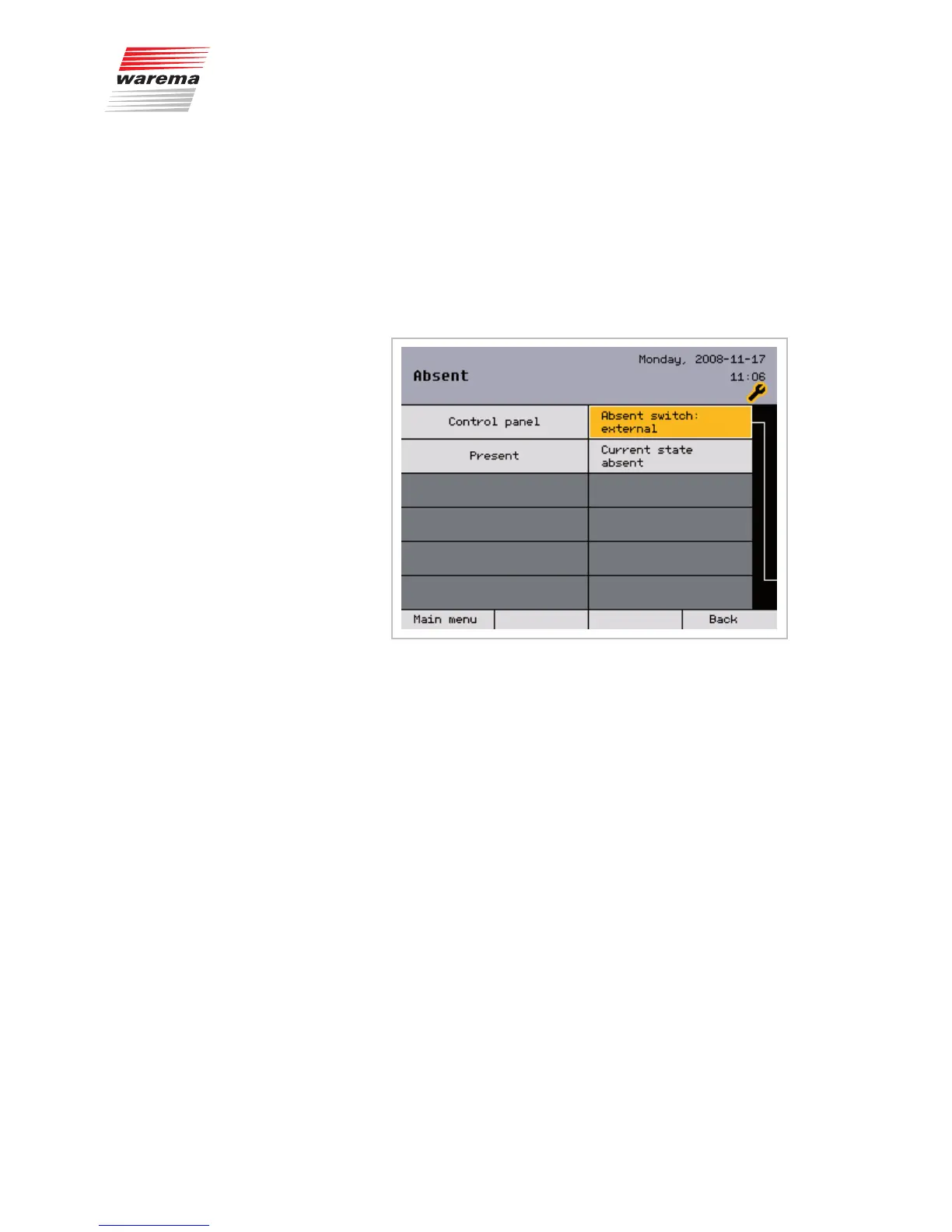
The [Absent switch: external] menu item allows the operator to select
which button should be used for this function: the [Absent] button on the
control panel or an external switch (connected to the first 6M actuator or the
tableau interface).
If [Absent switch: external] "Actuator 1" or "Tableau" is selected in this
menu, a separate absent switch is connected to the WAREMA climatronic.
Otherwise, the [Absent] function button in the start menu of the
WAREMA climatronic is used. Only one of these two switches can be active
at any one time as otherwise the "Absent" condition cannot be logically de-
termined.
The second line merely displays the current condition and cannot be
changed in this window.
Press the [Back] button to return to the [System] menu.
NOTE The "Absent" status is activated when the external switch is connected.
NOTE If an external switch is connected to a 6Mswitch actuator, this actuator must
be created as actuator1 to be able to use the switch.
Main menu
Settings
Authorised dealer
Project setup
System
Absent
System settings



 To Next Page