890370_0•en•01.06.2009
We reserve the right to carry out improvements
100
WAREMA climatronic
®
Installation Instructions
8.4 Manage products
All created products are displayed in this menu. Each of these products
has different properties. Therefore, they respond differently to wind, require
different tilting or run times, or may be located indoors, thus not requiring
rain or wind protection. To save you from having to enter all of the individual
product-specific settings and limit values in the WAREMA climatronic, the
WAREMA climatronic performs these tasks for you. The typical product set-
tings are already stored for many products. They can all be programmed at
once with a single press of a button.
Additional products can be created here and individual products can be
deleted. Since a total of 1200 products can be stored, the [-100] and [+100]
buttons help with the rapid selection when many products are being created.
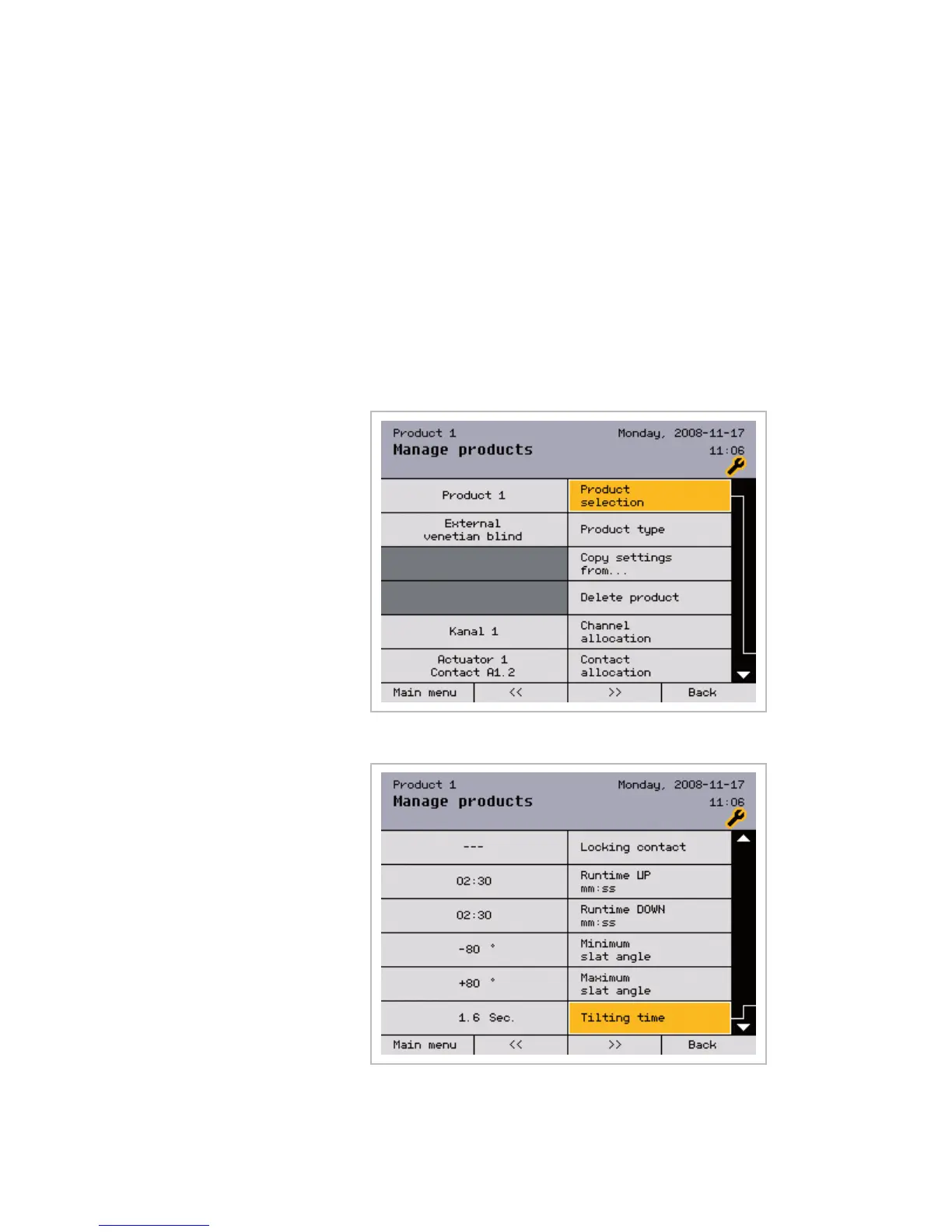
Select the product to be managed by turning the function wheel; press the
function wheel to open the following menu:
Scroll down () with the function wheel to display remaining parameters:
Main menu
Settings
Authorised dealer
Project setup
Manage products
Product n
Products



 To Next Page