890370_0•en•01.06.2009 We reserve the right to carry out improvements
99
I
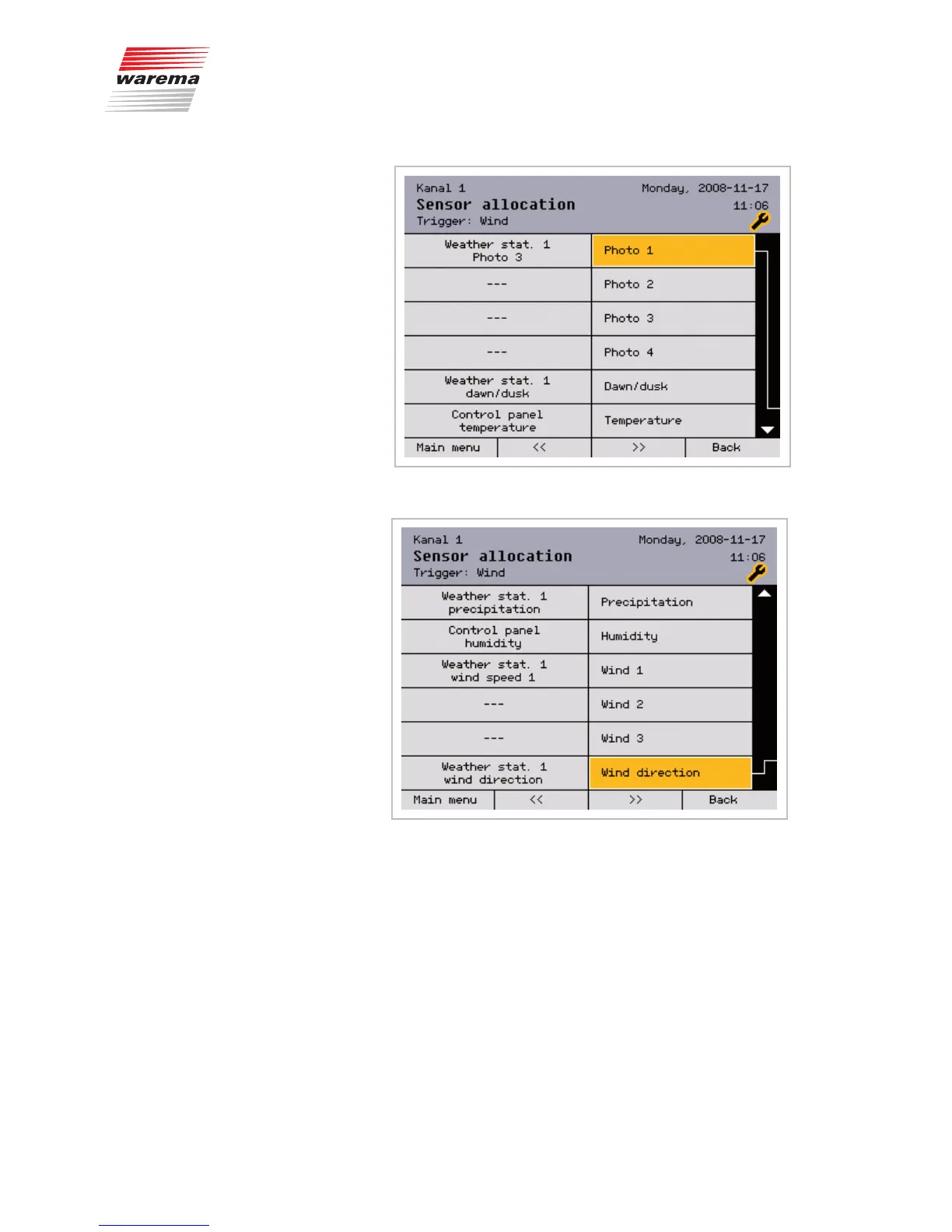
Scroll down () with the function wheel to display the remaining parameters:
Up to three measured "Wind" values can be assigned per channel; of these,
the value that is currently the highest is decisive.
Assign the sensors and measured values to the parameters as follows:
Move to the respective line with the function wheel; press the function wheel.
Select the connected sensor by turning the function wheel. The [Delete] but-
ton deletes the allocation of a sensor to the channel.
Press the function wheel to finish the input.
The header of the display always shows the channel to which you are allocat-
ing the sensors.
Press the [Back] button once more to return to the [Authorised dealer]
menu.
Main menu
Settings
Authorised dealer
Sensor allocation
Channel n
Channels



 To Next Page