890370_0•en•01.06.2009 We reserve the right to carry out improvements
123
9.5 Faults
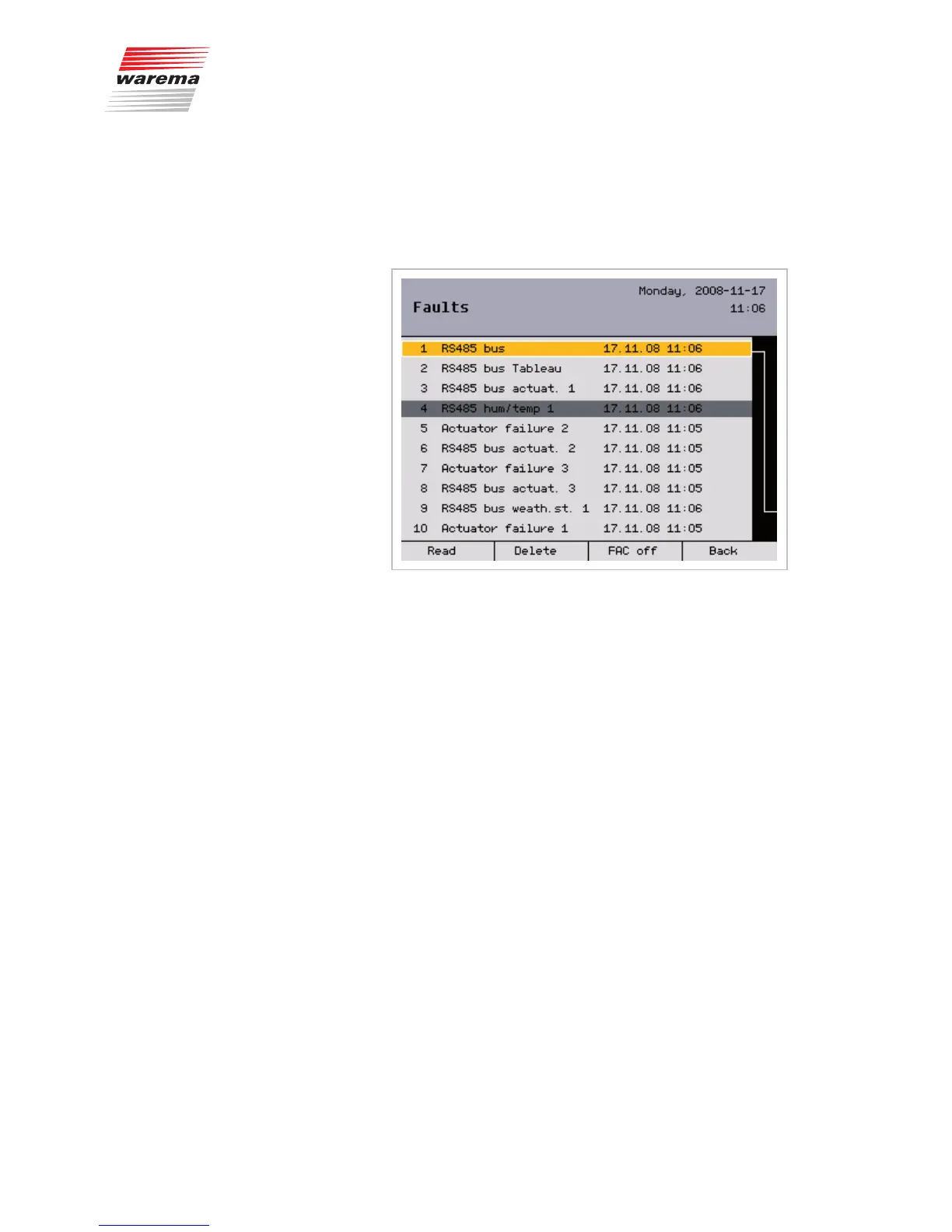
Press the [Measured values] function button in the main menu and, in the
[Measured values and histories] menu, select the [Faults] menu item by
turning and pressing the function wheel. You are now located in the [Faults]
menu:
Example You will see a numbered list of faults in chronologically ascending order.
Each line contains:
Fault number
Fault type
Affected device
Date and time
Turning the function wheel navigates up and down in the list.
When an entry is marked with the [Read] function button, it is shown in grey
(see figure line 4).
The [Delete] function button is used to delete an entry.
If a fault sensor contact is connected and set up, the “Fault” condition is set
when a fault occurs after an on delay of one minute. This fault sensor contact
is deactivated using the [FAC off] function button.
Start menu
Measured values
Faults
Measured values...



 To Next Page