890370_0•en•01.06.2009
We reserve the right to carry out improvements
56
WAREMA climatronic
®
Installation Instructions
Create all remaining actuators in this manner. After all actuators have been
created, proceed by identifying the actuators in Chapter 7.2.4.
This is how to delete
individual actuators:
Turn the function wheel until [Actuator 3], for example, is shown highlighted
in colour. Press the function wheel: both [Actuator 3] and the selected ac-
tuator type cells are highlighted in colour.
Turn the function wheel until the question mark [?] appears again on the left;
then press the function wheel.
NOTE Always delete the actuator with the highest number first. For example, if
you have already created 5 actuators and you delete actuator 3, actuators
4 and 5 are also deleted.
7.2.4 Identifying actuators
This is how to identify the actuators created:
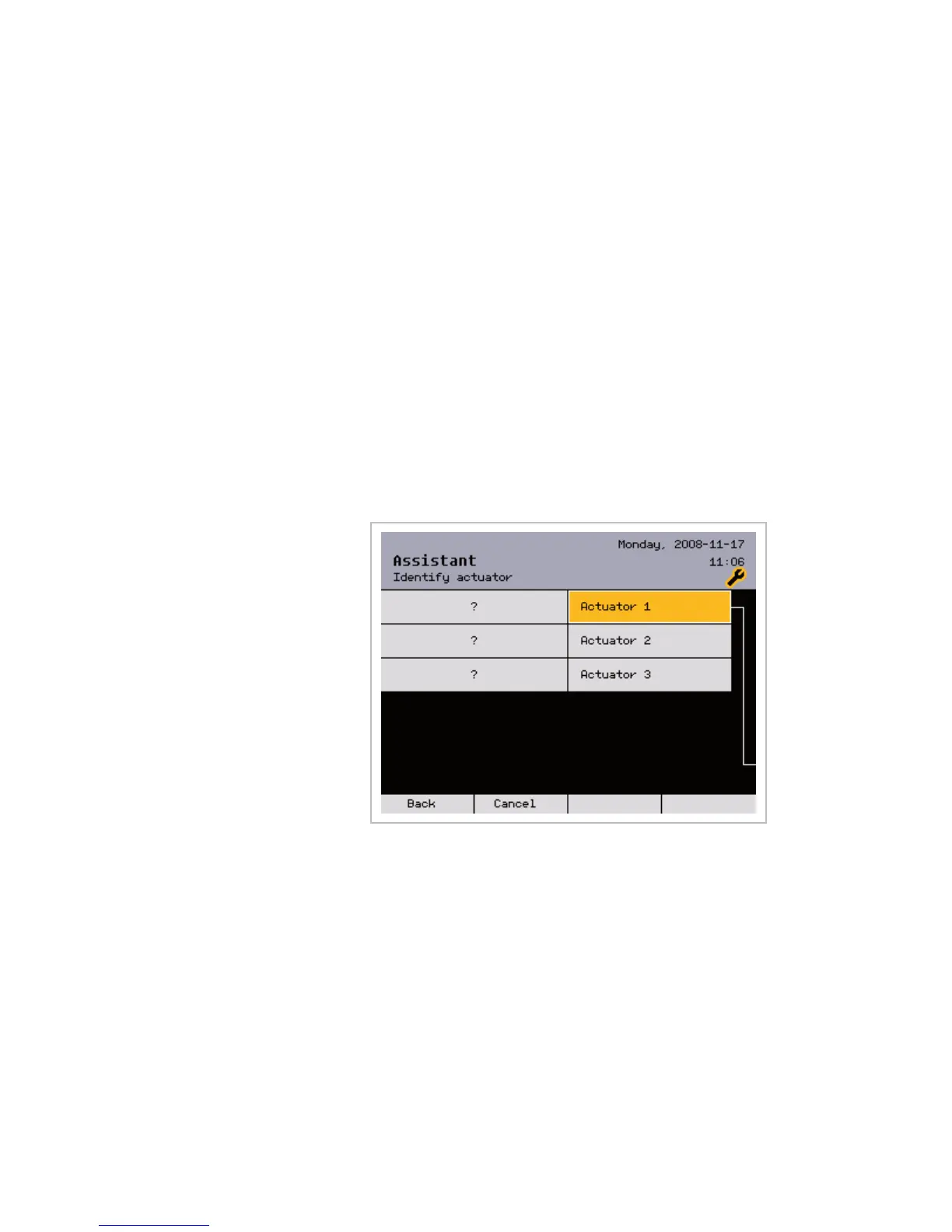
Press the [Next] button and select the actuator to be identified in the
[Identify actuator] menu by turning the function wheel. The question
mark [?] means that the respective actuator has not yet been identified:
In the next window, you can identify the selected actuator in two different
ways:
Automatic identification by pressing the PROG button on the respective ac-
tuator.
By manually entering the serial number
Assistant



 To Next Page