890370_0•en•01.06.2009 We reserve the right to carry out improvements
67
NOTE The locking contact allocation can be changed at any time. See also Chapter
8.4.6 on page 102 and Chapter 5 beginning on page 31.
7.2.8 Setting the date and time
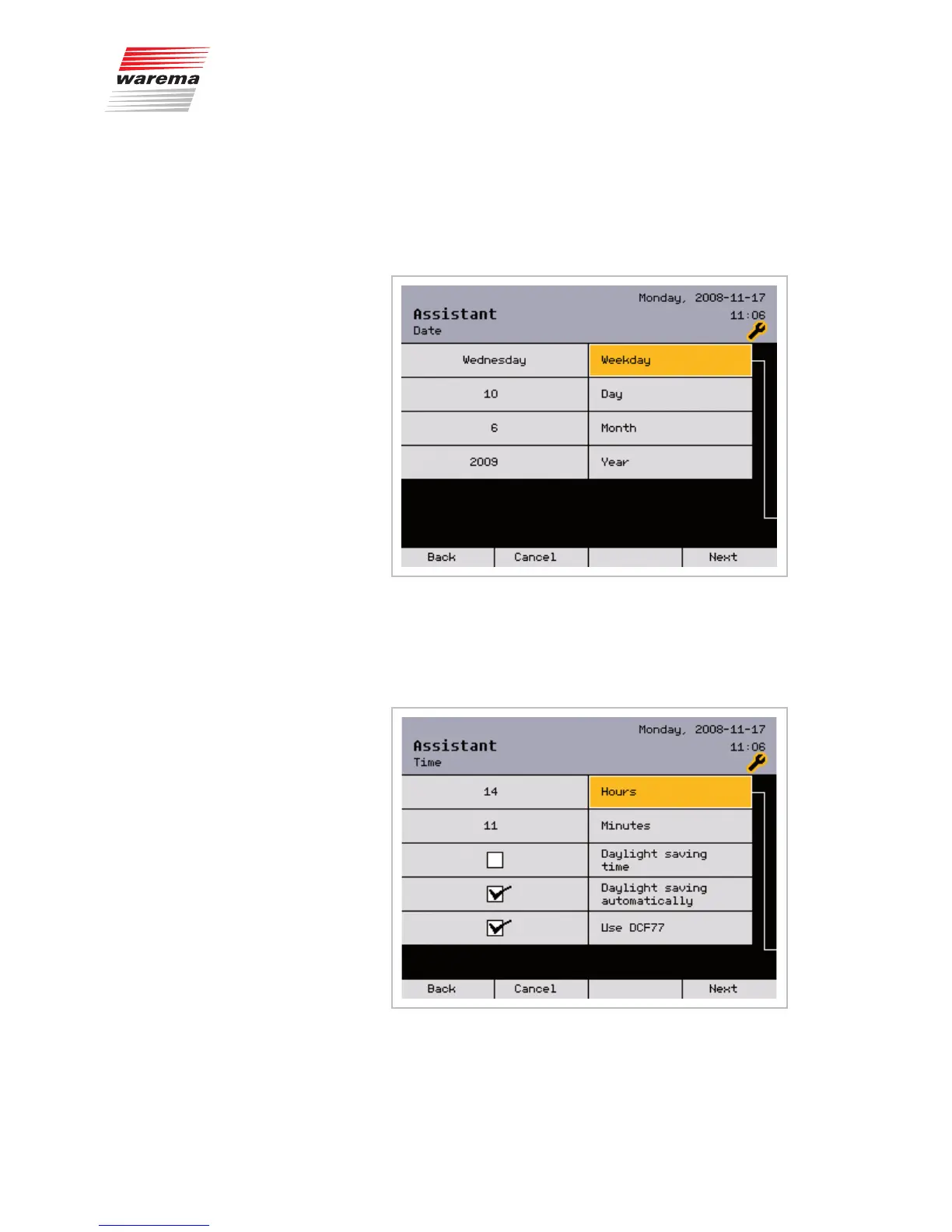
The current data and time are set in this menu:
Select the [Weekday] line by turning the function wheel. Press the function
wheel and set the weekday by turning. Pressing the wheel again sets the
weekday.
Set the day, month and year in the same manner.
Press the [Next] function button.
Set the hours and minutes in the same manner.
If desired, activate daylight saving time, the automatic standard/daylight sav-
ing time and DCF77 use with the function wheel. Then press the [Next] but-
ton.
NOTE If the climatronic is installed outside of the Central European time zone or
in areas with limited radio reception, the automatic time setting will not work
correctly. In this case, make sure that the "Use DCF77" function is deacti-
vated.
Assistant



 To Next Page