890370_0•en•01.06.2009 We reserve the right to carry out improvements
55
7.2.3 Creating actuators
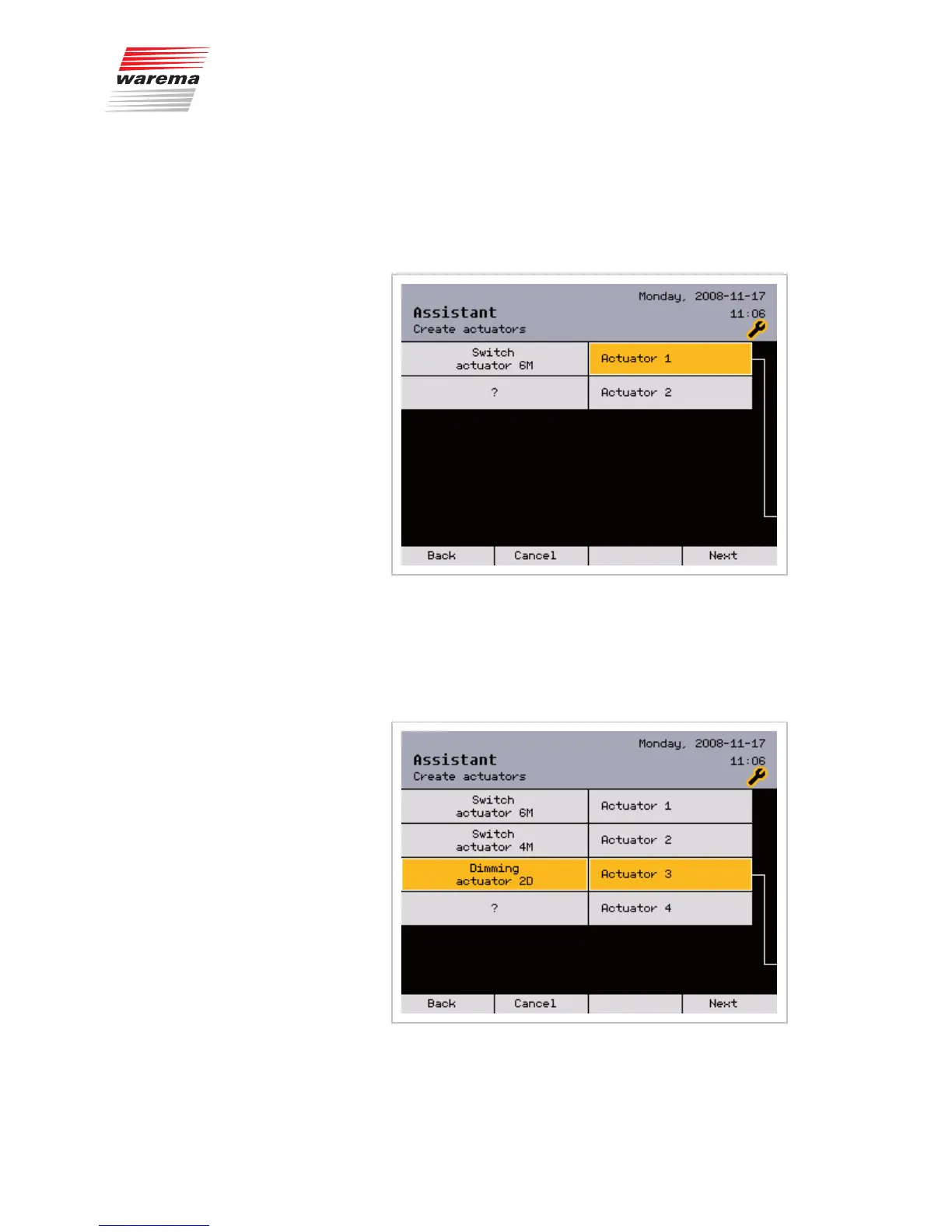
The following menus are used to create actuators. The available WAREMA
switch actuators are already stored and must only be selected. Up to eight
actuators and 32 products can be created with the help of the assistant. The
full number of max. 200 actuators can be created with manual project setup
via the control panel or with the WAREMA climatronic PC software.
This is how to create additional actuators:
Turn the function wheel until [Actuator 2] is shown highlighted in colour.
The question mark [?] still appears on the left side. Press the function wheel:
both [Actuator 2] and [?] cells are highlighted in colour.
Turn the function wheel until the actuator you are using is shown; in our ex-
ample, [Switch actuator 4M].
Assistant



 To Next Page