890370_0•en•01.06.2009 We reserve the right to carry out improvements
73
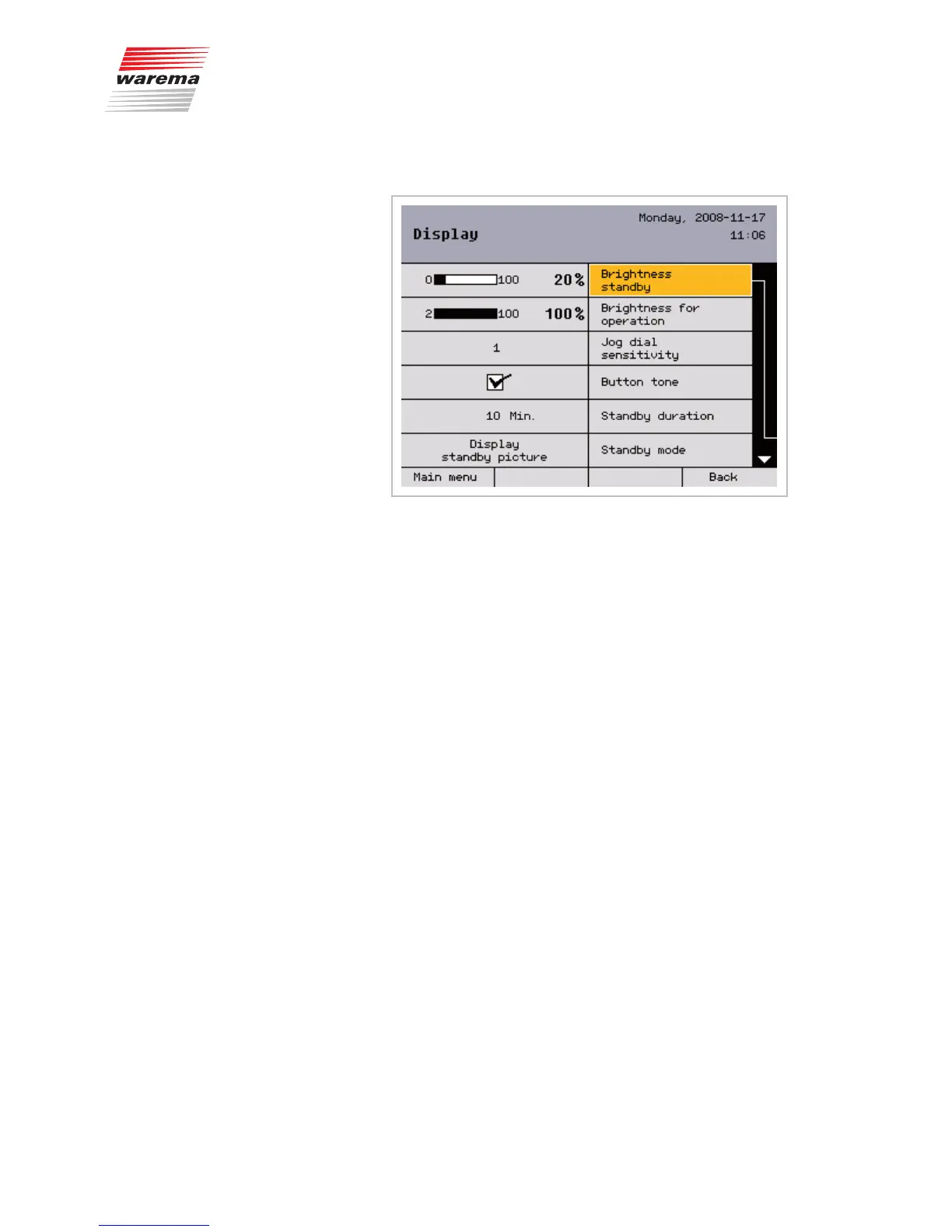
8.1.2 Display settings
Select [Brightness standby] by pressing the function wheel; turning it chang-
es the value between 0% and 100%. If you select a setting below 2% (OFF is
displayed), the display will go completely dark later on when standby is ac-
tive. You can return to the default value at any time by using the [Standard]
button.
Set the [Brightness for operation] in the same manner in the next menu line.
Set the jog dial sensitivity: 1-3 rotation increments of the function wheel result
in a change of the selected value.
Button tone: The button tone of the four sensor buttons (a soft click) can be
activated and deactivated here.
Duration of standby mode: The time can be set in the range of 1 to 240 min.
With the [Standby mode], you can specify whether the start menu or a pic-
ture that was loaded into the climatronic should be displayed in standby
mode. How to create and set up a standby picture is described in Chapter
8.1.2.2.
Press the [Back] button to return to the [System] menu.
Main menu
Settings
Authorised dealer
Project setup
System
Display
System settings



 To Next Page