890370_0•en•01.06.2009 We reserve the right to carry out improvements
85
8.2 Manage actuators
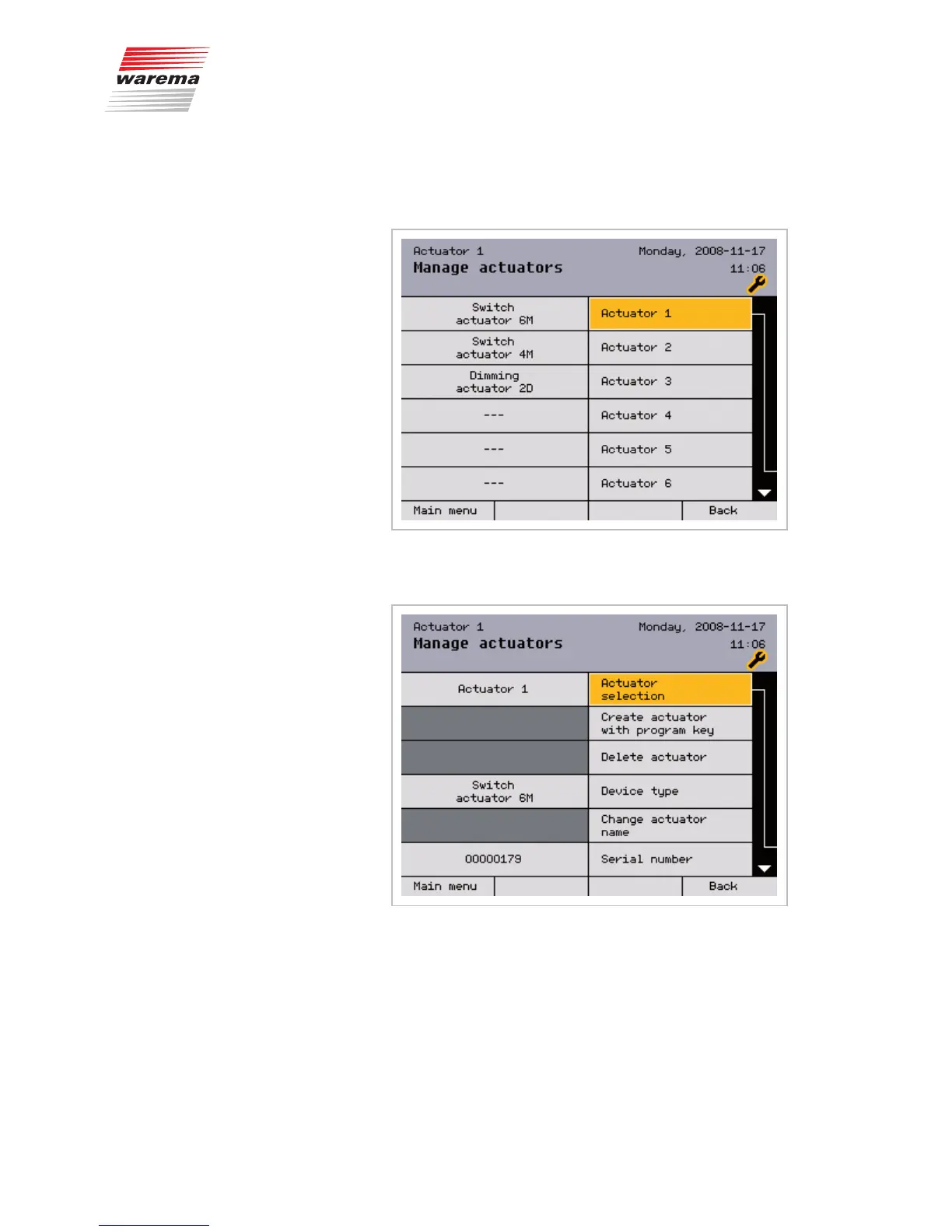
Up to 200 actuators can be managed in this menu; our example is with a 6M
switch actuator, 4M switch actuator and 2D dim actuator:
Press the function wheel to open the following menu, in which each actuator
can be parameterised individually:
Here you can create actuators manually, delete them and determine the de-
vice type.
Under the "Change actuator name" menu item, you can assign to the actua-
tor an arbitrary name with up to 16 characters.
Furthermore, you can view the serial number, software version and the Mod-
bus address (scroll down at ).
Main menu
Settings
Authorised dealer
Project setup
Manage actuators
Actuators



 To Next Page