890370_0•en•01.06.2009 We reserve the right to carry out improvements
13
3 Introduction
3.1 Operating elements
and interfaces
Õ
Œ
Ã
À
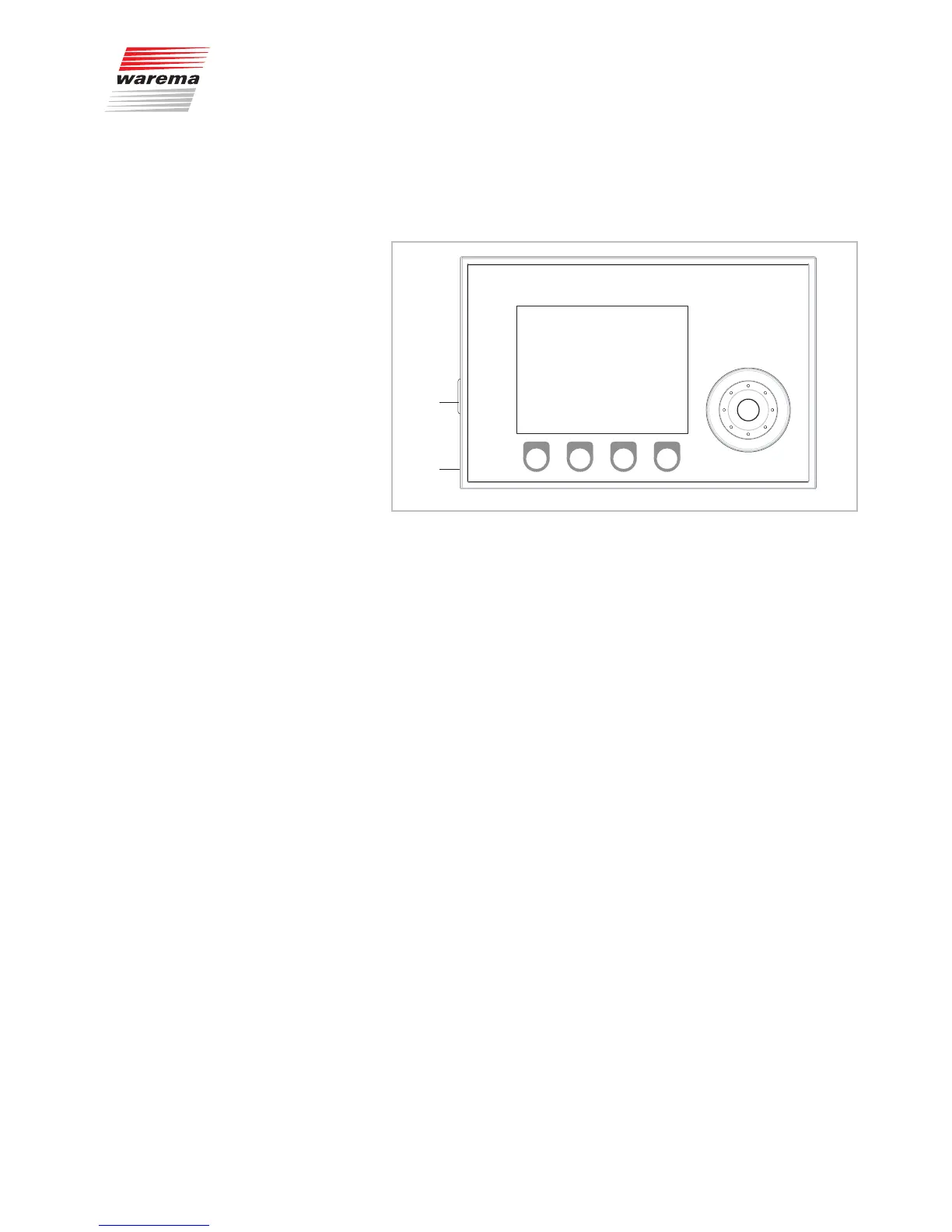
Fig. 1 The operating elements and interfaces of the WAREMA climatronic
Display:
The illuminated display informs you on everything you can view and set on
the WAREMA climatronic. For example, you can view the current measured
values of the outside brightness and outside temperature, the current time
and much more. The various elements of the display are explained in Chap-
ter 3.2.
2
Function wheel:
This wheel with detents can be turned (in both directions) to select and open
menus, channels, groups and scenes or current weather data and measuring
values in the display. When the wheel is pressed, a preselected menu item
can be opened, for example, or a modified value can be accepted.
3
Function buttons:
Depending on the information on the display, different processes can be
triggered with the function buttons. For example, you may jump to the main
menu, restore a preset value, cancel an input, and more.
4
SD card slot:
An SD card slot (see Fig. 1) is located on the left side of the control
panel. You can insert the SD card here to save the settings of your
WAREMA climatronic or to re-transfer stored settings or settings that were
changed on a PC (see also Chapter8.8 on page 114).
5
USB interface:
The USB interface is located on the same side. It serves to connect the
WAREMA climatronic with a PC. This allows the WAREMA climatronic to be
remote-controlled and operated entirely via a PC.
Introduction



 To Next Page