890370_0•en•01.06.2009
We reserve the right to carry out improvements
66
WAREMA climatronic
®
Installation Instructions
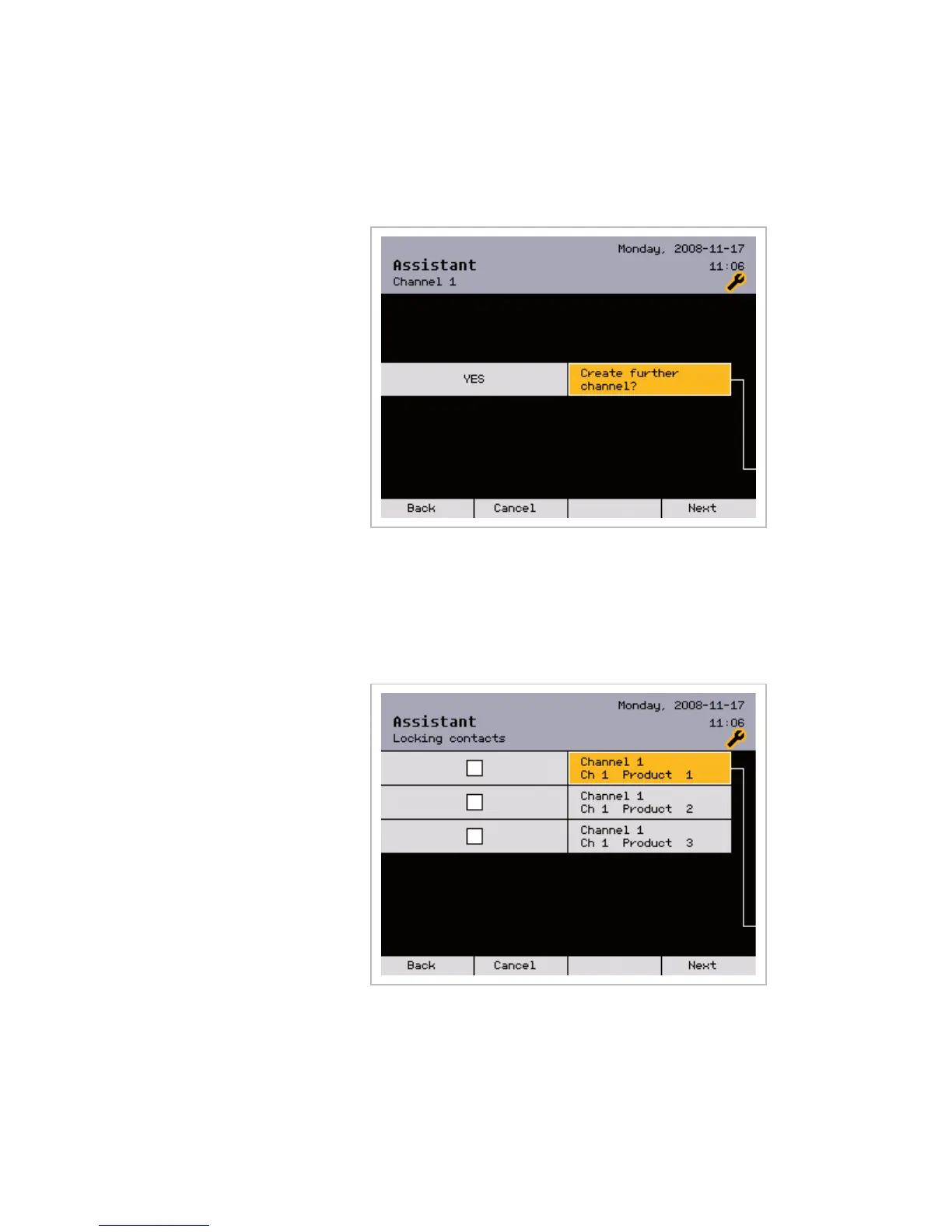
7.2.6 Additional channel?
The following menu asks you whether you want to create another channel in
the WAREMA climatronic:
If you select the default setting [YES], pressing the [Next] button takes you
back to menu item 7.2.5 (assigning a name to the new channel).
If you select [NO] with the function wheel, pressing the [Next] button takes
you to the next menu item 7.2.7 (activating locking contacts).
7.2.7 Locking contacts
Locking contacts that may be required are activated in this menu:
NOTE When a locking contact is activated, the associated product can only move
when the contact is closed.
Activate the required locking contacts with the function wheel. Then press the
[Next] button.
NOTE If you have activated locking contacts, the number of the locking contact is
adjusted to the output terminal of the respective product.
Example Product on contact A2.1 -> V2, product on contact A3.2 -> V3
Assistant



 To Next Page