890370_0•en•01.06.2009
We reserve the right to carry out improvements
96
WAREMA climatronic
®
Installation Instructions
Change the "Limit value ICE" as follows:
Scroll to [Limit value ICE] by turning the function wheel; press the function
wheel.
Change the limit temperature by turning the function wheel (the [Standard]
button sets the value to the default value of +3 °C).
Accept the value by pressing the function wheel.
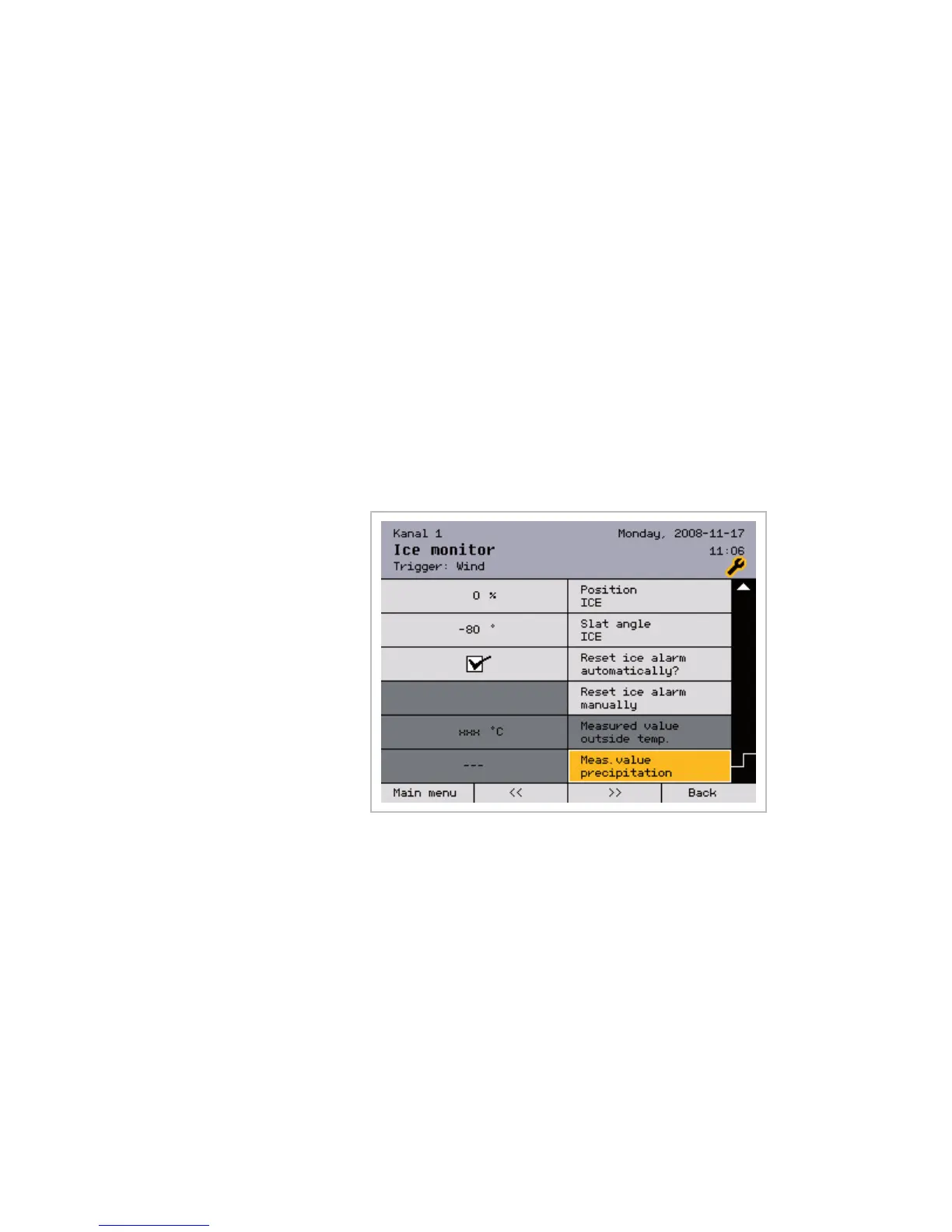
Position ICE Slat angle ICE
Depending on which type of product is being controlled, the [Position ICE]
and [Slat angle ICE] values can also be set, where 0% corresponds to the
top position of the sun shading product.
Reset ice alarm
automatically?
The control can automatically reset an ice alarm. If the outside temperature
rises by 2 °C above the [Limit value ICE] you have set, the ice alarm is
reset automatically and operation is enabled again.
Reset ice alarm manually
You can also reset the ice alarm manually. This is required if you deactivated
the automatic resetting of the ice alarm.
When you scroll down () with the function wheel, the outside temperature
reading is displayed and whether the weather station is currently reporting
precipitation.
Meas. value outside temp.
Meas. value precipitation
These two lines display the current outside temperature and the precipitation
and cannot be adjusted.
Press the [Back] button to return to the [Safety functions] menu.
Channels



 To Next Page