FEATURES
1-34
Turn the traction control system off to help free the rear wheel if the motorcycle gets stuck in mud, sand,
or other soft surfaces.
ECA1MC1014
Use only the specified tires. Using different sized tires will prevent the traction control system
from controlling tire rotation accurately.
Setting the traction control system
EWA1MC1026
Be sure to stop the vehicle before making any setting changes to the traction control system.
Changing settings while riding can distract the operator and increase the risk of an accident.
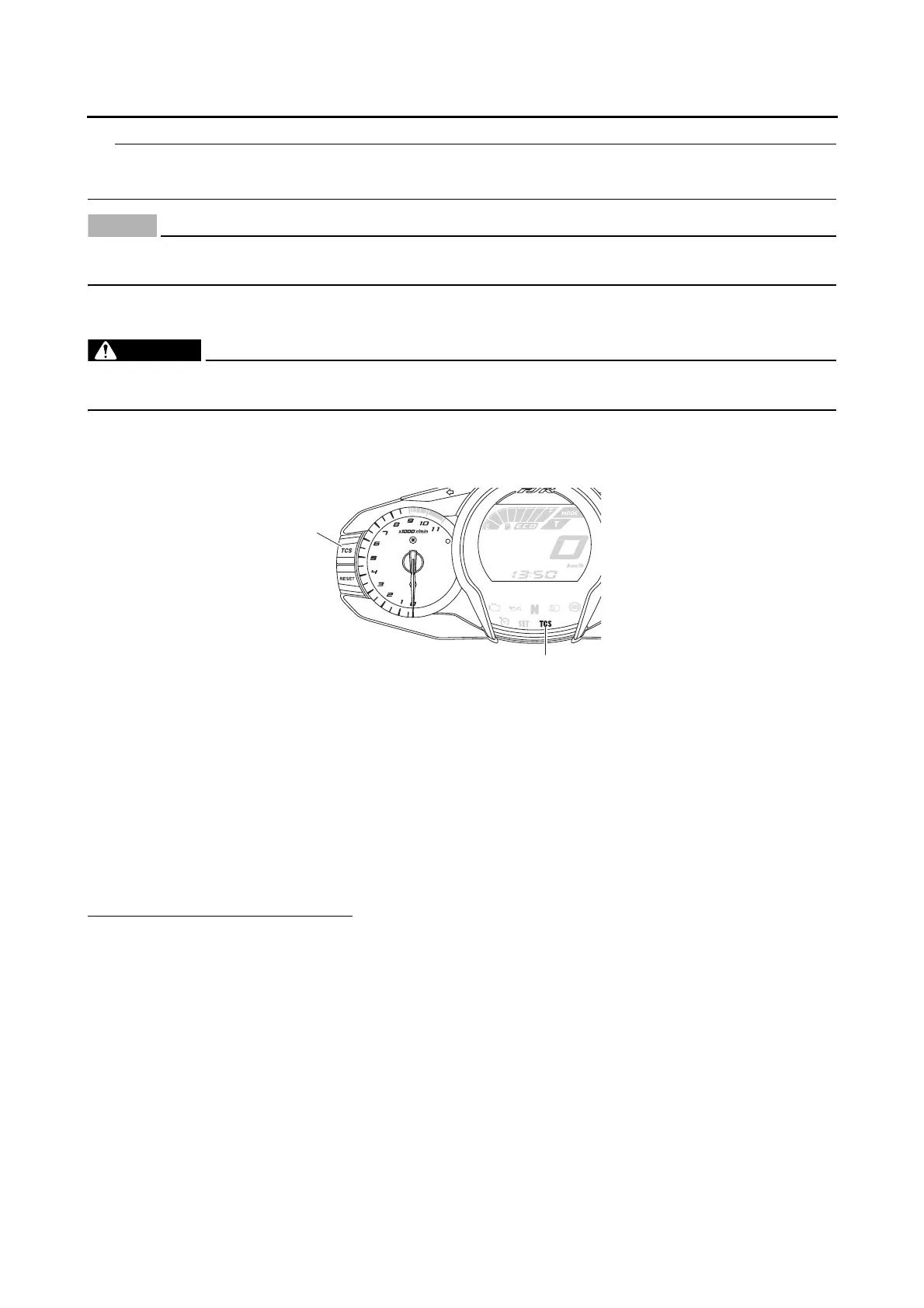
To turn off the traction control system, push the “TCS” button on the meter assembly for at least 2 sec-
onds. The traction control system indicator/warning light will come on. To turn on the traction control
system, push the “TCS” button again. The traction control system indicator/warning light will go off.
Resetting
The traction control system will be disabled in the following condition:
• The rear wheel is rotated with the centerstand down and the main switch in the “ON” position.
• Either the front wheel or rear wheel comes off the ground while riding.
• Excessive rear wheel spinning
If the traction control system has been disabled, both the traction control system indicator/warning light
and the engine trouble warning light come on.
To reset the traction control system:
Turn the main switch to “OFF”. Wait at least one second, then turn the main switch back to “ON”. The
traction control system indicator/warning light should go off and the system will be enabled. The engine
trouble warning light should go off after the motorcycle reaches at least 20 km/h (12 mph). If the traction
control system indicator/warning light and/or engine trouble warning light still remain on after resetting,
check the fuel injection system (Refer to “FUEL INJECTION SYSTEM” on page 8-33).
1
2
1. “TCS” button
2. Traction control system indicator/warning light
“TCS”




 To Next Page