FEATURES
1-41
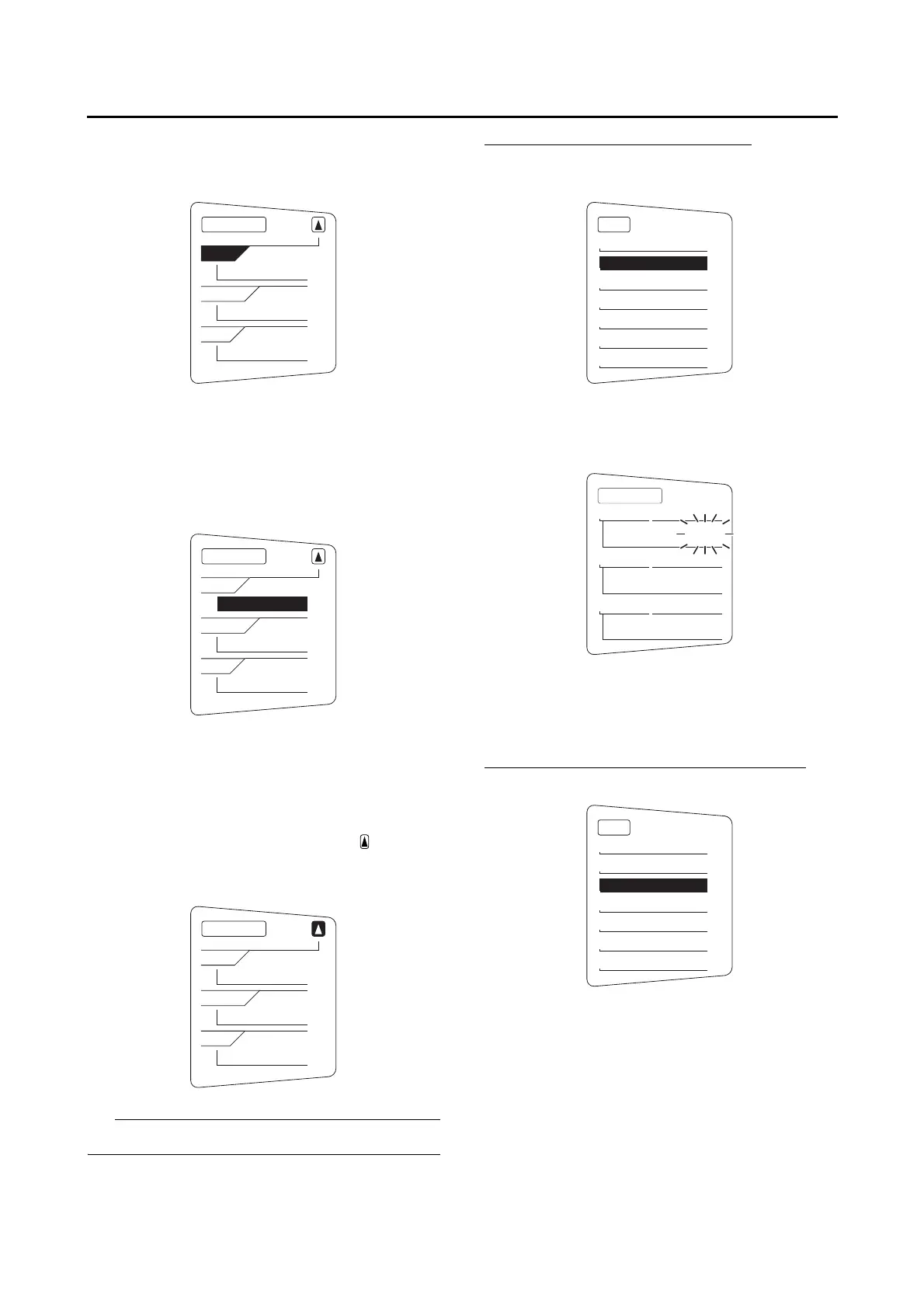
2. Push the menu switch “MENU”. The grip
warmer setting display will be shown and
“High” will flash in the display.
3. Push the menu switch “MENU”. The temper-
ature level for the high setting will start flash-
ing.
Use the select switch to set the temperature
level, and then push the menu switch
“MENU”. “High” will start flashing.
4. Use the select switch to highlight “Middle” or
“Low”, and then change the setting using the
same procedure that was used for the high
setting.
5. When you are finished changing the settings,
use the select switch to highlight “ ”, and
then push the menu switch “MENU” to return
to the setting mode menu.
The setting can be set to 10 temperature levels.
Resetting the maintenance counters
1. Use the select switch to highlight “Mainte-
nance”.
2. Push the menu switch “MENU”, and then
push the “RESET” button to select the item to
reset.
3. While the selected item is flashing, push the
“RESET” button for at least 2 seconds.
4. Push the menu switch “MENU” to return to
the setting mode menu.
Checking and resetting TIME-2 and TIME-3
1. Use the select switch to highlight “Time Trip”.
Grip Warmer
Hi
g
h
10
Middle
5
Low
1
Grip Warmer
Hi
g
h
10
Middle
5
Low
1
Grip Warmer
Hi
g
h
10
Middle
5
Low
1
MENU
Grip Warmer
Maintenance
Time Trip
Unit
Display
Brightness
Clock
20
OIL km
10
FREE-1 km
10
FREE-2 km
Maintenance
MENU
Grip Warmer
Maintenance
Time Trip
Unit
Display
Brightness
Clock




 To Next Page