Defining Wireless Rogue Handling 165
To configure Rogue Handling:
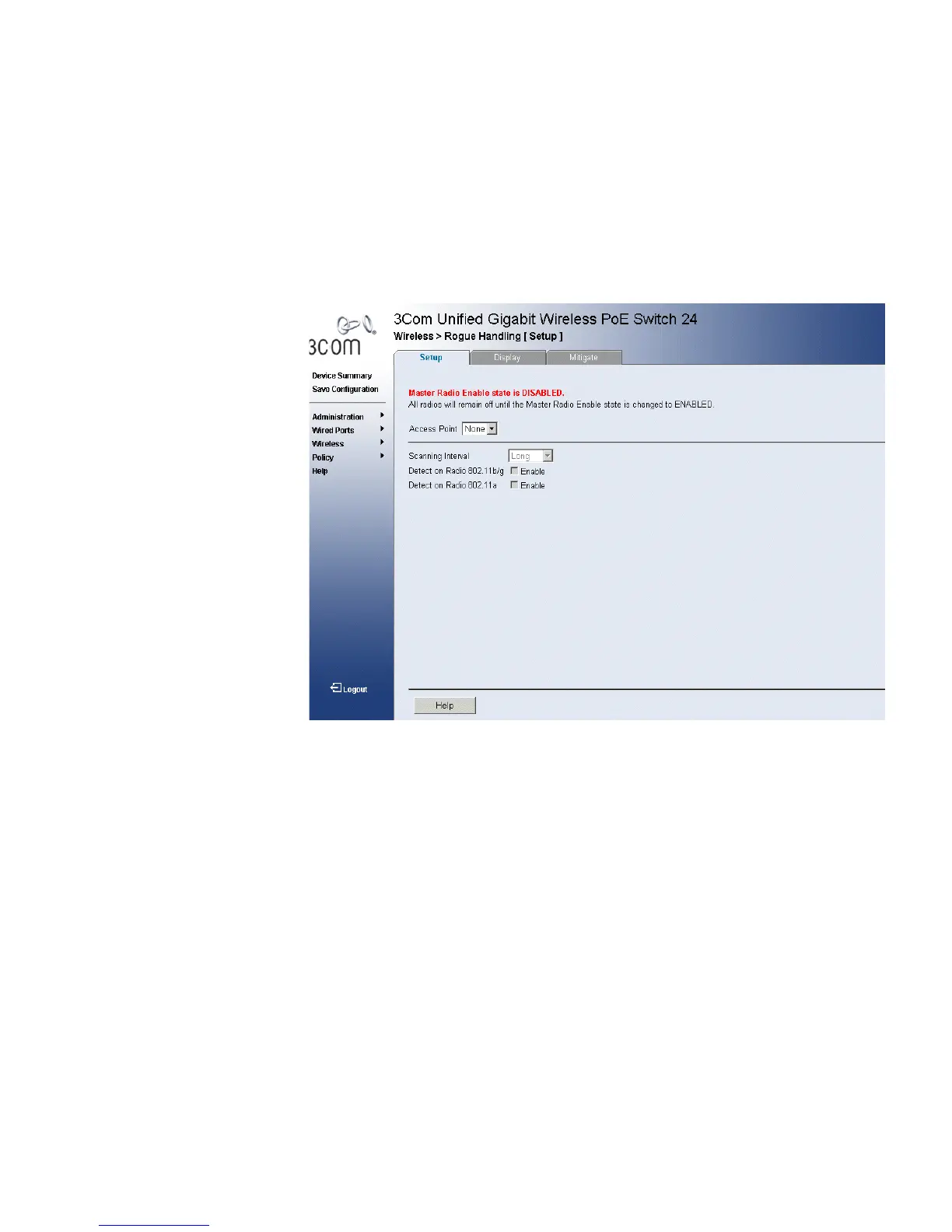
1 Click Wireless > Rogue Handling > Setup. The Rogue Handling Setup
Page opens:
Figure 82 Rogue Handling Setup Page
The Rogue Handling Setup Page contains the following fields:
■ Access Point — Contains a list of either the user-defined access
points or the MAC address assigned to wireless networks.
■ Scanning Interval — Indicates the scanning Intervals. The possible
field values are:
■ Long — Scans for rouges at 240 second intervals.
■ Short — Scans for rouges at 20 second intervals.
■ Medium — Scans for rouges at 150 second intervals.
■ Detect on Radio 802.11b/g — Enables Rogue Detection on the
Radio 802.11b/g range.
■ Detect on Radio 802.11a — Enables Rogue Detection on Radio
802.11a range.
2 Select the Access Point to be configured.
3 Enable Radio 802.11b/g or Radio 802.11a Rogue Handling detection.












 To Next Page