236 CHAPTER 11: CONFIGURING SPANNING TREE
■ VLAN — Specifies the VLAN to be assigned to the Instance ID.
■ Instance ID — Specifies the VLAN group to which the VLAN is
assigned.
2 Define the Instance ID field.
3 Click . The Multiple STP Instances are assigned, and the device is
updated.
To view Multiple STP Port Settings:
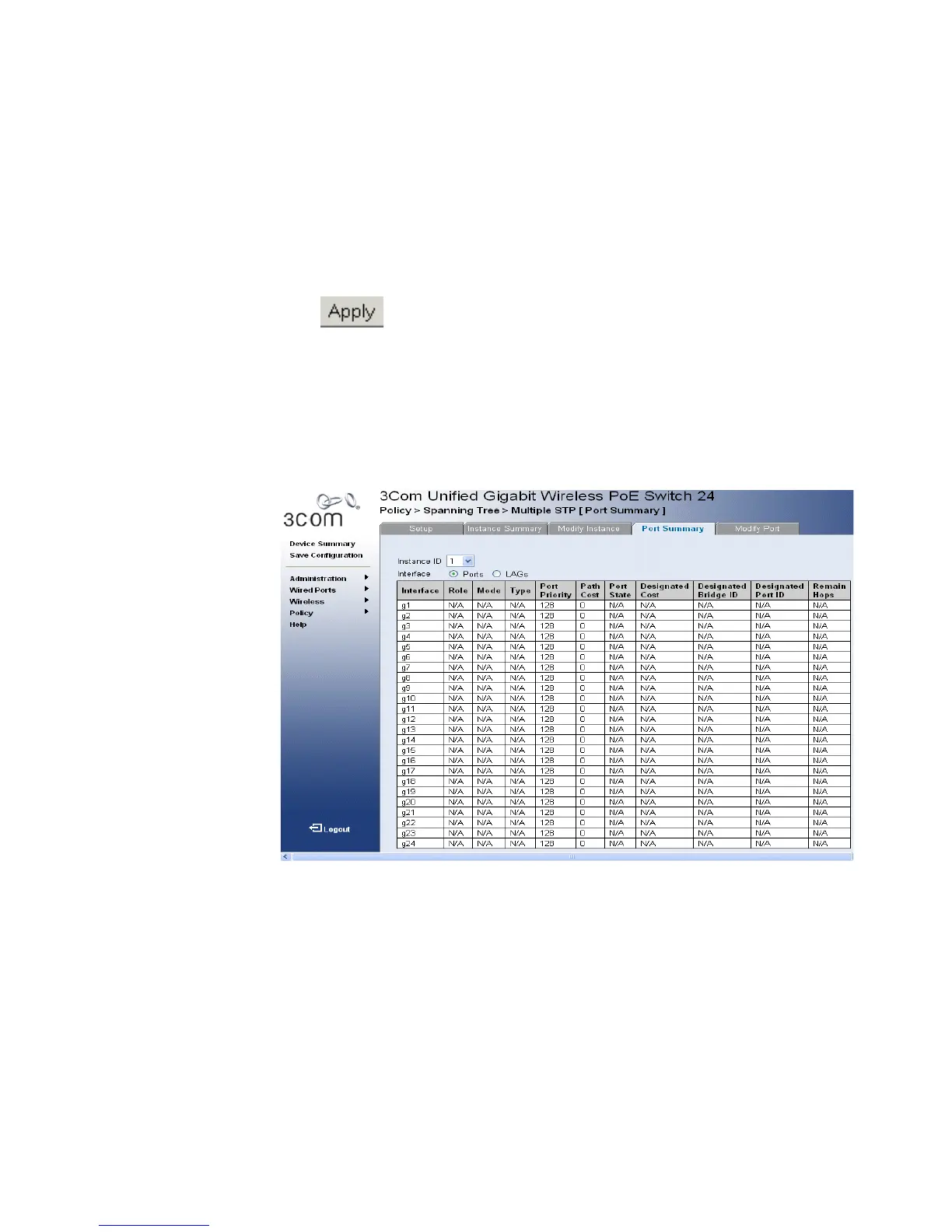
1 Click Policy > Spanning Tree > Multiple STP > Port Summary. The
Multiple STP Port Summary Page opens:
Figure 122 Multiple STP Port Summary Page
The Multiple STP Port Summary Page
contains the following fields:
■ Interface — The interface for which the information is displayed.
■ Role — Displays the port role assigned by the STP algorithm to
provide to STP paths. The possible field values are:
■ Root — Provides the lowest cost path to forward packets to the
root switch.
■ Designated — The port or LAG through which the designated
switch is attached to the LAN.












 To Next Page