Configuring Network Security 55
but the Guest VLAN is enabled, the port receives limited network
access. For example, a network administrator can use Guest VLANs to
deny network access via port-based authentication, but grant Internet
access to unauthorized users.
■ Guest VLAN ID — Specifies the guest VLAN ID.
2 Define the fields.
3 Click . The
802.1x Global Settings are enabled, and the device is
updated.
To view Port-based Authentication:
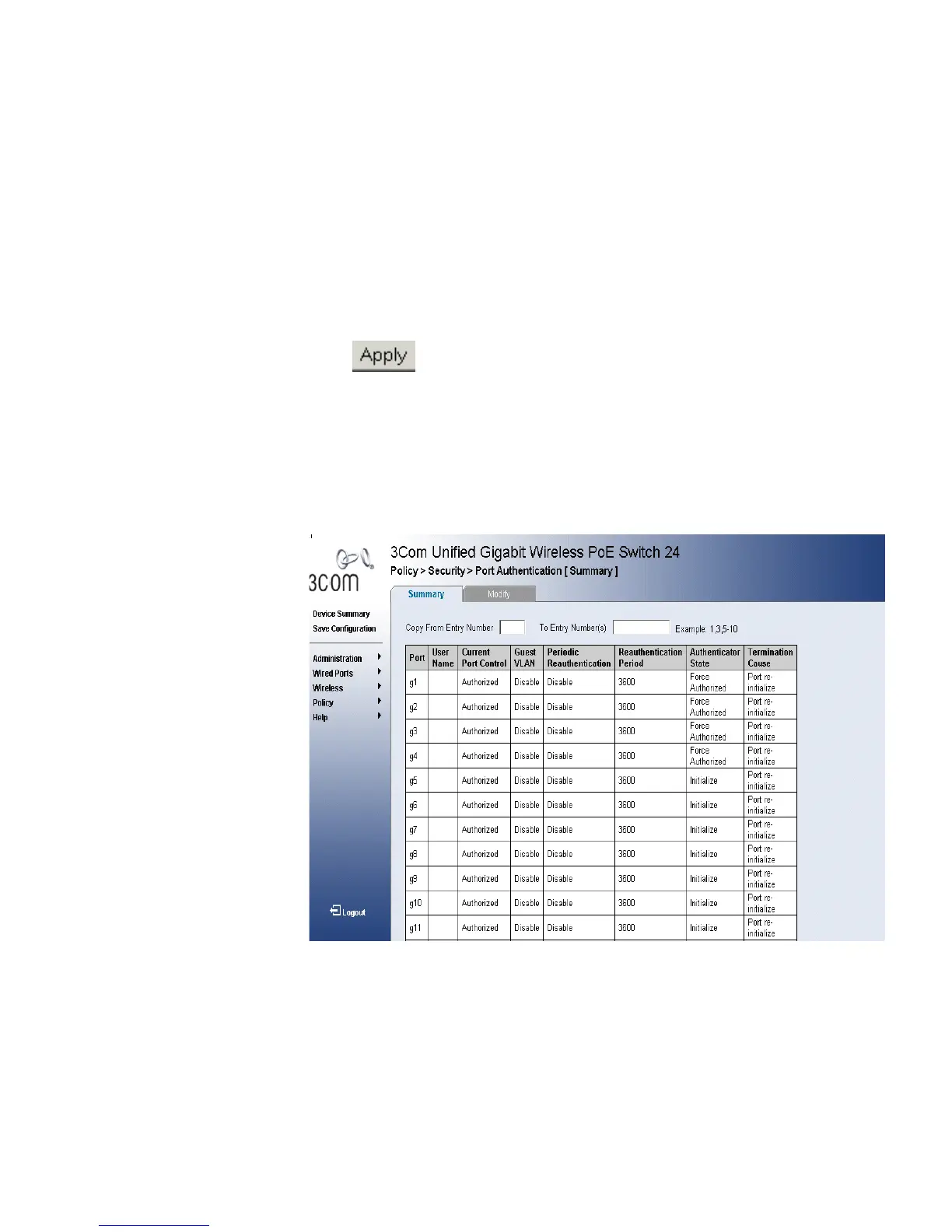
1 Click Policy > Security > Port Authentication > Summary. The Port
Authentication Summary Page opens:
Figure 30 Port Authentication Summary Page
The Port Authentication Summary Page contains the following fields:
■ Copy from Entry Number — Copies port authentication information
from the selected port.
■ To Entry Number(s) — Copies port authentication information to the
selected port.












 To Next Page