ptg
C H A P T E R N I N E Building Content with Adobe Presenter
178
You don’t have to organize the presentation to include slides for the quiz.
A new slide is added automatically for each new question you build in the
Quiz Manager using the PowerPoint master slide template to congure
its appearance. Writing your quiz has two parts: conguring the way the
quiz functions, and adding the actual quiz questions.
To get a quiz set up using the default quiz included in Presenter, follow
these steps:
1. Open the presentation (or create and save a new one) in PowerPoint.
2. Choose Adobe Presenter > Quiz Manager to open the dialog, which
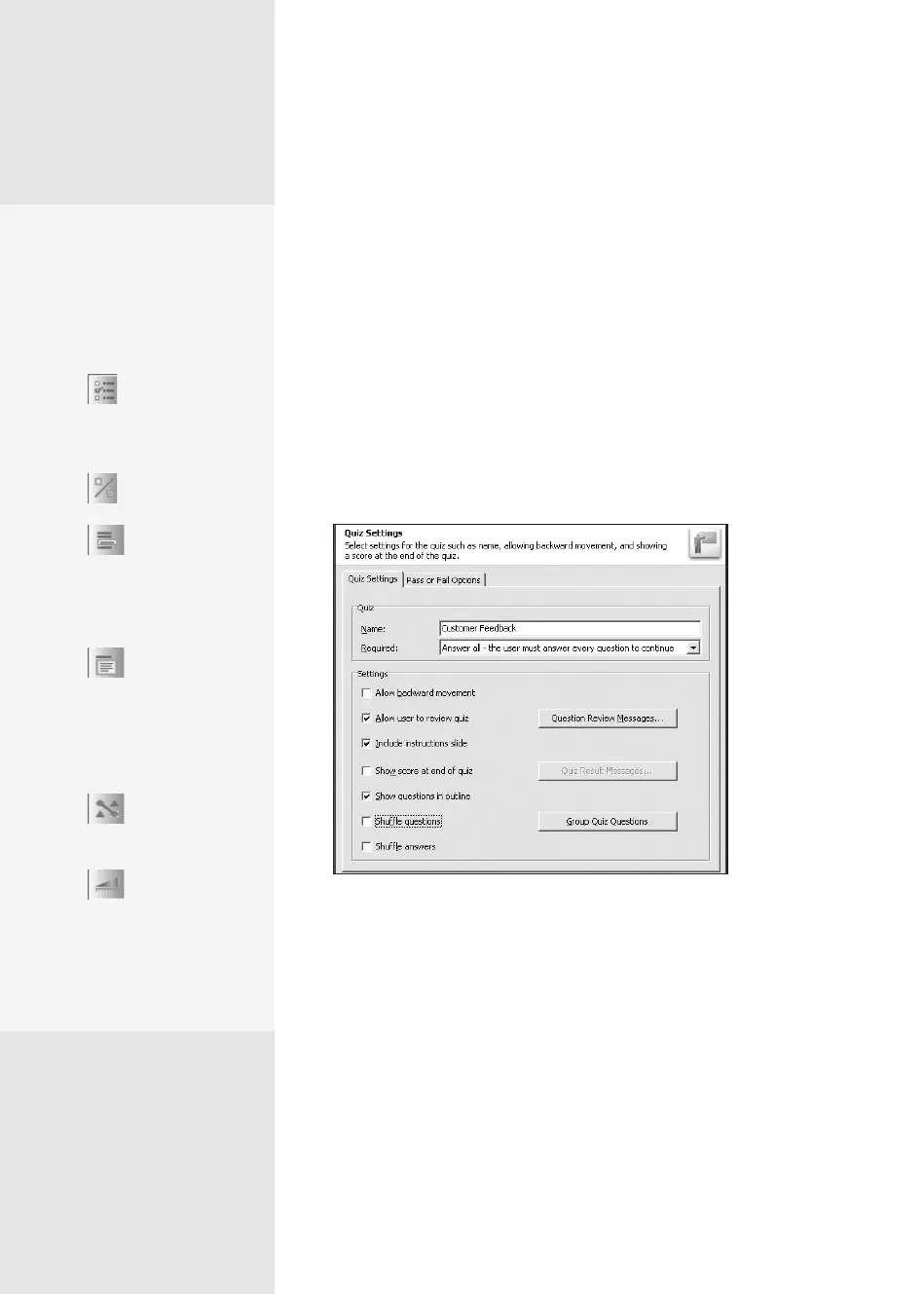
lists a default quiz named “Quiz.” Click Edit to open the Quiz Settings
dialog (Figure 68a).
Figure 68a Design the questions for your quiz.
3. Change the name of the quiz if you like, and select an option from the
Required pop-up menu to dene the level of user interaction (see the
sidebar “What’s the Rule?” for information on the options).
4. Select the functional characteristics for the quiz, such as whether users
can go backward in the quiz, if they can review the quiz, if they can see
Writing a Quiz
#
68
The Question Is …
Adobe Presenter offers six
types of questions you can
use in your quiz design. Here
are their program buttons
and short descriptions:
•
Multiple choice:
Users choose one or
more correct answers
from a list.
•
True/False: Users
choose from two options.
•
Fill-in-the-
blanks: Users complete
a statement by typing
a response or choosing
one from a list.
•
Short answer:
Users write a response to
an open-ended question
like “What’s your favorite
aspect of the Zoom5000
hybrid scooter?”
•
Matching: Users
match content among
items in two lists.
•
Likert: Users
agree or disagree with
statements on a sliding
scale, the type of ques-
tion you often see in con-
sumer surveys.
From the Library of Daniel Dadian



 To Next Page