ptg
253
#93: Tracking Forms
Follow the progress of a form distribution and collection cycle using the
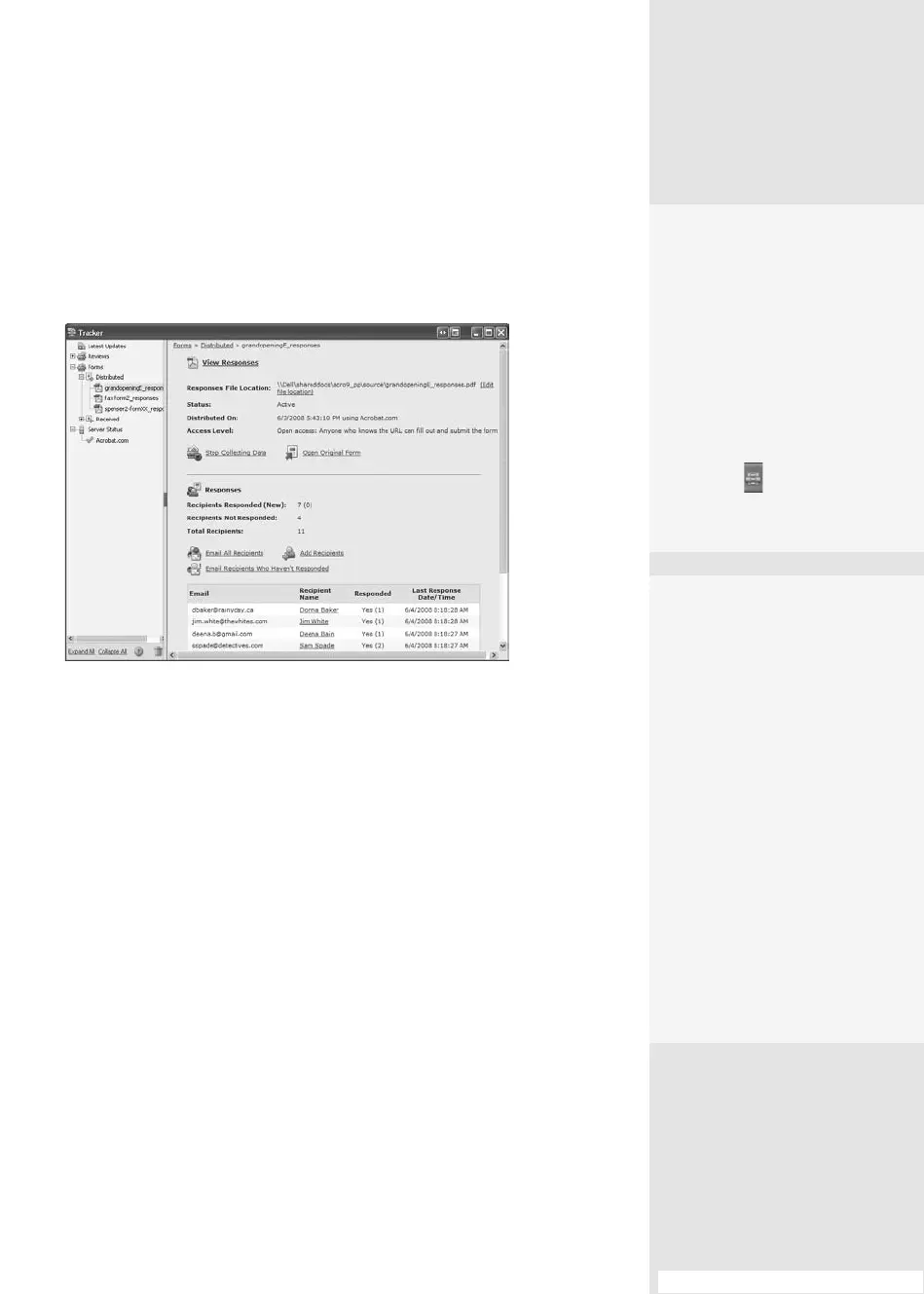
Form Tracker. Choose Forms > Track Forms, or click the Forms task button
and choose Track Forms to open the Tracker. You’ll see both Review and
Form sections at the left of the dialog (Figure 93).
Figure 93 Use the information on the Tracker to see what’s happening
with your forms.
The Tracker is a highly interactive dialog, where you can do the
following:
•
Click Distributed or Received in the Forms listing at the left to view a
list of the forms you’re working with.
•
Click View Responses to open the PDF portfolio generated when you
started the form distribution.
•
Change the le location for the responses le.
•
Click Stop Collecting Data to terminate the form process, something
you may do when you reach a capacity for some event or survey.
•
Click Open Original Form to see the form used for the review.
When you receive the responses, you can do the following:
•
Track the response data, including new responses and those who
haven’t responded.
Tracking Forms
#
93
Stay in the Loop
If you are waiting for form
returns, you don’t have to
keep the Tracker open to
wait for form returns to
show up. Instead, click Lat-
est Updates in the Tracker
and choose “Turn on notifi-
cation icon in system tray.”
You’ll see the Tracker icon on
the taskbar ,
and a pop-
up notifies you when a new
form is received.
Coordinating with
QuickBooks
Acrobat 9 offers new
Acrobat > QuickBooks
features. Now you can do
the following:
•
Collect form data
using your QuickBooks
templates
•
Use one of seven new
QuickBooks-enabled
templates in Acrobat
•
Use a wizard to get your
template ready for
distribution
•
Export forms data back
to QuickBooks
(continued on next page)
From the Library of Daniel Dadian



 To Next Page