ptg
C H A P T E R S I X Complying with PDF and Accessibility Standards
102
Preparing a print job, whether intended for prepress or your company’s
annual report, can be a laborious and time-consuming process. Acrobat 9
Pro includes a suite of preight tools you can use to evaluate your les
for problems, compliance with standards, and analysis of objects like hid-
den text and transparency. The Preight dialog includes preight proles
(groups of settings), as well as individual checks and xups.
To test a document for compliance with a prole, follow these steps:
1. Choose Advanced > Preight or click the Preight button on the
Print Production toolbar to open the Preight dialog and load the
proles.
2. Click Select Proles on the Preight toolbar to load the existing
proles. Click Show All and choose an option from the pop-up menu—
view a list of the Preight categories in the sidebar “Preight Prole
Categories.”
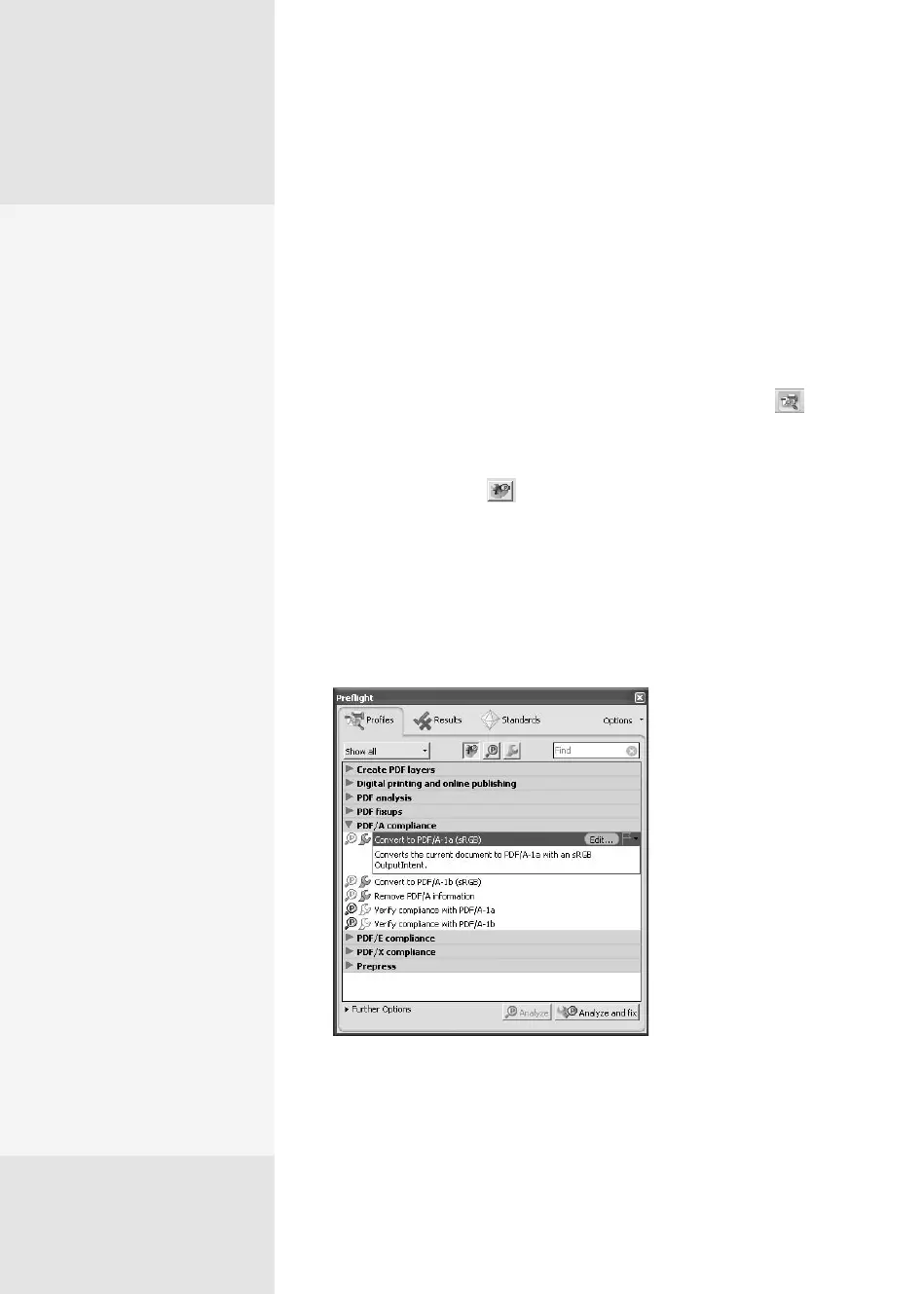
3. Click the arrow next to a category label to view the prole list and
select the prole to apply (Figure 39a). You’ll see information about
the prole display in the dialog.
Figure 39a Select the profile you want to run from
the list in the dialog.
Testing and Fixing a
Document with Preight
#
39
Preflight Profile
Categories
There are several basic cate-
gories of preflight profiles:
•
Create PDF layers, used for
dividing content in a file
according to object type
•
Digital printing and
online publishing, used
for basic printing and
online use (optimized for
either quality or size)
•
PDF analysis, which eval-
uates files for compo-
nents, such as hairlines,
color, or object types
•
PDF fixups, used for mak-
ing specific changes,
such as converting color
space, decreasing image
resolution, or managing
transparency
•
PDF/A compliance, used
to evaluate a document
for compliance with the
Archival standard and to
make repairs
•
PDF/E compliance, used to
evaluate a document for
compliance with the Engi-
neering standard and to
correct compliance errors
•
PDF/X compliance, used
to evaluate a document
for compliance with Print
standards and to make
repairs
From the Library of Daniel Dadian



 To Next Page