ptg
C H A P T E R T W E L V E Creating and Handling Forms
234
Acrobat 9 oers the same set of Acroform form eld tools as previous ver-
sions, but the way you view elds is simpler. If you have worked in Acrobat
before, you’ll be surprised to nd that you can’t locate a Forms toolbar or
choose Forms tools from the Tools menu unless you are actually working
with a form.
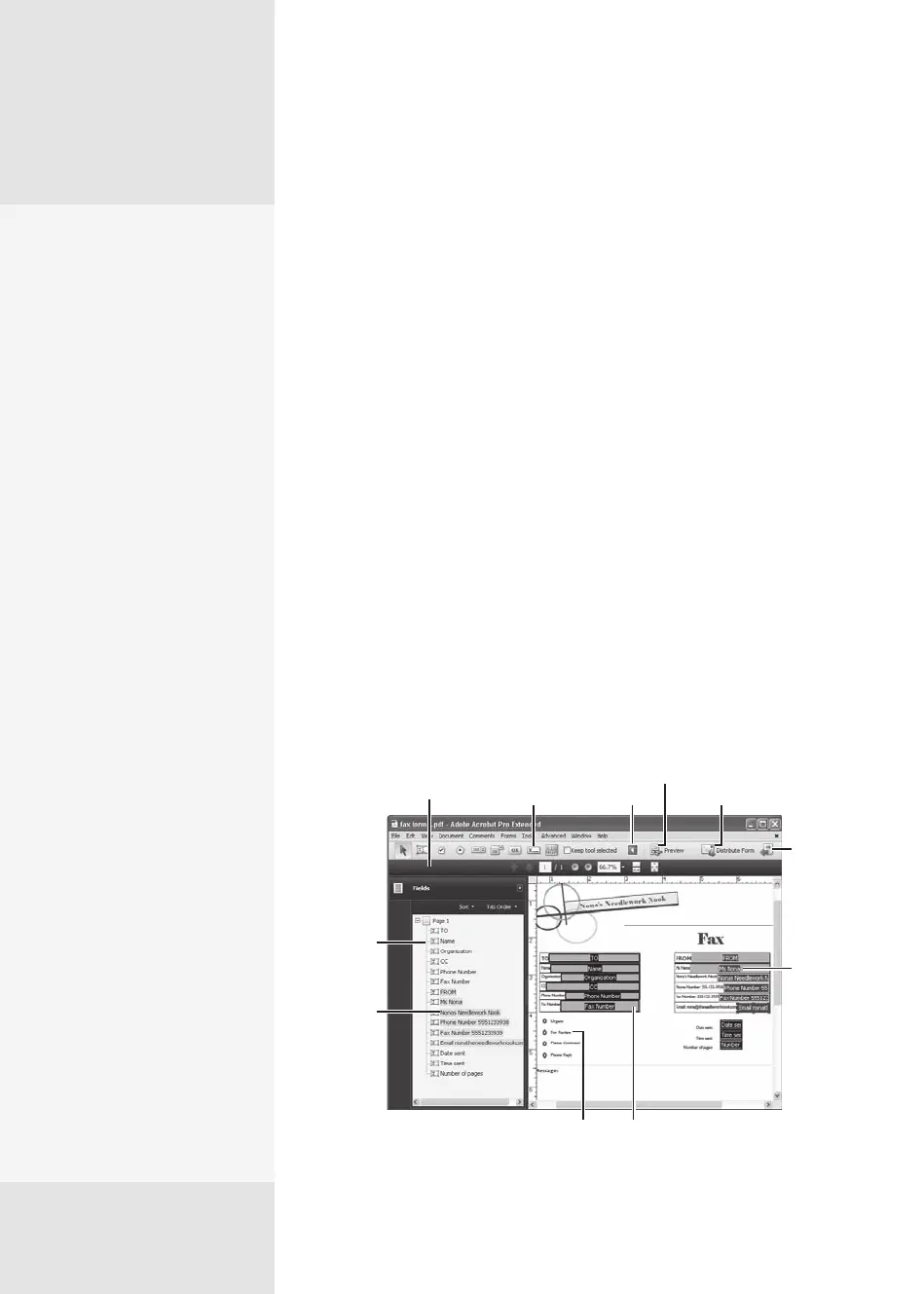
When you start an Acroform project, the Acrobat program window
changes to the Form Edit mode, which oers the form eld tools and sev-
eral other commands for working with the form. In addition, the program
menus are displayed, but the available commands are limited to those
applicable to building and working with a form. Very handy!
To edit the form, follow these steps:
1. Check through the added elds to determine whether they are needed.
Start making corrections in the form (see how that’s done in #88,
“Drawing and Customizing Form Fields”). You can do the following:
•
Select a eld and press Delete to delete it. You can click the eld on
the form, or select it in the Fields pane (Figure 87a).
•
Right-click (Control-click) a eld in the pane and choose Properties
from the shortcut menu to open its Properties dialog and custom-
ize the settings.
•
Add elds as required for your project.
Form field tools
Adjust page view
and magnification
Selected
fields
Collapse
tools
View the form
Share form
Close Form
Edit mode
Selected
fields
Field not
captured
Fields listed
in tab order
New text
fields
Figure 87a The Form Edit mode shows the fields added to the form automatically.
Working in Form
Edit Mode
#
87
Why the Changes
Happened
Here’s a simple explanation for
why the Acroforms process is
simpler and self-contained—
and why you don’t find the
tools on the toolbars.
Acrobat 9 is the first program
version where you don’t have
an option to open multiple
files in the same program
window. Instead, based on the
architecture of Windows Vista
(which influenced the design
of Acrobat 9), each file opens
in its own program window
and offers its own special-
ized menu. As a result, when
you choose one of the Forms
commands in Acrobat, the
special interface for Acroforms
replaces the default view since
it’s the only document in that
program window.
The one file per one window
principle is also the reason
for the absence of tools and
toolbars—unless you’re
choosing a command that
starts a forms process, you
don’t need the tools.
By the way, the same design/
programming principle is
also the reason PDF port-
folios function in their own
specialized window layout.
Read about collecting form
data in a PDF portfolio in #94,
“Handling Form Returns.”
From the Library of Daniel Dadian



 To Next Page