ptg
233
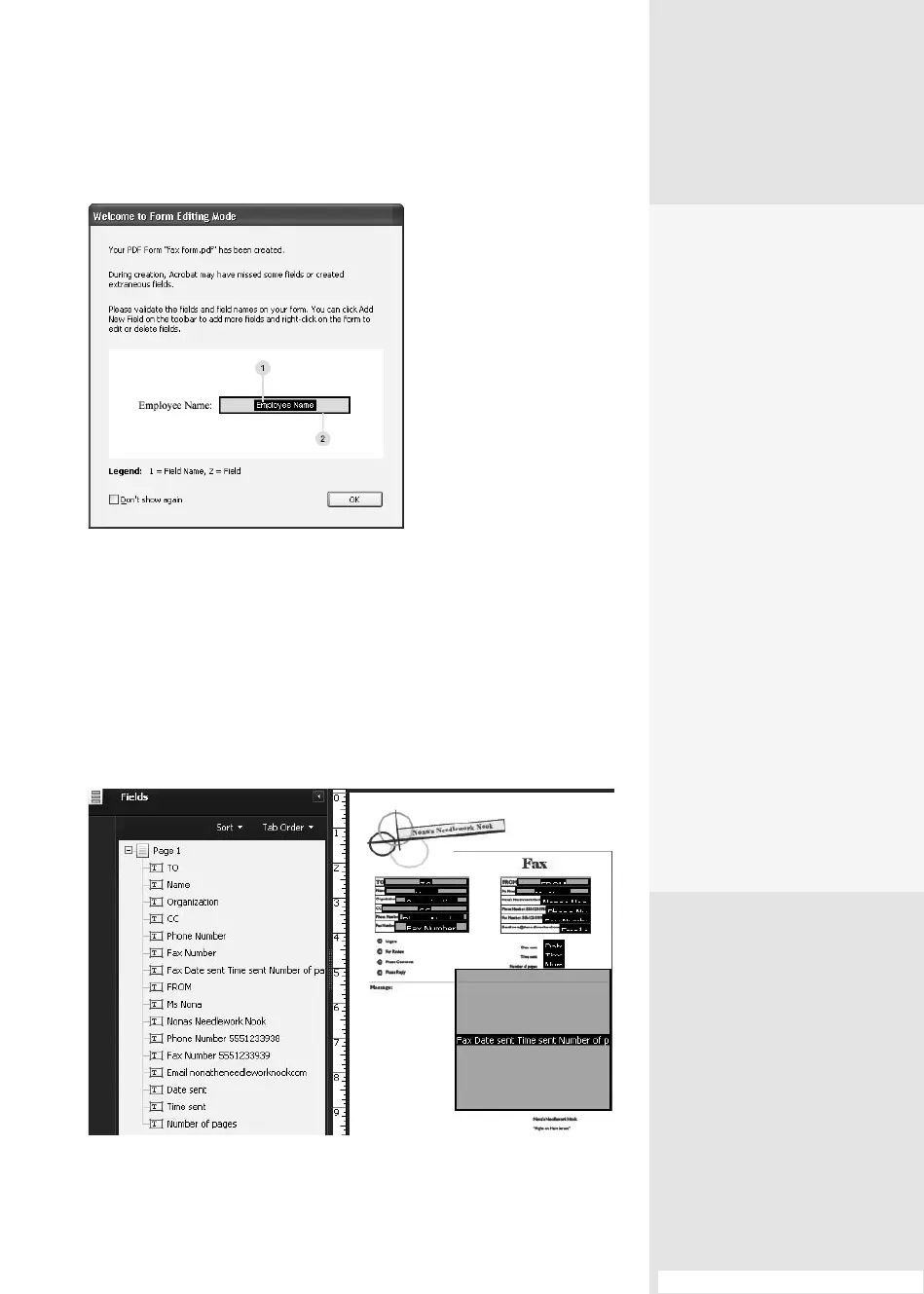
Figure 86a The information
dialog explains how the
automatic process works,
and shows a key to the
added fields.
Tip
If you are opening an existing form, you won’t see the information
dialog.
6. The elds are shown on the form and listed in the Fields pane
(Figure 86b). Complete the structure and layout of the form and save
it. (Read how to work with the elds in #87, “Working in Form Edit
Mode,” and #88, “Drawing and Customizing Form Fields.”)
Figure 86b The Form Edit mode shows the fields added to the form automatically.
#86: Letting the Form Wizard Guide You
Acroforms vs.
LiveCycle Designer
Forms
The Acroforms tools and
methods are available
directly from within Acrobat
Standard and Pro versions.
LiveCycle Designer forms
are available as a separate
program accessible via the
Forms > Create or Edit Form
dialog when you choose the
“No existing form” option.
A form built in LiveCycle
Designer can’t be modi-
fied in Acrobat, although a
form created in Acrobat can
be modified in LiveCycle
Designer.
The big difference relates
to file types. An Acroform
uses a PDF file and FDF (File
Data Format) data. However,
while a LiveCycle Designer
form is a PDF file, its data is
stored in XML format, which
isn’t configurable in Acrobat.
From the Library of Daniel Dadian



 To Next Page