ptg
C H A P T E R E L E V E N Live Reviewing and Collaboration
208
The realm of communication and collaboration in Acrobat 9 centers on
Acrobat.com, although it is still possible to perform a review the “old way”
by e-mail and manual integration of comments.
Acrobat.com is a rich Internet application (RIA) built on Adobe Flash
and Adobe AIR. You can access Acrobat.com through your browser, or
through program commands using settings you congure in Acrobat 9
and Adobe Reader 9 preferences.
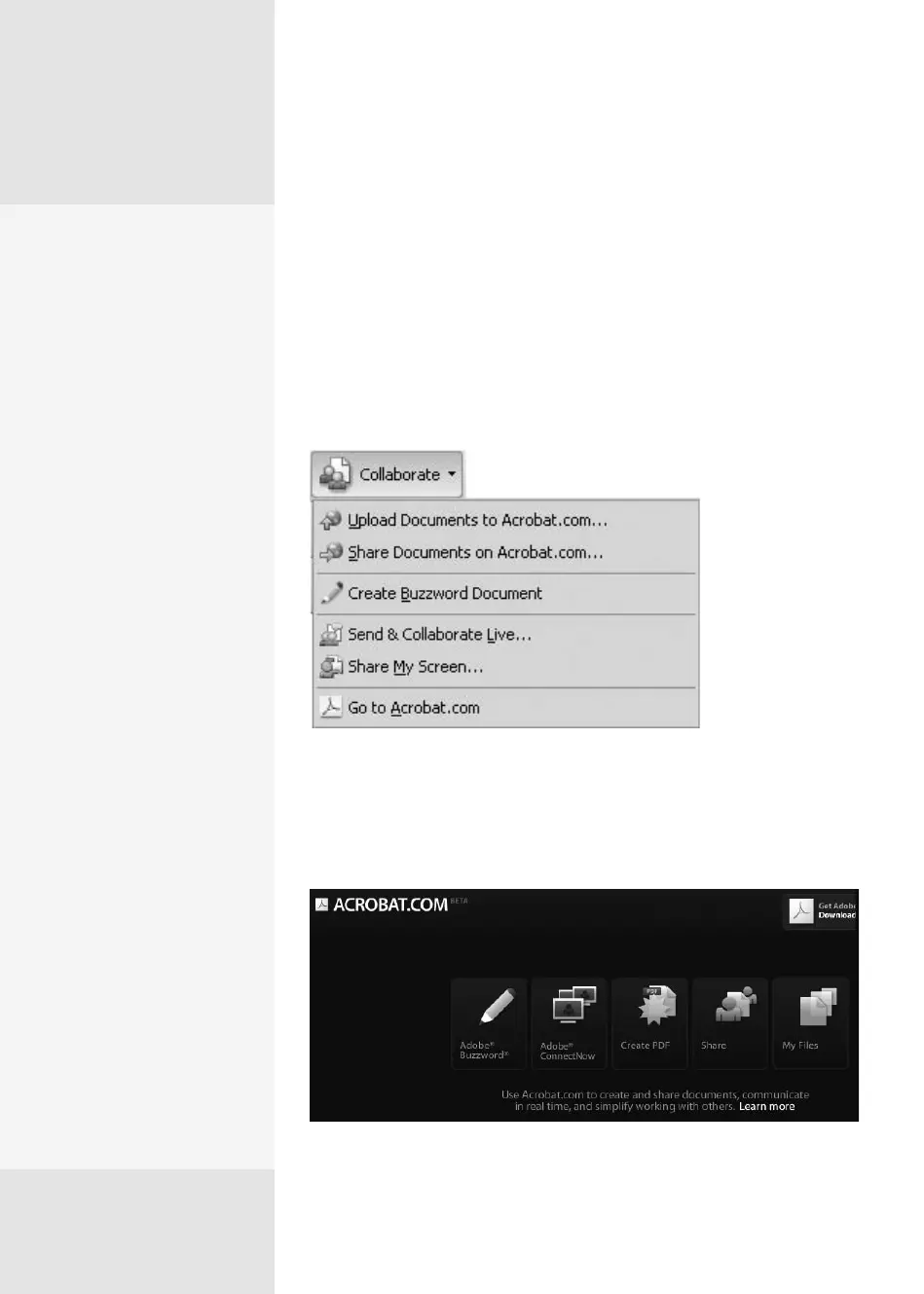
In Acrobat 9 (or Adobe Reader 9), click the Collaborate task button and
choose a command (Figure 78a).
Figure 78a Choose a collaboration option.
To view the main application interface, go to www.acrobat.com—
you’ll see a display of the services, accessible through a single login
(Figure 78b).
Figure 78b Select a service from the Acrobat.com interface.
Collaborating Live
on Acrobat.com
#
78
Manage Acrobat.com
Preferences
Modify the program settings
to streamline your work with
live collaboration. In the
Acrobat.com preferences,
look for these settings:
•
Type your Email Address
(Adobe ID) and Password
in the fields.
•
Click Manage Account to
open the Acrobat.com
Account Settings area in
your browser, and sign in
to your account. Here you
can change your pass-
word, e-mail address,
and Meeting URL (for
ConnectNow), and set an
image. Click OK to accept
any changes you’ve
made.
•
Click Change Password
to modify your login. You
first see an information
dialog, which explains
changing your pass-
word at Acrobat.com and
informs you that your
password in the pref-
erences has now been
deleted. Click Yes. In the
resulting browser screen,
type your login infor-
mation and follow the
prompts to change the
password.
(continued on next page)
From the Library of Daniel Dadian



 To Next Page