ptg
C H A P T E R F O U R Producing a PDF Portfolio
74
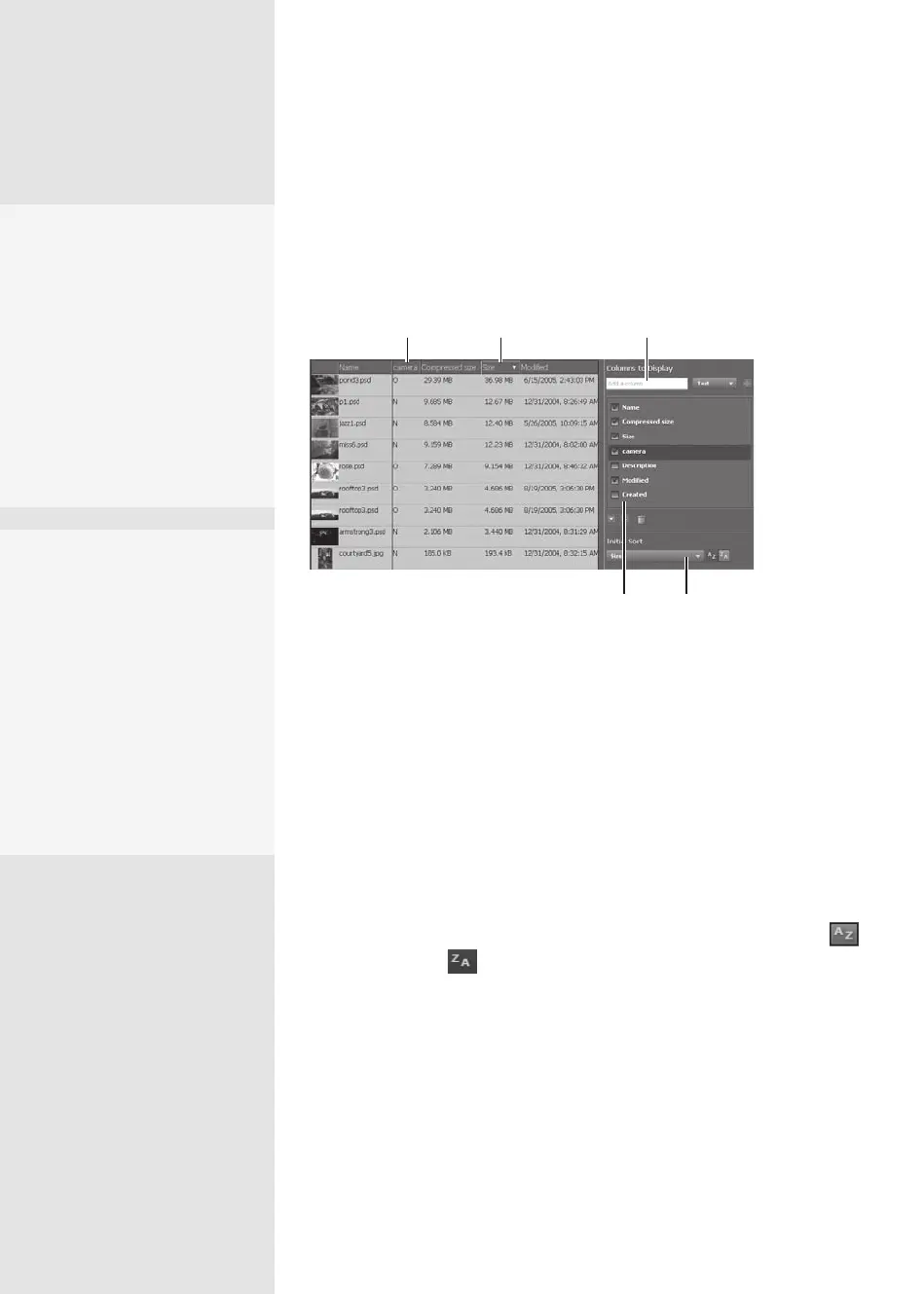
Acrobat Portfolio lets you manage existing information about each
component of the portfolio and add custom data. To check details, click the
Specify File Details bar in the Edit pane. You’ll see the Columns to Display set-
tings in the Edit pane, and the folders listed in Details mode (Figure 28b).
Drag or use arrows
to reorder
Sort by column
Add custom columnsSort by columnDrag to reorder
Figure 28b Edit content using Details mode.
Keep these ideas in mind as you organize, sort, and rearrange columns
and data:
•
You can choose the settings in the Edit pane, or directly on the list in
Details mode. Changes made in one area automatically display in the
other.
•
Drag the vertical separator between columns in Details mode to
change a column’s width.
•
To sort the contents, choose a column name from the Initial Sort pop-
up menu. You can sort by any of the active columns in Ascending
or Descending order.
•
To add content or change values, such as a le’s name, click the label
in Details mode and type the new value when the text is activated.
•
Select the check boxes for each column you want to display—deselect
those you don’t want to use.
•
Custom columns can be congured and used in the same ways as the
default columns; read how in the sidebar “Add Your Own Columns.”
Make Your
Own Folders
To add a folder to your port-
folio, click Create New Folder
in the Edit Portfolio mode to
display a pop-up field. Type
a name for the folder in the
field and click OK. Once the
folder is added to the inter-
face, you can drag and drop
files and other folders into it.
Do It Manually
Selecting files and folders
over and over got you down?
No problem. Open a Browse
window and locate the files
and folders you want to
use in the portfolio. Simply
select and drag the whole
works into the Portfolio win-
dow. Your content is added,
and any preexisting folder
structures are maintained.
From the Library of Daniel Dadian



 To Next Page