ptg
C H A P T E R F O U R Producing a PDF Portfolio
78
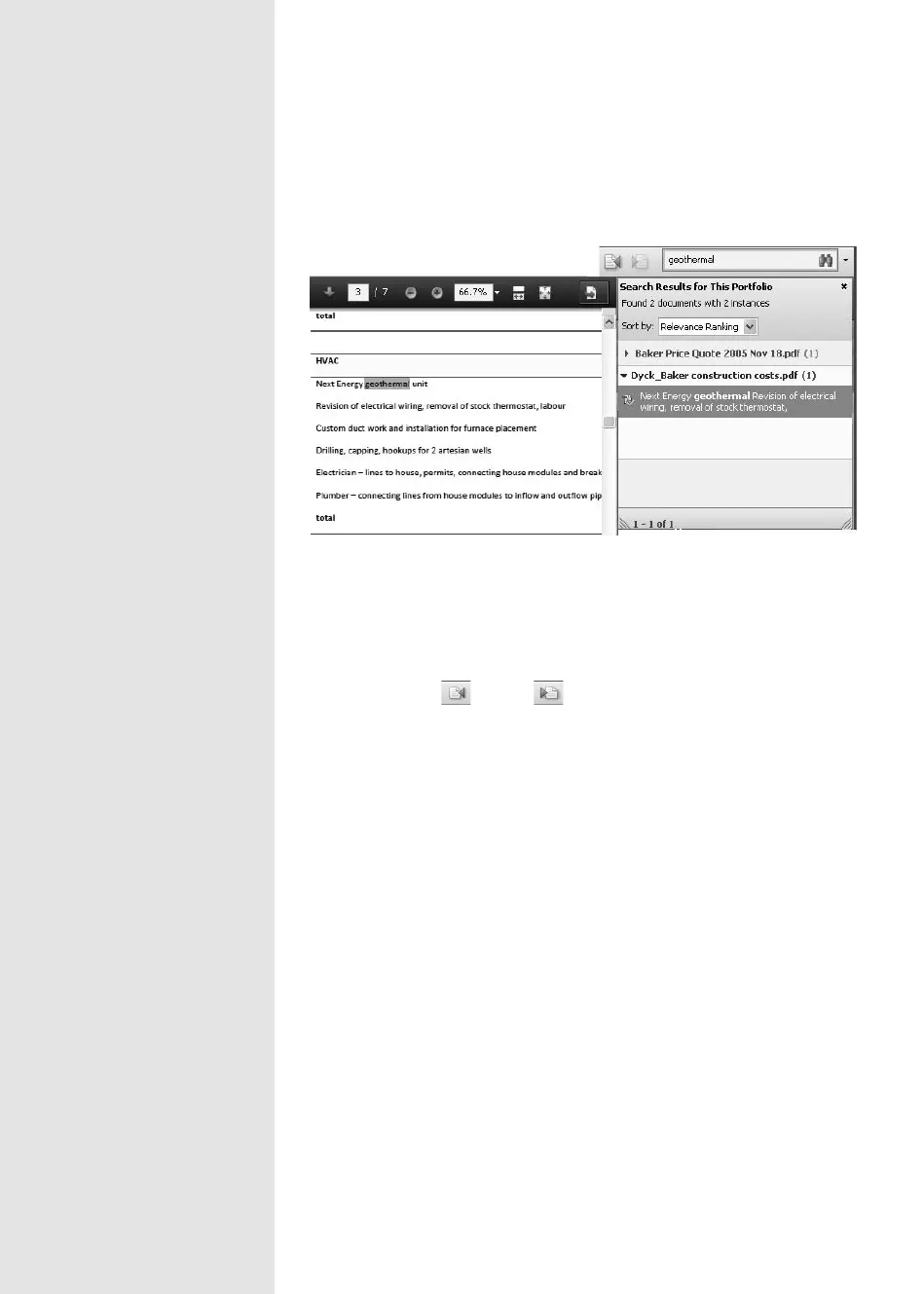
2. Review the returns shown in the Search Results dialog (Figure 30).
Figure 30 Search returns are listed and highlighted in the portfolio’s files.
3. Click a return to read the le’s details. If you are in Details mode, the
le is highlighted in the list; if you are in Preview mode, the result is
highlighted on the page, as you see in Figure 30.
4. Click Previous or Next to review the results.
5. Close the Search Results pane when you have nished.
From the Library of Daniel Dadian



 To Next Page