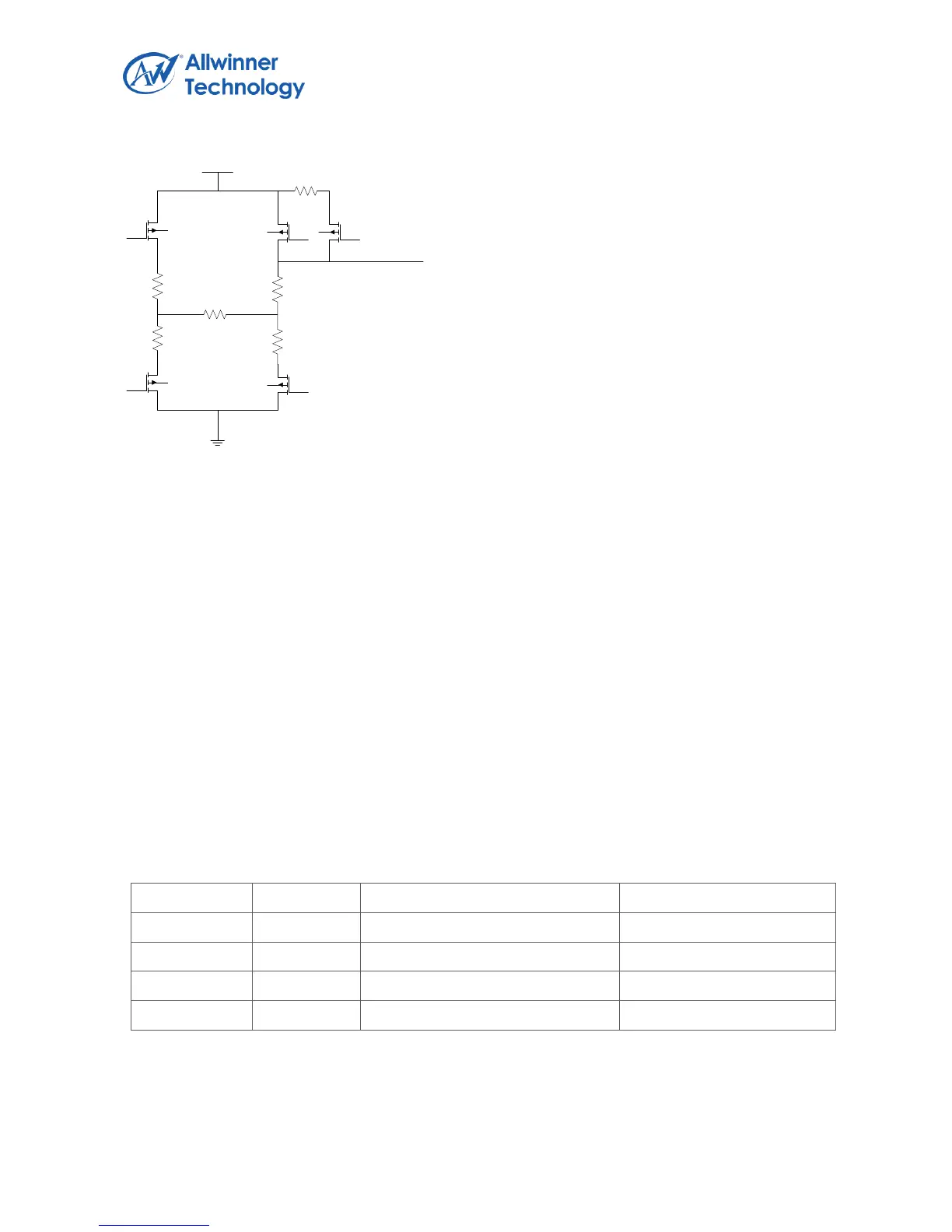
Example of Pen touch Interrupt via Pen Down IRQ
MEDIAN AND AVERAGING FILTER
As explained in the Touch Screen Principles section, touch screens are composed of two resistive
layers, normally placed over an LCD screen. Because these layers are in close proximity to the LCD
screen, noise can be coupled from the screen onto these resistive layers, causing errors in the touch
screen positional measurements. The controller contain a filtering block to process the data and
discard the spurious noise before sending the information to the host. The purpose of this block is not
only the suppression of noise; the on-chip filtering also greatly reduces the host processing loading.
The processing function consists of two filters that are applied to the converted results: the median
filter and the averaging filter. The median filter suppresses the isolated out-of-range noise and sets
the number of measurements to be taken. These measurements are arranged in a temporary array,
where the first value is the smallest measurement and the last value is the largest measurement.
Then the averaging filter size determines the number of values to average. There are four choises
which is configured by TP_CTRL3 register (bit 1 and bit 0) to filtrate the ADC sampling data. It is
showed in following table.
Median and averaging Filter Size (TP_CTRL3)


 To Next Page