Chapter 3 Aircraft 39
Table 3-4 Aircraft Top-Down View Details
21
Expansion
Located on top and bottom side of the fuselage, 4 screw holes
(with a space of 64×94 mm, for M3×6 screw) to secure
additional external devices.
22
Arm Locking
Button
After the drone arms are fully extended, the arm locking
button will pop up. To fold the arms, press and hold the arm
locking button first, then fold the arms for storage.
23 Top Strobe
Emits high-intensity strobe lights to indicate the position of the
aircraft at night to avoid air traffic accidents.
24 Power button
Press and hold the power button for 2 seconds to start the
aircraft. Quickly press the power button twice to enter pairing
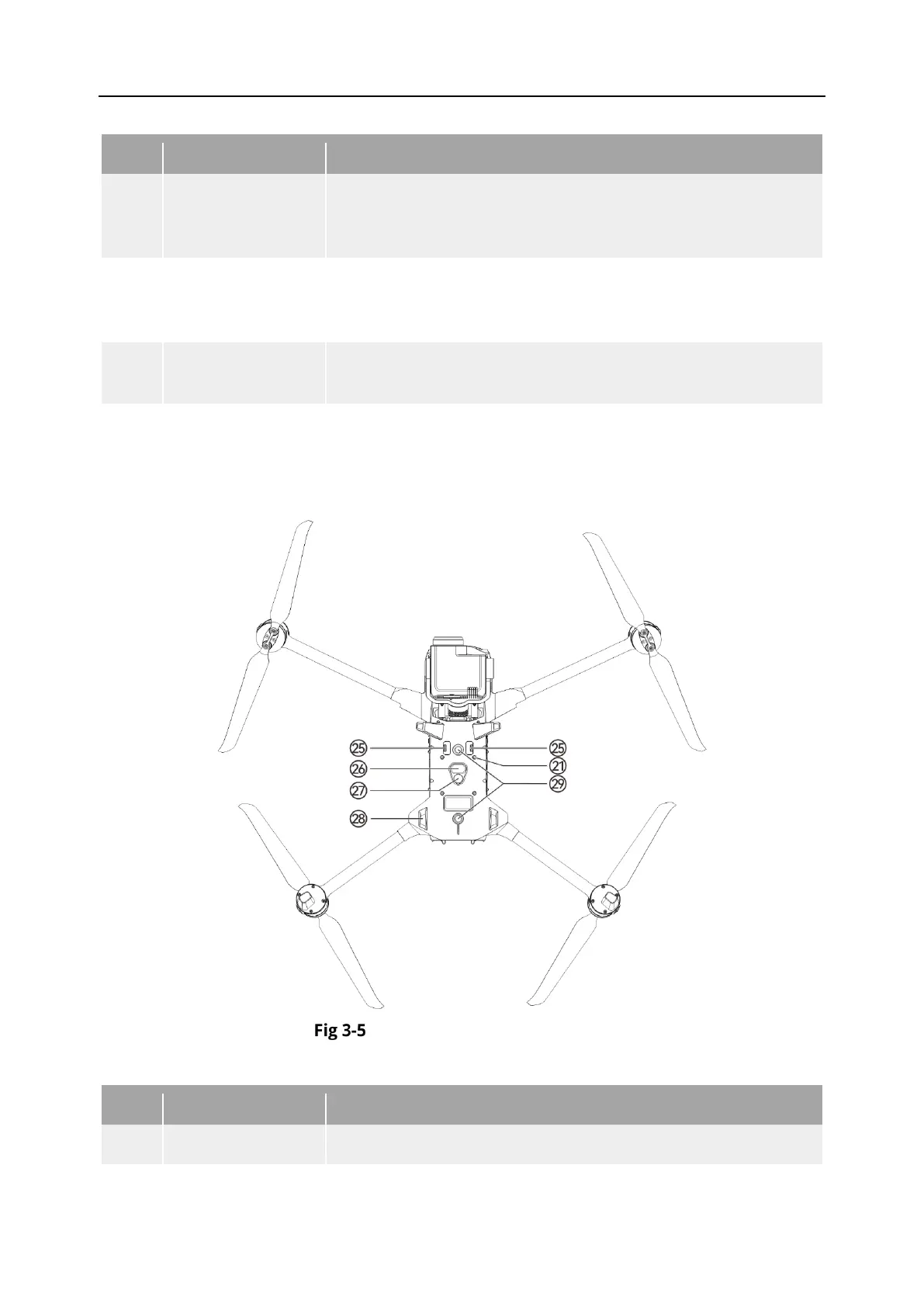
Aircraft Bottom-Up View
Table 3-5 Aircraft Bottom-Up View Details
Invalid for the moment, please do not connect to any devices.












 To Next Page