122 BD FACSCalibur Instructions for Use
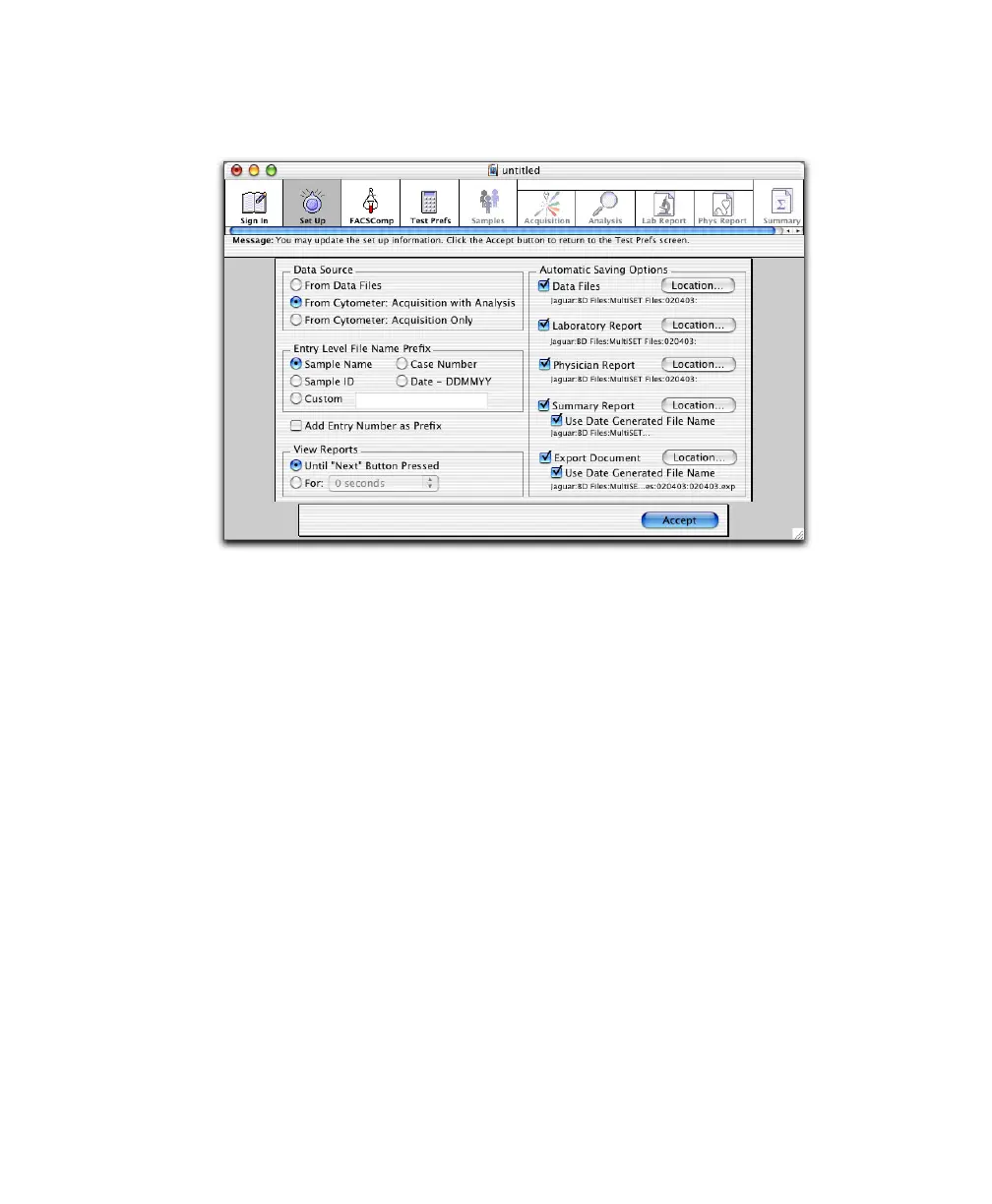
3 At the Set Up view, select a Data Source.
• Select From Data Files to analyze saved data files.
• Select From Cytometer: Acquisition with Analysis to run stained
samples and analyze data automatically after each sample is acquired.
• Select From Cytometer: Acquisition Only to run stained samples
without analysis.
4 Under Entry Level File Name Prefix, select a prefix for data files, Physician
Reports, and Lab Reports.
• For Sample Name, Sample ID, or Case Number, make entries in the
corresponding column of the Samples view.
• For Custom, enter a prefix in the box.
• To insert the schedule entry number before the prefix (eg,
01JaneDoe.lab), select Add Entry Number as Prefix. When deselected,
the entry number appears after the prefix: JaneDoe01.lab.



 To Next Page