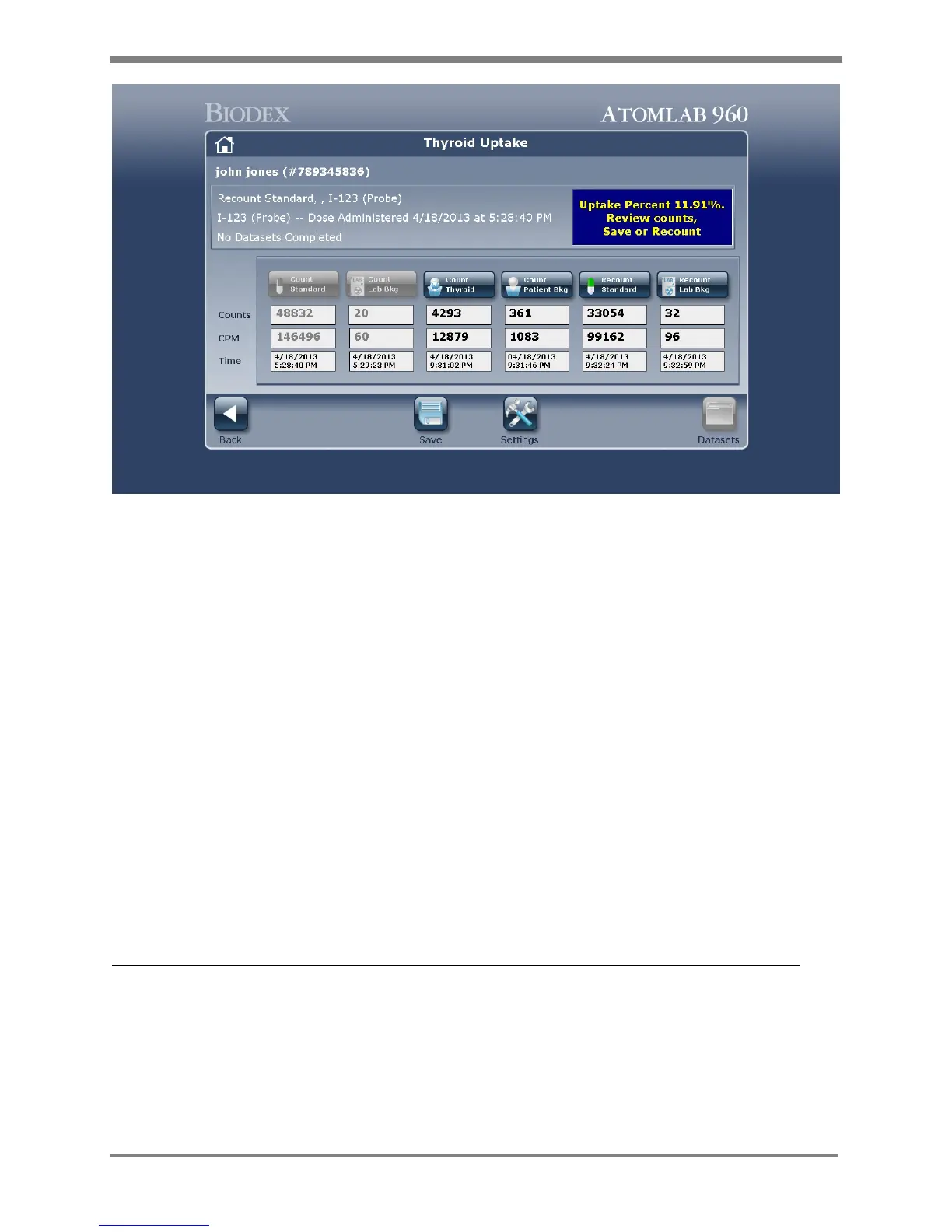
Figure 6.11. The Thyroid Uptake Results screen.
33. The Thyroid Uptake Results are displayed.
NOTE: If you are not satisfied with the results for the recount standard, lab background,
thyroid or patient background, select the item you wish to recount and recount that item.
34. When satisfied with the results select <Save>. The Thyroid Uptake Results screen is now
displayed. Select <Save> again to save the dataset or select <Cancel> to return without
saving.
NOTE: If you are performing multiple counts (datasets) after saving tell the patient when to
return for the next dataset to be counted.
NOTE: You can print an Uptake Report by selecting <Reports> on the Study Selection
screen.
35. Repeat steps 20 through 34 to count additional datasets.
Perform A New Thyroid Uptake Study On An Existing Patient With A Previous Test Or Study:
1. When the patient arrives at the specified time, select <Testing> and then <Thyroid
Uptake>.
2. Highlight the patient on the Select or Add a Patient screen and select <Edit> to confirm you
have the correct patient and information. Select <Accept> to return to the Select or Add a
Patient screen.
3. Select <Next> to advance to the Study Selection screen.
4. Select <Add Study> to advance to the Add Study screen.



 To Next Page