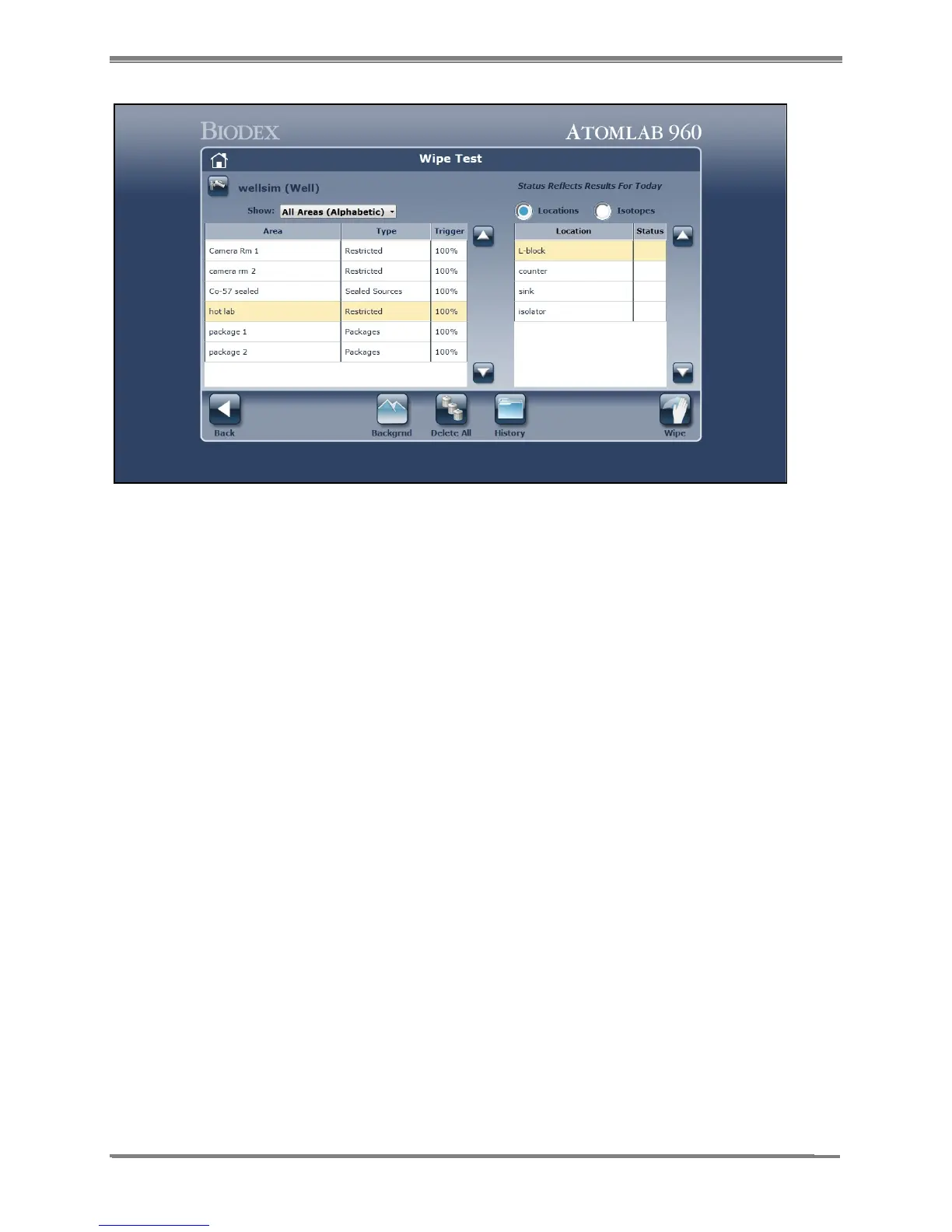
Figure 8.4. Wipe Selection screen.
3. Select the wipe area and location for the wipe to be counted.
4. Select <Wipe>. The Wipe Background Required screen is now displayed. Select <Accept> to
perform the wipe background now or <Cancel> to return to the Wipe Test screen without
performing a background.
NOTE: If the daily calibration has not yet been performed today, the system will force you
to calibrate before performing the background.
5. Before starting the Wipe Background Count, ensure there are no sources near the wipe
chamber. Select <Accept> to start the background count. The Wide Window Spectrum is
displayed while background is counting.
6. Once the background has been counted, the spectrum is displayed for the Wipe Background
Count screen. The display shows the full spectrum counts. Select <Analysis> if you wish to
perform a spectrum analysis before proceeding or select <Next> to advance to the
Background Results screen.



 To Next Page