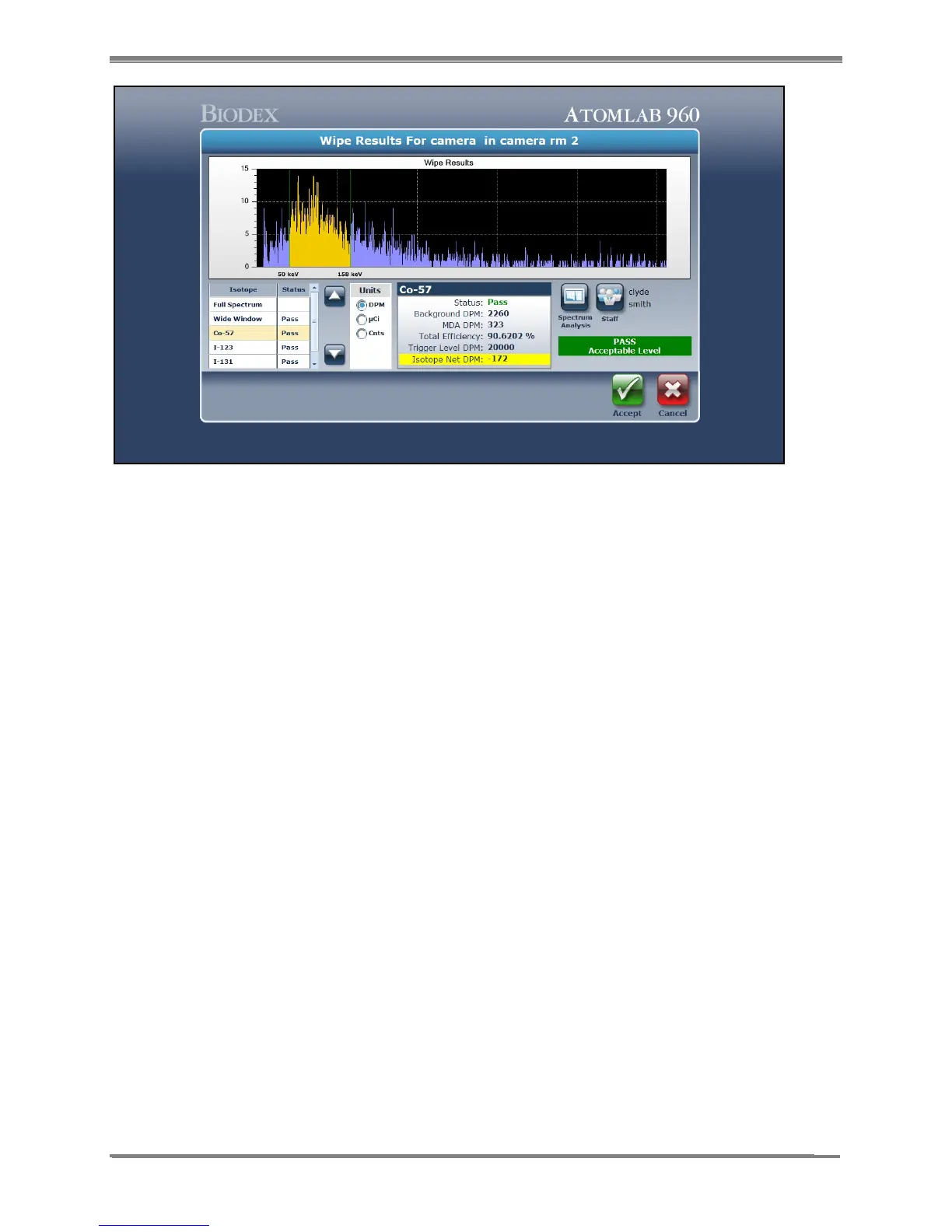
Figure 8.6. The Wipe Results screen.
11. On the Wipe Results screen, the Isotopes section on the lower left allows the user to select
full spectrum, wide window or any other isotope that has been made available for this
location. Making a new selection changes the results and the screen ROI to reflect the data
for the specific isotope selected.
12. The results show which isotopes pass or fail and allow the user to change the results units
to dpm, µCi or Cnts. Select <Analysis> if a spectrum analysis is desired. Select <Staff> to
change the staff member, or select <Accept> to save this wipe result and return to the
Wipe Test screen to select another location and perform the next wipe. Select <Cancel> to
return to Wipe Test screen without saving wipe.
NOTE: Full spectrum results will only be displayed in counts. All other isotopes including the
wide window can be displayed in dpm, µCi or counts.



 To Next Page