2-8 ASSEMBLY AND STAND OPERATION Biodex Medical Systems, Inc. © 2014
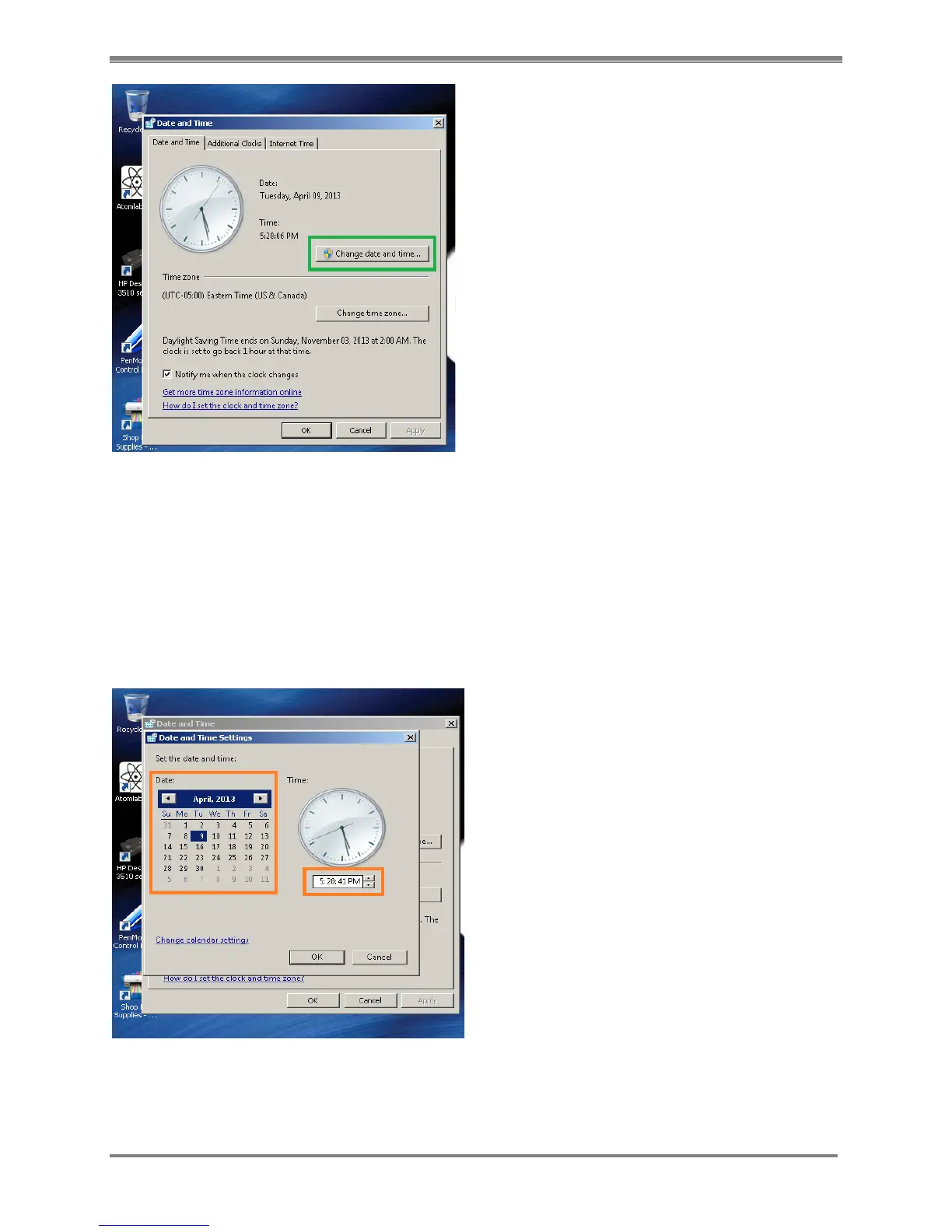
Figure 2.7. The Date and Time window with the <Change date and time> button highlighted.
6. Set the Date from the Calendar by selecting the appropriate Date.
7. To change the Time, select the Box where it displays the clock time. Do one or more of the
following:
a. To change the hour, double-click the hour, and then select the arrows to increase or
decrease the value.
b. To change the minutes, double-click the minutes, and then select the arrows to increase
or decrease the value.
c. To change the seconds, double-click the seconds, and then select the arrows to increase
or decrease the value.
Figure 2.8. Date and Time Settings window with calendar and time field highlighted.
8. When finished changing the time settings, select <OK>.
9. To change the time zone, select <Change time zone>.



 To Next Page