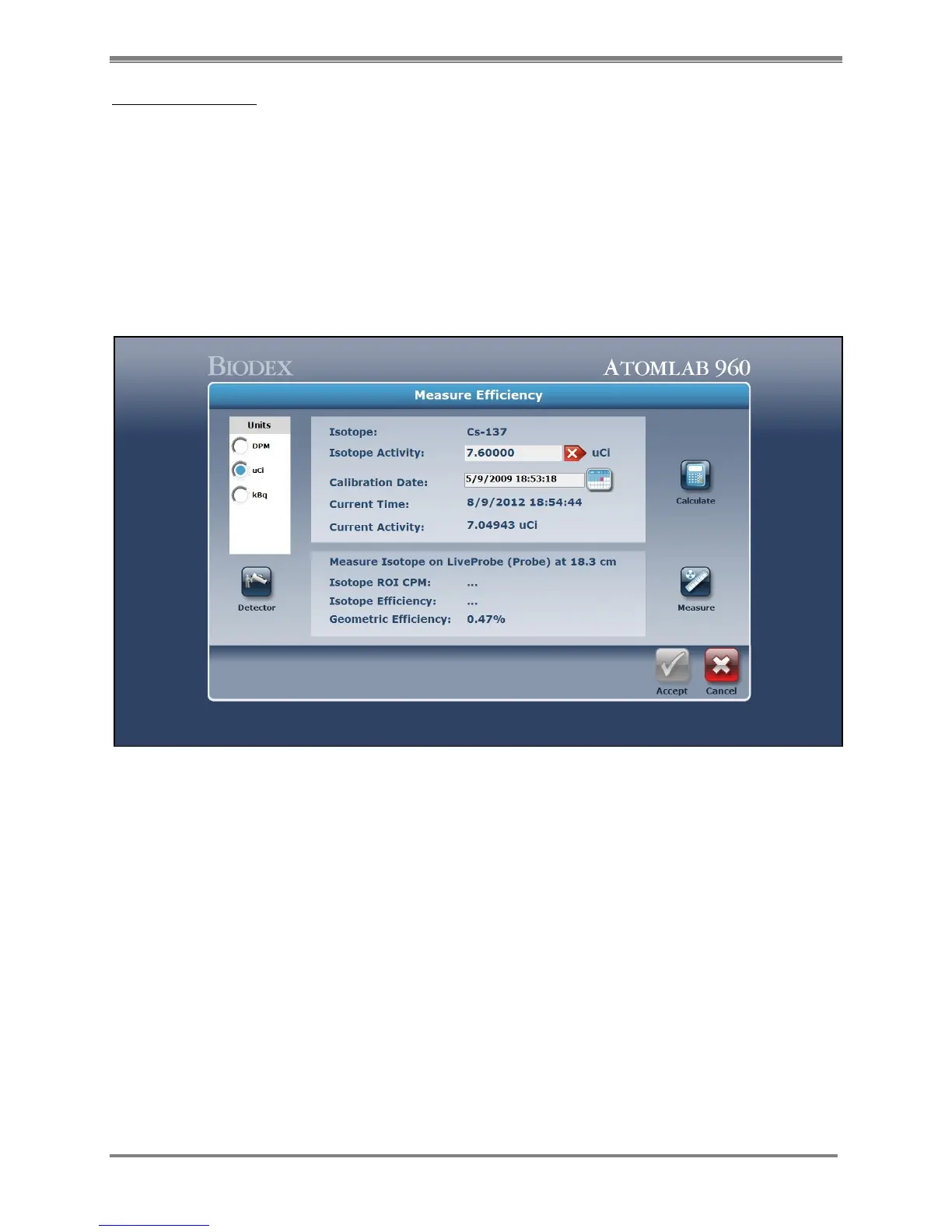
Measure Efficiency:
1. From the Select An Isotope list, highlight the desired isotope and then select <Efficiency>.
The Detector Efficiency Options screen is now displayed. The selected isotope is displayed
at the top of the screen, along with the selected detector.
2. Select <Measure Efficiency>.
3. Select the <Measure> icon to the right of the Measure Efficiency field.
4. A background collection is required and a reminder to remove any sources from the
detector will be displayed.
5. Select <Accept>. The Background Collection screen is displayed and a background
collection begins. When counting is complete, select <Analysis> to analyze the spectrum
(see Spectrum Analysis) or select <Next > to advance to the Measure Efficiency screen.
Figure 4.18. The Measure Efficiency screen.
6. Enter the source calibration activity and date. Select <Accept> when complete.
7. Select <Calculate> to calculate the current decayed activity for the standard being used.
The set distance at which the standard will be counted, along with the geometric efficiency,
are also displayed.
8. To change the geometric distance and geometric efficiency, select the <Detector> icon on
the left side of the screen. The Detector Measurements screen is now displayed.



 To Next Page